5 Best Alternatives to Camtasia in 2026
By Noahlast updated pricing verified

From our data: All five alternatives listed here carry a free tier of some kind, while Camtasia itself has none, starting at $39/year for still-watermarked exports; the cheapest genuinely watermark-free paid tier among them is ScreenPal's Solo Deluxe at $3/month, well under Camtasia's $179.88/year ($14.99/month) Essentials tier needed to remove its own watermark.
 OBS Studio
 Loom
Loom Descript
 Adobe Premiere Pro
 ScreenPal
How we picked
- Pricing was independently verified for all five alternatives — Loom, OBS Studio, Descript, Adobe Premiere Pro, and ScreenPal — matching Camtasia's own verified $39/year starting price.
- Cost model was a major axis: OBS Studio is completely free with no paid tier at all, three more (Loom, Descript, ScreenPal) offer a genuine free tier before paying, and Adobe Premiere Pro's free access is limited to a companion mobile app rather than the full editor.
- Review volume varies: Adobe Premiere Pro's 573 Capterra reviews and Loom's 529 are larger samples than Camtasia's own 453 Capterra reviews, while OBS Studio carries no structured external rating in our listing data at all.
- Feature overlap with Camtasia's core screen-recording-plus-editing model was checked directly: OBS Studio and Loom lean toward pure capture, Descript and Adobe Premiere Pro lean toward pure editing, and ScreenPal is the closest full-workflow match to Camtasia's combined record-edit-caption approach.
Paid placement never alters editorial rank — read the full methodology.
Camtasia alternatives at a glance
| Alternative | Best for | Learning curve | Price |
|---|---|---|---|
| Camtasiareference | corporate trainers, educators, and software marketers producing tutorial and course videos from screen recordings, not general-purpose video editors | Moderate | From $39/yr |
| Loom | product, engineering, and customer-facing teams replacing routine live meetings or long written explanations with short async screen-recording videos | Low | Free tier · paid from $18/mo |
| OBS Studio | streamers and content creators who want a free, unlimited-scene streaming and recording tool without subscription fees or watermarks | Moderate | Free |
| Descript | podcasters, YouTubers, and marketing teams who want to cut video and audio by editing a transcript instead of scrubbing a timeline | Low | Free tier · paid from $24/mo |
| Adobe Premiere Pro | professional video editors and filmmakers who need frame-accurate multi-track editing, broadcast color grading, and Frame.io review workflows | Steep | Free tier · paid from $22.99/mo |
| ScreenPal | educators, corporate trainers, and support teams recording short tutorial and how-to videos who want built-in AI captioning without a separate video editor | Low | Free tier · paid from $3/mo |
 Camtasia
1Loom — best Camtasia alternative for product, engineering, and customer-facing teams replacing routine live meetings or long written explanations with short async screen-recording videos
Loom is the best Camtasia alternative for teams that want to record and instantly share a short async video message rather than produce a polished, edited tutorial the way Camtasia is built for. Loom's Starter plan is free for up to 50 workspace members, generating a shareable link the moment recording stops, while Camtasia has no free tier at all and starts at $39/year even for watermarked exports. Loom holds a 4.7/5 rating from 529 Capterra reviews, more than Camtasia's own 453 Capterra reviews. Since Atlassian's 2023 acquisition, Loom converts a recorded walkthrough directly into a Jira ticket with technical details auto-extracted from the video, an integration Camtasia's tutorial-focused editor doesn't offer. Camtasia is still the better choice for anyone producing longer, heavily edited training or course videos: Loom's free tier caps recordings at 5 minutes and 25 videos per person, far more restrictive than Camtasia's unlimited recording length even on its cheapest $39/year Starter tier, and Loom's Business tier at $18/user/month has no equivalent to Camtasia's text-based multitrack editing, callouts, and AI voiceover across 200+ voice options for building a full tutorial rather than a quick message.
Compared to Camtasia: free for up to 50 workspace members vs Camtasia's $39/year minimum, native Jira ticket creation from recordings, 4.7/5 from 529 Capterra reviews
Wins:Starter plan is free for up to 50 workspace members, while Camtasia has no free tier at all · Native Jira ticket creation from a recorded walkthrough, an integration Camtasia doesn't offer · 4.7/5 rating from 529 Capterra reviews, more than Camtasia's own 453 Capterra reviews
Loses:Free tier caps recordings at 5 minutes and 25 videos per person, far more restrictive than Camtasia's unlimited recording length even on its cheapest tier · No text-based multitrack editing, callouts, or AI voiceover across 200+ voice options the way Camtasia's paid tiers build full tutorials · AI features (meeting recaps, filler-word removal) require the pricier $24/user/month Business + AI tier
Pros
- Records and generates a shareable link in seconds, with no export or upload step.
- Native Jira ticket creation from a recorded walkthrough since the Atlassian acquisition.
- Transcriptions and captions in 50+ languages included even on paid tiers.
- Edit-by-transcript (Business + AI) lets you trim video by deleting text instead of scrubbing a timeline.
Cons
- Free tier is capped at 5-minute recordings and 25 videos per person, too limited for regular use.
- AI features (meeting recaps, filler-word removal) require the pricier Business + AI tier at $24/user/month.
- No offline or local-only recording mode; videos upload to Loom's cloud by default.
- Per-seat pricing adds up quickly for larger teams compared with ad hoc recording tools.
Pricing: Free tier · paid from $18/mo — Free (5-min cap) or $18/user/month Business vs Camtasia's $39/year Starter (watermarked) to $179.88/year Essentials (watermark-free) (verified )
2OBS Studio — best Camtasia alternative for streamers and content creators who want a free, unlimited-scene streaming and recording tool without subscription fees or watermarks
OBS Studio is the best Camtasia alternative for anyone who wants unlimited screen recording, scene composition, and live streaming at zero cost, rather than Camtasia's cheapest tier starting at $39/year with a watermark still attached. OBS Studio is completely free and open source under GPL-2.0 with no paid tier, subscription, or account required at all, a structural difference from Camtasia's four-tier annual subscription model. It composites unlimited customizable scenes from windows, monitors, webcams, capture cards, and browser sources, with a professional audio mixer offering per-source filters and VST plugin support, capabilities that go beyond Camtasia's recording toolset into live streaming to Twitch and YouTube. Camtasia is still the far better choice for anyone editing a polished tutorial after recording: OBS Studio has no built-in video editor, transcript-based cutting, callouts, or AI voiceover at all, since it's purely a capture and streaming tool, its interface and initial encoder/scene setup carry a real learning curve for first-time users, and it carries no external rating on Capterra or G2 in our listing data, versus Camtasia's 4.5/5 from 453 Capterra reviews.
Compared to Camtasia: completely free and open source (GPL-2.0) vs Camtasia's $39/year minimum, unlimited scenes with live streaming to Twitch/YouTube, no built-in video editor
Wins:Completely free and open source under GPL-2.0 with no paid tier, subscription, or account required, vs Camtasia's $39/year Starter · Unlimited customizable scenes with a professional audio mixer and VST plugin support · Live streams directly to Twitch and YouTube, a capability Camtasia's recording-focused toolset doesn't include
Loses:No built-in video editor, transcript-based cutting, callouts, or AI voiceover, since it's purely a capture and streaming tool · Interface and initial encoder/scene setup carry a real learning curve for first-time users · Carries no external rating on Capterra or G2 in our listing data, versus Camtasia's 4.5/5 from 453 Capterra reviews
Pros
- Completely free and open source with no watermark, subscription, or account requirement.
- Unlimited scenes and sources, including windows, monitors, webcams, capture cards, browser sources, and text.
- Professional audio mixer with per-source filters and VST plugin support.
- Extensible through Lua and Python scripting and a large third-party plugin ecosystem.
Cons
- No built-in guided setup wizard or overlay store, unlike paid competitors such as Streamlabs.
- Initial configuration of encoders, scenes, and audio routing has a real learning curve for first-time streamers.
- No official cloud backup or sync for scene collections and settings across machines.
- Community-driven support (forums, Discord) rather than dedicated commercial customer support.
Pricing: Free — $0 vs Camtasia's $39/year Starter (watermarked) to $179.88/year Essentials (watermark-free) (verified )
3Descript — best Camtasia alternative for podcasters, YouTubers, and marketing teams who want to cut video and audio by editing a transcript instead of scrubbing a timeline
Descript is the best Camtasia alternative for creators who want to cut video by editing a text transcript rather than a timeline, a workflow Camtasia's own text-based editing feature also targets but on a different pricing structure. Descript's free plan includes 60 minutes of media a month and 100 one-time AI credits at no cost, while Camtasia has no free tier and starts at $39/year. Descript's Overdub voice cloning can fix a flubbed line without a re-record, and its Business tier adds translation and dubbing into 30 languages, similar in spirit to Camtasia's own AI voiceover and translation features on its pricier Create and Pro tiers. Descript holds a 4.6/5 rating from 183 Capterra reviews and 4.4/5 from 41 Product Hunt reviews, both close to Camtasia's own 4.5/5 from 453 Capterra reviews. Camtasia is still the better choice for screen-recording-first tutorial creators: Descript's usage is metered by monthly media hours and AI credits even on paid tiers, so heavy editors can burn through Creator's 30 hours or 800 credits before the month ends, and Descript has no native mobile app for editing, only for reviewing or recording on the go, while Camtasia's recording and editing live in one dedicated screen-capture workflow.
Compared to Camtasia: free 60 minutes/month vs Camtasia's $39/year minimum, transcript-based cutting plus Overdub voice cloning, usage metered by media hours and AI credits even on paid tiers
Wins:Free plan includes 60 minutes of media a month and 100 one-time AI credits, while Camtasia has no free tier at all · Overdub voice cloning fixes a flubbed line without requiring a re-record, a feature Camtasia doesn't offer · Business tier adds translation and dubbing into 30 languages, similar in spirit to Camtasia's pricier Create and Pro tiers
Loses:Usage is metered by monthly media hours and AI credits even on paid tiers, unlike Camtasia's unlimited recording length on every tier · No native mobile app for editing, only for reviewing or recording on the go · 4K export and watermark-free output require at least the $24/month annual Creator tier, a separate price step from the free plan
Pros
- Transcript-based editing makes basic cuts as fast as editing a text document.
- Overdub voice cloning fixes misspoken lines without requiring a re-record.
- Free tier is usable for short projects (60 minutes/month, 720p export).
- Translation and dubbing into 30 languages on the Business tier without third-party tools.
Cons
- Monthly media hours and AI credits are capped even on paid plans, unlike unlimited-usage competitors.
- 4K export and watermark-free output require at least the Creator tier ($24/month annual).
- No native mobile app for editing, only for reviewing/recording on the go.
- AI credit consumption for advanced features (video generation, custom avatars) can outpace the monthly allotment on active projects.
Pricing: Free tier · paid from $24/mo — Free (60 min/month) or $16/month Hobbyist (billed annually) vs Camtasia's $39/year Starter (watermarked) (verified )
4Adobe Premiere Pro — best Camtasia alternative for professional video editors and filmmakers who need frame-accurate multi-track editing, broadcast color grading, and Frame.io review workflows
Adobe Premiere Pro is the best Camtasia alternative for filmmakers, video editors, and content teams who need frame-accurate, professional-grade multi-track editing beyond Camtasia's tutorial-focused toolset. Premiere Pro's Color Mode system provides professional color wheels, curve controls, and video scopes for broadcast-level finishing, and its Generative Extend AI tool adds frames or ambient sound to a clip, capabilities well beyond Camtasia's screen-recording-oriented editor. Premiere Pro holds a 4.7/5 rating from 573 Capterra reviews, more review volume than Camtasia's own 453 Capterra reviews. Premiere Pro's single-app plan costs $22.99/month, and its text-based editing and Media Intelligence let editors search and cut footage by transcript, a similar workflow to Camtasia's own text-based editing feature but built for professional post-production. Camtasia is still the better choice for anyone specifically producing tutorials and training videos from screen recordings: Premiere Pro carries a steep learning curve and heavy CPU/GPU demands compared to Camtasia's more approachable screen-capture-first workflow, it has no built-in screen recorder at all, and cancelling an annual-billed-monthly Premiere Pro plan within the first year can trigger an early termination fee tied to Adobe's 2024 FTC settlement.
Compared to Camtasia: professional multi-track editing with broadcast color grading vs Camtasia's tutorial-focused toolset, 4.7/5 from 573 Capterra reviews, Generative Extend AI adds frames or ambient sound
Wins:Color Mode system provides professional color wheels, curve controls, and video scopes for broadcast-level finishing, beyond Camtasia's tutorial-focused editor · 4.7/5 rating from 573 Capterra reviews, more review volume than Camtasia's own 453 Capterra reviews · Generative Extend AI adds frames or ambient sound to a clip, a capability Camtasia doesn't offer
Loses:No built-in screen recorder at all, unlike Camtasia's core screen-capture-first workflow · Steep learning curve and heavy CPU/GPU demands compared to Camtasia's more approachable interface · Cancelling an annual-billed-monthly plan within the first year can trigger an early termination fee, a complaint Camtasia's reviewers don't raise about its own annual tiers
Pros
- Multi-track timeline and Color Mode grading tools built for professional finishing work.
- Text-based editing and Media Intelligence speed up rough cuts by searching footage like a transcript.
- Frame.io integration streamlines client review and approval directly from the timeline.
- Tight integration with After Effects and Audition for motion graphics and audio finishing.
Cons
- Steep learning curve; overkill for short-form social content compared to template-driven editors.
- Demanding on CPU/GPU, especially with multi-cam or high-resolution footage.
- Subscription-only, and cancelling an annual-billed-monthly plan within the first year can trigger an early termination fee.
- No perpetual license option for editors who prefer a one-time purchase.
Pricing: Free tier · paid from $22.99/mo — $22.99/month single app vs Camtasia's $39/year Starter to $179.88/year Essentials for watermark-free exports (verified )
5ScreenPal — best Camtasia alternative for educators, corporate trainers, and support teams recording short tutorial and how-to videos who want built-in AI captioning without a separate video editor
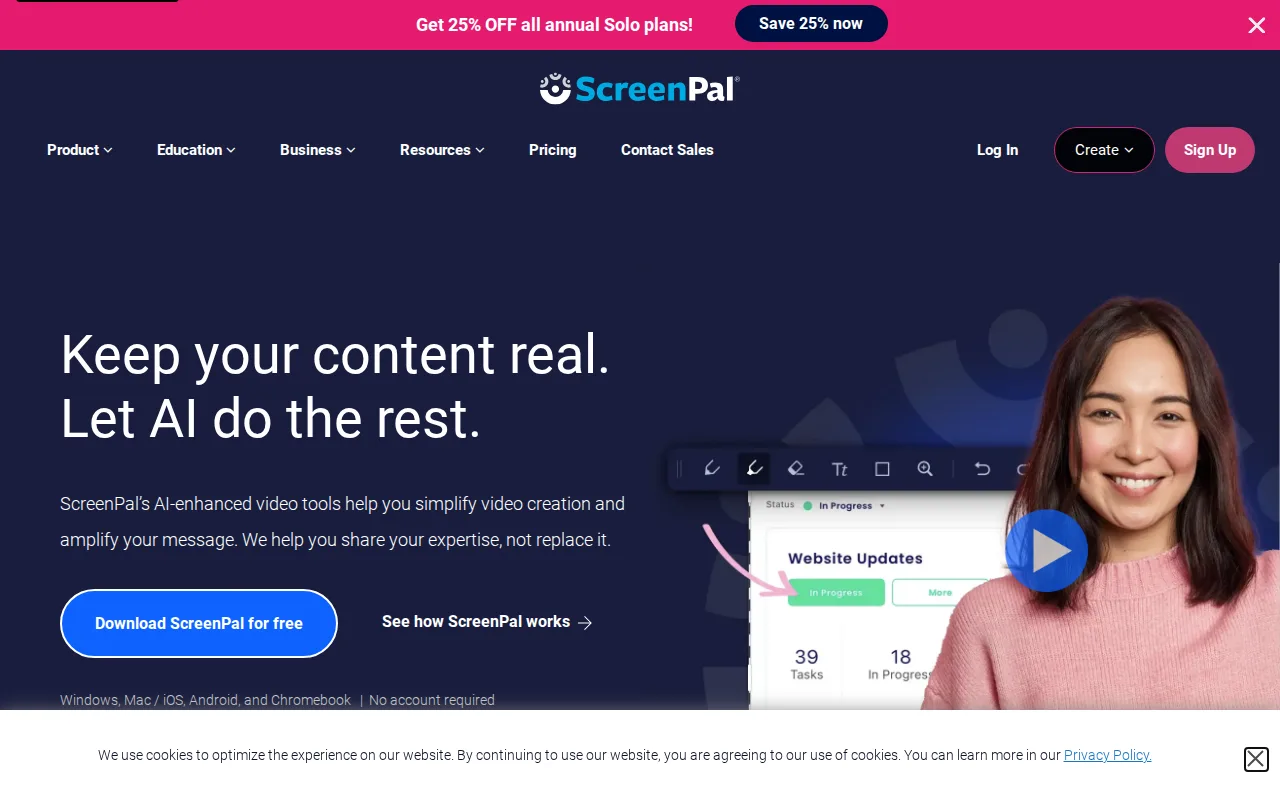
ScreenPal is the best Camtasia alternative for educators, corporate trainers, and support teams who want AI-generated transcripts, captions, chapters, and video summaries built directly into an affordable recorder and editor, rather than Camtasia's steeper four-tier pricing. ScreenPal's Solo Deluxe tier costs just $3/month billed annually, a fraction of Camtasia's cheapest Starter tier at $39/year (about $3.25/month) for still-watermarked exports, while ScreenPal's Solo Deluxe already removes the watermark. ScreenPal reports use by 98 of the top 100 US universities and adds interactive quizzes and polls embedded directly into hosted videos, features Camtasia's editor doesn't build in. ScreenPal's permanently free plan supports real recording and editing, not just a trial, capped at 15 minutes and 720p, comparable in spirit to Camtasia's complete lack of any free tier. Camtasia is still the better choice for anyone who needs deeper AI voiceover and avatar generation for polished course content: ScreenPal holds a 4.4/5 rating from 102 Capterra reviews, a smaller sample than Camtasia's 453, and its AI captioning and unlimited premium stock assets require the pricier Solo Max tier, while Camtasia's higher tiers include AI avatar generation and 100M+ premium stock assets through Screencast.
Compared to Camtasia: Solo Deluxe at $3/month (watermark-free) vs Camtasia's $39/year Starter (still watermarked), AI transcripts and interactive quizzes built in, permanently free plan with real editing
Wins:Solo Deluxe costs just $3/month billed annually and already removes the watermark, cheaper than Camtasia's $39/year Starter which still watermarks exports · AI-generated transcripts, captions, chapters, and video summaries are built directly into the recorder, plus interactive quizzes and polls embedded in hosted videos · Permanently free plan supports real recording and editing, not just a time-limited trial
Loses:4.4/5 rating from 102 Capterra reviews, a smaller sample than Camtasia's 453 Capterra reviews · AI captioning and unlimited premium stock assets require the pricier Solo Max tier, not included on Solo Deluxe · No AI avatar generation or 100M+ premium stock asset library the way Camtasia's higher Create and Pro tiers include through Screencast
Pros
- Permanently free plan supports real recording and editing, not just a trial.
- AI-generated captions, transcripts, chapters, and summaries are built into the paid tiers.
- Runs on Windows, macOS, iOS, Android, and the web from one account.
- Used by 98 of the top 100 US universities, per the vendor, with reviewers praising responsive support.
Cons
- Free tier caps individual recordings at 15 minutes and limits playback to 720p.
- SSO and LMS integration require the Team Business tier, which has a 3-user minimum.
- Some reviewers report cumbersome bulk-upload workflows and limits on large video files.
- AI captioning and unlimited premium stock assets require the Solo Max tier or above, not included on Solo Deluxe.
Pricing: Free tier · paid from $3/mo — $3/month Solo Deluxe (billed annually, watermark-free) vs Camtasia's $39/year Starter (watermarked) (verified )
Which one is right for you?
- You want free, unlimited screen recording and live streamingOBS Studio
- You want to record and share a quick async video message in secondsLoom
- You want to cut video by editing a transcript instead of a timelineDescript
- You need professional multi-track editing and broadcast color gradingAdobe Premiere Pro
- You want AI captions and quizzes built in at a low monthly costScreenPal
Frequently asked questions
Is there a free alternative to Camtasia?
- Yes — OBS Studio is completely free and open source, and Loom, Descript, and ScreenPal all offer genuine free tiers, unlike Camtasia, which has no free plan at all, starting at $39/year.
What is the closest alternative to Camtasia?
- ScreenPal is the closest match on combined recording, editing, and AI captioning, and its $3/month Solo Deluxe tier already removes the watermark that Camtasia's own $39/year Starter tier still shows.
Can OBS Studio replace Camtasia?
- Yes for anyone who only needs recording and live streaming, since OBS Studio is completely free with unlimited scenes. Anyone who needs Camtasia's text-based editing, callouts, and AI voiceover for building a polished tutorial should stay with Camtasia, since OBS Studio has no built-in video editor at all.
Which Camtasia alternative is best for professional video editors?
- Adobe Premiere Pro, whose Color Mode system and multi-track timeline are built for broadcast-level finishing work well beyond Camtasia's tutorial-focused editor.
Is ScreenPal cheaper than Camtasia?
- Yes — ScreenPal's Solo Deluxe tier costs $3/month billed annually and already removes the watermark, while Camtasia needs its $179.88/year ($14.99/month) Essentials tier just to remove its own watermark.