5 Best Alternatives to Opera in 2026
By Noahlast updated pricing verified

From our data: All five Opera alternatives listed here are free browsers with no paid tier for the browser itself, matching Opera; the only paid line item across the entire comparison is Brave's optional Firewall + VPN at $9.99/month or $99.99/year, and just two of the six products compared — Google Chrome (4.8/5 from 2,148 Capterra reviews) and Opera itself (4.4/5 from 15 Product Hunt reviews) — carry any external review rating on record.
 Google Chrome
 Brave
Brave Vivaldi
 Firefox
 Microsoft Edge
How we picked
- Price was not a ranking signal, because every browser here is free with no paid tier for the browser itself, exactly like Opera; the only paid line item anywhere in this comparison is Brave's optional Firewall + VPN at $9.99/month or $99.99/year.
- Opera's own stated weaknesses set the test: its bundled free VPN is a basic privacy tool with fewer server locations and less consistent speed than dedicated services, and its Chromium base gives it no independent rendering engine. Brave's device-wide VPN and Mozilla Firefox's Gecko engine each answer one of those directly.
- External review evidence exists for only two of the six products compared here — Google Chrome at 4.8/5 from 2,148 Capterra reviews and Opera itself at 4.4/5 from 15 Product Hunt reviews — so Microsoft Edge, Brave, Vivaldi, and Mozilla Firefox were neither ranked up nor down on score.
- Platform parity with Opera's Windows, macOS, Linux, iOS, and Android coverage was required, and Google Chrome, Microsoft Edge, Brave, and Vivaldi all match it exactly.
- Opera's specific bundles were checked feature by feature rather than assumed from reputation: a default ad blocker (Brave, Vivaldi), a built-in AI sidebar (Chrome's Gemini, Edge's Copilot), and tab grouping to match Tab Islands.
Paid placement never alters editorial rank — read the full methodology.
Opera alternatives at a glance
| Alternative | Best for | Standout | Biggest weakness | Learning curve | Price |
|---|---|---|---|---|---|
| Operareference | everyday users who want built-in ad blocking, a free VPN, and an AI chat assistant bundled into the browser instead of installed as separate extensions | A free built-in VPN and ad blocker shipped inside the browser by default, with no extension installs or subscription required, plus Opera AI chat and Tab Islands for tab organization. | Opera's free built-in VPN is a basic privacy tool, not a full-featured VPN service, with fewer server locations and less consistent speed than dedicated VPN products, and the browser's extra features (AI, Flow, Tab Islands) add complexity some users don't want in a simple browser. | Low | Free |
| Google Chrome | users who want the widest website compatibility and browser-extension ecosystem, and who are already inside the Google account/services ecosystem for sync | The largest extension ecosystem and highest web-compatibility of any browser, since Chrome's Chromium engine is also the basis most other browsers build on and test against. | Chrome consistently uses more RAM than lighter competitors when many tabs are open, which reviewers say slows down lower-spec machines and drains laptop battery faster than Firefox, Safari, or other Chromium-based browsers with more aggressive tab suspension. | Low | Free |
| Microsoft Edge | Windows users who want a browser tightly integrated with the OS, Microsoft 365, and Copilot AI without installing a separate browser | Deep Windows and Microsoft 365 integration combined with Copilot Vision, which can analyze on-screen content and suggest actions directly inside the browser, going beyond the AI features most competing browsers offer. | Most of Edge's distinguishing features (Copilot, cross-device sync, deep OS integration) assume a Microsoft account and are most valuable on Windows, giving non-Windows users little practical reason to choose it over Chrome, whose engine it shares; it also carries a reputation for persistent default-browser prompts and pre-installed promotional content on Windows. | Low | Free |
| Brave | privacy-conscious users who want built-in ad and tracker blocking plus an optional device-wide VPN without installing separate browser extensions | Ships with ad and tracker blocking, script blocking, and fingerprint randomization built in and on by default, with no extensions needed to match what competitors require several add-ons to replicate. | Brave Rewards' opt-in BAT-token ad program has drawn criticism from users who find its ad-serving and crypto-wallet defaults confusing to disable, and the VPN/Firewall add-on requires a separate $9.99/month subscription rather than being bundled free. | Low | Free tier · paid from $9.99/mo |
| Vivaldi | power users who want deep tab and workspace customization (tiling, stacking, mouse gestures) built into the browser instead of relying on extensions | Built-in tab tiling, stacking, and workspaces plus a native mail client, calendar, and feed reader bundled directly into the browser rather than requiring separate apps or extensions. | The extensive feature set and settings menus create a steeper learning curve than mainstream browsers, and being Chromium-based, Vivaldi still depends on Google's browser engine even while blocking Google's own tracking. | Moderate | Free |
| Firefox | users who want a non-Chromium, open-source browser with tracker blocking on by default and no ties to Google's or Apple's advertising businesses | Runs on the independent Gecko engine rather than Chromium, giving the web a genuine rendering-engine alternative to Google's dominant Blink/Chromium base, with Enhanced Tracking Protection blocking trackers by default. | Firefox's market share has declined for years as most competing browsers (Chrome, Edge, Brave, Opera) all run on Chromium, meaning some sites and web apps get tested and optimized for Chromium first and occasionally behave inconsistently in Firefox. | Low | Free |
 Opera
Opera1.Google Chrome — best Opera alternative for users who want the widest website compatibility and browser-extension ecosystem, and who are already inside the Google account/services ecosystem for sync
Google Chrome is the best Opera alternative for anyone who keeps hitting a site that only behaves correctly in Chrome. Chrome is the reference implementation of Chromium — the engine Opera, Microsoft Edge, Brave, and Vivaldi all build on and test against — which gives it the widest website compatibility and the largest extension catalog of any browser; Opera's own listing concedes a smaller extension ecosystem, even though it can install most Chrome Web Store extensions. Google Chrome is free with no paid tier whatsoever, and it carries 4.8/5 from 2,148 Capterra reviews against Opera's 4.4/5 from 15 Product Hunt reviews — different review platforms, but far more evidence behind Chrome's number. Chrome bundles Gemini for page summarization plus an auto-browse feature for tasks like shopping and reservations, Google Password Manager, Enhanced Safe Browsing against a real-time threat database, Google Lens visual search, tab grouping, and Memory Saver and Energy Saver modes, with automatic updates roughly every four weeks. Opera is still the better choice for privacy on a budget: Opera ships a free built-in VPN and an ad blocker on by default, and Google Chrome offers neither. Chrome's own listing also concedes it uses significantly more RAM than lighter browsers when many tabs are open, drains laptop battery faster, and does not let users fully disable Gemini and auto-browse.
Compared to Opera: the largest extension catalog and highest website compatibility of any browser, a 4.8/5 Capterra rating from 2,148 reviews against Opera's 4.4/5 from 15 Product Hunt reviews, and no built-in free VPN or default ad blocker
Wins:Largest extension catalog and highest website compatibility of any browser, since Chrome is the reference Chromium build others test against; Opera's listing concedes a smaller ecosystem · 4.8/5 from 2,148 Capterra reviews, far more review evidence than the 15 Product Hunt reviews behind Opera's 4.4/5 · Gemini summarization and auto-browse, Google Lens visual search, Enhanced Safe Browsing, Memory Saver and Energy Saver modes, all free, updated roughly every four weeks
Loses:No built-in free VPN and no ad blocker on by default — the two things Opera ships without an extension · Chrome's own listing concedes it uses significantly more RAM than lighter browsers with many tabs open and drains laptop battery faster · Built-in Gemini AI and auto-browse features cannot be fully disabled by users who want a minimal browser
Pros
- Broadest extension ecosystem and highest website compatibility of any browser.
- Free with no paid tier; all sync, password manager, and AI features are included.
- Cross-device sync of bookmarks, passwords, and tabs via a Google account.
- Frequent, low-friction automatic updates roughly every four weeks.
Cons
- Uses significantly more RAM than lighter browsers when many tabs are open, slowing lower-spec machines.
- Heavier resource use drains laptop battery faster than more battery-optimized alternatives.
- Deep integration with Google services and account-based sync raises privacy concerns for some users.
- Built-in Gemini AI features and "auto browse" cannot be fully disabled by users who prefer a minimal browser.
Pricing: Free — Both are free browsers with no paid tier; Opera's only paid line is the optional Opera Pro VPN upgrade, while Google Chrome sells nothing at all (verified undefined NaN, NaN)
2.Microsoft Edge — best Opera alternative for windows users who want a browser tightly integrated with the OS, Microsoft 365, and Copilot AI without installing a separate browser
Microsoft Edge is the best Opera alternative for people who spend the day inside Windows and Microsoft 365. Edge is preinstalled and set as the default on Windows, so leaving Opera means removing an app rather than installing one, and Edge is free on macOS, Linux, iOS, and Android too — the same five platforms Opera covers. Edge's Copilot integration can read across open tabs to compare information, and Copilot Vision scans on-screen content and suggests actions, a step beyond the sidebar chat Opera AI provides. On performance, Edge ships an energy-saver mode that Microsoft claims adds up to 25 extra minutes of battery life, plus sleeping tabs, startup boost, and Microsoft Defender SmartScreen for phishing and malware protection. It also includes a dedicated in-game browser overlay through the Windows Game Bar, the nearest thing on this list to Opera's gaming-focused Opera GX variant. Opera is still the better choice for anyone outside the Microsoft ecosystem: Microsoft Edge's own listing concedes that most of its distinguishing features assume a Microsoft account and are most valuable on Windows, that its non-Windows builds get fewer platform-specific optimizations, and that Windows repeatedly prompts users to keep Edge as their default. Edge also ships no free built-in VPN, where Opera bundles one at no cost.
Compared to Opera: preinstalled and default on Windows rather than a separate download, Copilot Vision analyzing on-screen content beyond Opera AI's sidebar chat, and no bundled free VPN of the kind Opera ships
Wins:Preinstalled and default on Windows with nothing to download, and free on macOS, Linux, iOS, and Android to match Opera's platform list · Copilot reads across open tabs to compare information and Copilot Vision analyzes on-screen content, beyond the sidebar chat assistant Opera AI offers · Energy-saver mode Microsoft claims adds up to 25 extra minutes of battery life, plus sleeping tabs, startup boost, and Defender SmartScreen protection, all free
Loses:No free built-in VPN, the feature Opera bundles at no cost and names as its standout · Edge's own listing concedes most standout features assume a Microsoft account and are most useful on Windows, leaving macOS and Linux users little reason to leave Opera · Windows repeatedly prompts users to keep Edge as the default browser, and its non-Windows builds receive fewer platform-specific optimizations
Pros
- Built into Windows with no separate install required, and free on macOS, Linux, iOS, and Android.
- Chromium-based, so it supports most Chrome extensions and web standards.
- Copilot and Copilot Vision integrate AI chat and on-screen analysis directly into the browser.
- Performance features (energy saver, sleeping tabs, startup boost) are aimed at extending laptop battery life and reducing memory use.
Cons
- Most standout features assume a Microsoft account and are most useful within the Windows/Microsoft 365 ecosystem.
- Shares Chrome's underlying engine, so it offers few rendering or compatibility advantages over Chrome itself.
- Windows repeatedly prompts users to keep Edge as their default browser, which some users find intrusive.
- Smaller and less mature non-Windows install base means fewer platform-specific optimizations on macOS/Linux/mobile compared to Windows.
Pricing: Free — Both are free with no feature paywall; Opera sells an optional Opera Pro VPN upgrade, while Microsoft Edge has no paid tier at all (verified undefined NaN, NaN)
3.Brave — best Opera alternative for privacy-conscious users who want built-in ad and tracker blocking plus an optional device-wide VPN without installing separate browser extensions
Brave is the best Opera alternative for people who want to read the code behind their privacy settings. Brave's client code is released under the Mozilla Public License 2.0 so security researchers can audit it directly, where Opera's browser is free but closed. Brave blocks ads, trackers, and third-party cookies by default and adds script blocking and fingerprint randomization on top, going further than Opera's built-in ad blocker, and it defaults to Brave Search, which runs on an independent index rather than reselling Google or Bing results. Opera's own biggest weakness is that its free bundled VPN is a basic privacy tool with fewer server locations and less consistent speed than dedicated products; Brave answers that with Brave Firewall + VPN at $9.99/month or $99.99/year, which encrypts all device traffic rather than only browser traffic, covering up to 10 devices across 300+ servers in 40+ regions with a 7-day free trial. Brave runs on Windows, macOS, Linux, iOS, and Android in nearly 160 languages. Opera is still the better choice if you want a VPN without paying — Brave's costs $119.88 a year at the monthly rate — and Brave's own listed drawbacks include confusion over its opt-in BAT-token Rewards program and crypto-wallet defaults, plus sites that misread its fingerprint randomization as bot activity.
Compared to Opera: client code open source under MPL-2.0 rather than closed, ad, tracker, script, and fingerprint blocking on by default, and a device-wide VPN at $9.99/month against Opera's free but basic bundled one
Wins:Client code is open source under MPL-2.0 and independently auditable; Opera's browser is free but closed source · Blocks ads, trackers, and third-party cookies by default plus script blocking and fingerprint randomization, going past Opera's built-in ad blocker · Brave Firewall + VPN encrypts all device traffic across up to 10 devices via 300+ servers in 40+ regions, where Opera's listing calls its own bundled VPN basic with fewer locations
Loses:Brave's VPN is a $9.99/month or $99.99/year subscription — $119.88 a year at the monthly rate — where Opera bundles a VPN into the browser for free · Brave's own listed drawbacks include confusion over the opt-in BAT-token Rewards program and crypto-wallet defaults, complexity Opera does not carry · Fingerprint randomization sometimes trips site bot-detection and breaks functionality, a compatibility risk Opera's lighter defaults avoid
Pros
- Blocks ads and trackers by default with no extensions required to set up.
- Client code is open source (MPL-2.0) and independently auditable.
- Built-in Brave Search runs on an independent index rather than reselling another engine's results.
- Available on every major desktop and mobile platform with nearly 160 languages supported.
Cons
- Brave Rewards' opt-in BAT-token ad program confuses some users about what's on by default versus optional.
- Brave VPN is a separate $9.99/month subscription, not bundled free with the browser.
- Built on Chromium, so it inherits Google's engine-level decisions and roadmap even while blocking Google's tracking.
- Some sites misidentify Brave's fingerprint randomization as bot activity, occasionally breaking site functionality.
Pricing: Free tier · paid from $9.99/mo — Both browsers are free; Brave's Firewall + VPN add-on costs $9.99/month or $99.99/year for up to 10 devices, where Opera includes a basic VPN at no cost and sells Opera Pro VPN as its paid upgrade (verified undefined NaN, NaN)
4.Vivaldi — best Opera alternative for power users who want deep tab and workspace customization (tiling, stacking, mouse gestures) built into the browser instead of relying on extensions
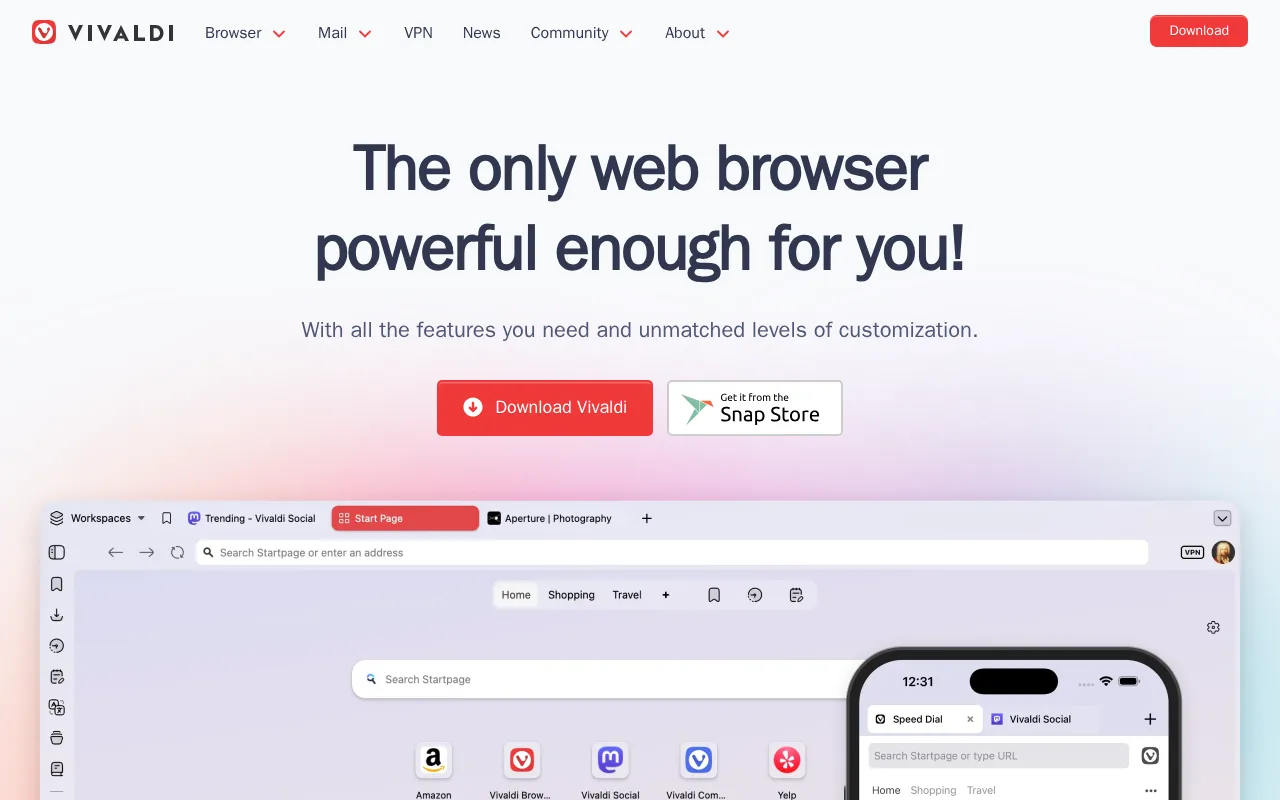
Vivaldi is the best Opera alternative for people who have outgrown Opera's Tab Islands. Vivaldi Technologies was founded by former Opera executives, and it builds the browser for the power users Opera once served: tab tiling and stacking, workspaces for grouping projects, mouse gestures, customizable command chains, a pop-out video player, and built-in screenshot and translation tools, none of which need an extension. Vivaldi also bundles a native mail client, calendar, feed reader, and note-taking panel directly inside the browser, which no other browser compared here does, alongside end-to-end encrypted sync and Proton VPN integration. Vivaldi is free on Windows, macOS, Linux, iOS, and Android — the same five platforms Opera covers — and it is independently and privately funded, with a stated policy against selling user data and no behavioral advertising business. Opera is still the better choice for anyone who wants a browser that works the moment it opens: Vivaldi's learning curve is rated moderate against Opera's low, its dense settings menus take longer to learn than Chrome, Safari, or Firefox, and its smaller market share means fewer sites are specifically tested against it, which occasionally surfaces compatibility quirks. Vivaldi also integrates Proton VPN rather than bundling its own free VPN the way Opera does.
Compared to Opera: tab tiling, stacking, and workspaces that go beyond Tab Islands, a native mail client, calendar, and feed reader built into the browser, and a moderate learning curve against Opera's low
Wins:Tab tiling, stacking, workspaces, mouse gestures, and customizable command chains built in, going well past Opera's Tab Islands · Native mail client, calendar, feed reader, and note-taking panel inside the browser — the only tool in this comparison that bundles them · Independently and privately funded with end-to-end encrypted sync, a stated policy against selling user data, and no behavioral advertising business model
Loses:Learning curve is rated moderate against Opera's low, and Vivaldi's own listing calls its settings denser than Chrome, Safari, or Firefox · No bundled free VPN; Vivaldi integrates Proton VPN instead, where Opera ships its own VPN at no cost · Smaller market share means fewer sites are specifically tested against Vivaldi, occasionally surfacing compatibility quirks
Pros
- Deep tab management: tiling, stacking, and workspaces built in without needing extensions.
- Bundled mail client, calendar, feed reader, and note-taking tools inside the browser itself.
- No data tracking sold to advertisers; independent, privately funded company.
- Highly customizable UI, including custom keyboard shortcuts and mouse gesture command chains.
Cons
- Dense feature set and settings menus make the learning curve steeper than Chrome, Safari, or Firefox.
- Built on Chromium, so it still depends on Google's rendering engine despite privacy-focused positioning.
- Smaller market share than mainstream browsers means fewer sites are specifically tested against it, occasionally surfacing compatibility quirks.
Pricing: Free — Both are free with no paid browser tier; Vivaldi funds itself through search partnerships and optional services, while Opera sells the optional Opera Pro VPN upgrade (verified undefined NaN, NaN)
5.Firefox — best Opera alternative for users who want a non-Chromium, open-source browser with tracker blocking on by default and no ties to Google's or Apple's advertising businesses
Mozilla Firefox is the only browser in this comparison that is not built on Chromium, which is exactly the concern Opera's own listing raises about itself. Firefox runs on Gecko, Mozilla's own layout engine, so switching to it means a genuinely different rendering path rather than another interface on Google's engine — Opera, Google Chrome, Microsoft Edge, Brave, and Vivaldi all share Chromium. Mozilla Firefox is free to download, blocks trackers automatically with no setup, and ships Total Cookie Protection, which confines cookies to the site that set them so they cannot follow a user around the web. Mozilla's own Firefox pages advertise more than 30,000 extensions, tab groups comparable to Opera's Tab Islands, reader mode, picture-in-picture video, and in-browser PDF editing, plus access to multiple AI chatbots without lock-in to one provider — or turning AI off entirely, where Opera ships a single Opera AI assistant. Mozilla states it is not owned by shareholders and does not sell personal data. Opera is still the better choice for anyone who wants the extras Opera bundles: Mozilla's Firefox feature pages list tracker blocking, Total Cookie Protection, and tab groups but no VPN inside the browser, and there is no Firefox equivalent to Opera's Flow file sharing between desktop and mobile or to the gaming-tuned Opera GX variant with its CPU and RAM limiters.
Compared to Opera: Mozilla's independent Gecko engine instead of Chromium, Total Cookie Protection with automatic tracker blocking and no setup, and a choice of AI chatbots — or none at all — rather than a single built-in assistant
Wins:Runs on Mozilla's own Gecko layout engine, the only non-Chromium browser here; Opera's listing names its Chromium dependency as a drawback · Total Cookie Protection confines cookies to the site that set them, and tracker blocking is automatic with no setup, per Mozilla's Firefox pages · Mozilla's Firefox pages advertise over 30,000 extensions and a choice of AI chatbots that can be switched off entirely, where Opera ships one Opera AI assistant
Loses:No bundled free VPN inside the browser; Mozilla's Firefox feature pages list tracker blocking, Total Cookie Protection, and tab groups but nothing equivalent to Opera's free VPN · No Flow-style file and link sharing between desktop and mobile, and no gaming-tuned variant like Opera GX with CPU and RAM limiters · No external review rating on record here, where Google Chrome shows 4.8/5 from 2,148 Capterra reviews and Opera 4.4/5 from 15 Product Hunt reviews
Pros
- Free and open source, published on GitHub under the Mozilla Public License 2.0.
- Enhanced Tracking Protection blocks third-party trackers and cookies by default.
- Runs on the independent Gecko engine rather than Chromium, preserving rendering-engine diversity on the web.
- Built-in Reader Mode, picture-in-picture, and PDF editing without extra extensions.
Cons
- Market share has declined for years, so some sites are tested against Chromium first and can render inconsistently.
- Fewer and sometimes lower-quality extensions available compared to the Chrome Web Store.
- Sync and account features are less tightly integrated with a broader productivity suite than Edge (Microsoft 365) or Chrome (Google Workspace).
- Performance and memory usage can lag Chrome on some heavy, JavaScript-intensive web apps.
Pricing: Free — Both are free to download with no paid tier for the browser itself; Opera's only paid line is the optional Opera Pro VPN upgrade (verified undefined NaN, NaN)
Which one is right for you?
- You keep hitting a site or internal web app that only renders correctly in ChromeGoogle Chrome
- You work all day in Windows and Microsoft 365 and want an AI assistant that can read across your open tabsMicrosoft Edge
- You want ad and tracker blocking on by default and the browser's own code open for anyone to auditBrave
- You run 40 tabs across three projects and need tiling and workspaces, not just tab groupsVivaldi
- You specifically do not want another Chromium browser and are willing to trade some site compatibility for thatFirefox
- You need a VPN that covers every app on the device rather than browser traffic only, and you will pay for itBrave
- You want email, calendar, and RSS feeds in the same window as your tabs instead of separate appsVivaldi
- You want AI in the browser on your own terms, including the option to pick a different chatbot or turn it offFirefox
Frequently asked questions
Is there a free alternative to Opera?
- Yes — all five alternatives here are free browsers with no paid tier for the browser itself, the same as Opera. The only paid item anywhere in this comparison is Brave's optional Firewall + VPN at $9.99/month or $99.99/year. Opera's own paid line is the optional Opera Pro VPN upgrade over its free bundled VPN.
What is the closest alternative to Opera?
- Vivaldi is the closest alternative to Opera: it was founded by former Opera executives, it is Chromium-based like Opera, it is free on the same five platforms (Windows, macOS, Linux, iOS, Android), and it bundles ad and tracker blocking plus tab tiling that extends the idea behind Opera's Tab Islands. The trade-off is a moderate learning curve against Opera's low.
Which Opera alternative has a built-in VPN?
- None of the five includes a free VPN inside the browser the way Opera does. Brave comes closest with Brave Firewall + VPN at $9.99/month or $99.99/year, which encrypts all device traffic across up to 10 devices via 300+ servers in 40+ regions — stronger than a browser-only VPN, but a paid subscription rather than a bundled freebie. Vivaldi integrates Proton VPN instead of shipping its own.
Is there a non-Chromium alternative to Opera?
- Mozilla Firefox, which runs on Gecko, Mozilla's own layout engine. Opera, Google Chrome, Microsoft Edge, Brave, and Vivaldi are all built on Chromium, so Firefox is the only genuinely independent rendering engine in this list. Opera's own listing names that Chromium dependency as one of its drawbacks.
Can Google Chrome replace Opera?
- Yes, if compatibility and extensions matter more to you than bundled privacy tools — Google Chrome has the largest extension catalog and the highest website compatibility of any browser, and it is free with no paid tier. You lose Opera's free built-in VPN and its default ad blocker, and Chrome's own listing concedes it uses significantly more RAM than lighter browsers with many tabs open.
Is there an open source alternative to Opera?
- Brave is the open-source option here: its client code is released under the Mozilla Public License 2.0 so it can be audited directly, where Opera's browser is free but closed. Mozilla Firefox is also developed in the open by Mozilla, which states it is not owned by shareholders and does not sell personal data.
Which Opera alternative is closest to Opera GX for gaming?
- Microsoft Edge is the closest match in this list, because it includes a dedicated in-game browser overlay reachable through the Windows Game Bar. None of the five alternatives ships the CPU and RAM limiters that define Opera GX, so gamers who rely on those are better off staying with Opera's GX variant.