4 Best Alternatives to Open WebUI in 2026
By Noahlast updated

From our data: 3 of the 4 alternatives listed here (Ollama, ChatGPT, LM Studio) have documented pricing and platform data, while AnythingLLM has none published; ChatGPT's 389 Capterra reviews outnumber Ollama's 40 and LM Studio's 4 Product Hunt reviews combined (44) nearly ninefold.
 Ollama
 ChatGPT
 LM Studio
How we picked
- External ratings favored ChatGPT's larger sample: 389 Capterra reviews at 4.4/5 dwarfs Ollama's 40 Product Hunt reviews at 5.0/5 and LM Studio's 4 reviews at 4.7/5, while Open WebUI itself holds a thinner 4.0/5 from 5 Product Hunt reviews.
- Self-hosting and licensing were weighted directly against Open WebUI's own source-available model: Ollama's local runtime is MIT-licensed and fully open source, matching Open WebUI's own free-to-self-host Community tier more closely than ChatGPT's fully closed, cloud-only product.
- Pricing verification dates were checked: Ollama (2026-08-21T10:09:18.027Z) and LM Studio (2026-08-21T10:51:47.266Z) were both confirmed on live pricing pages; ChatGPT's pricing carries no verification timestamp in the source data.
- AnythingLLM is included in the sourced alternative data for Open WebUI, but no pricing, platform, feature, or rating data has been published for it; it is ranked last and flagged honestly rather than silently dropped.
Paid placement never alters editorial rank — read the full methodology.
Open WebUI alternatives at a glance
| Alternative | Best for | Learning curve | Price |
|---|---|---|---|
| Open WebUIreference | individuals, startups, and regulated organizations that want a self-hosted, vendor-independent chat interface for local or API-based AI models | Moderate | Free |
| Ollama | developers who want to run open-weight LLMs locally for privacy, offline use, or air-gapped applications, with optional cloud access for models too large to run on local hardware | Low | Free tier · paid from $20/mo |
| ChatGPT | individuals and teams who want a general-purpose AI assistant for writing, coding, research, and file analysis inside one chat interface | Low | Free tier · paid from $8/mo |
| LM Studio | developers and privacy-conscious users who want to run open-weight LLMs locally on their own hardware, with an OpenAI-compatible API server for integrating local models into other tools | Moderate | Free |
| AnythingLLM | developers and privacy-sensitive teams that want document chat and agents running on their own hardware, with no per-token bill and no files leaving the machine | Moderate | Free tier · paid from $50/mo |
 Open WebUI
 AnythingLLM
1Ollama — best Open WebUI alternative for developers who want to run open-weight LLMs locally for privacy, offline use, or air-gapped applications, with optional cloud access for models too large to run on local hardware
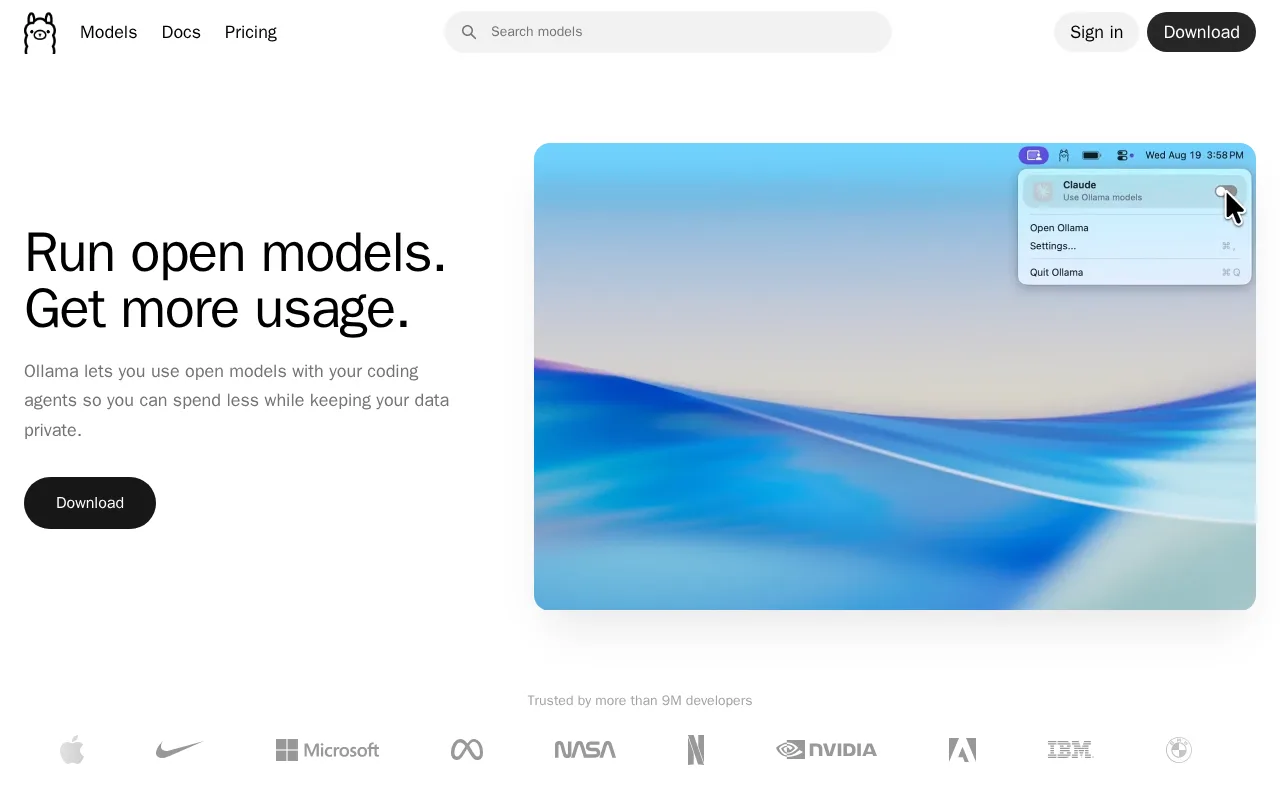
Ollama is the best Open WebUI alternative for developers who want to run open-weight LLMs locally through a simple CLI and REST API rather than Open WebUI's browser-based chat interface. Ollama is MIT-licensed and free to run entirely offline, matching Open WebUI's own free-to-self-host Community tier, and it holds a 5.0/5 rating from 40 Product Hunt reviews, well above Open WebUI's own 4.0/5 from 5 reviews. Ollama integrates with 40,000+ community tools and editors directly through its CLI (ollama run llama3) and REST API, while Open WebUI is itself commonly used as a chat frontend layered on top of an Ollama backend, meaning many Open WebUI users are already running Ollama underneath. An optional Pro cloud tier at $20/month adds access to larger models when local hardware isn't enough, a capability Open WebUI's own product doesn't provide directly since it only routes to backends like Ollama or cloud APIs. Open WebUI is still the better choice for anyone who specifically wants a full browser-based chat UI with RBAC, audit logs, and a 478,000+ member community library of prompts and tools: Ollama's product is a runtime and API, not a chat interface, so teams that want a polished multi-user web UI would still need to pair Ollama with a frontend like Open WebUI itself.
Compared to Open WebUI: a CLI and REST API (ollama run llama3) instead of a browser-based chat interface, MIT-licensed and fully open source versus Open WebUI's source-available branding requirement, integrates with 40,000+ community tools and editors directly
Wins:MIT-licensed and fully open source, unlike Open WebUI's source-available Open WebUI License, which requires preserving branding unless an Enterprise license is purchased · Integrates directly with 40,000+ community tools and editors through its CLI and REST API, without requiring a separate chat frontend · Holds a 5.0/5 rating from 40 Product Hunt reviews, above Open WebUI's own 4.0/5 from 5 reviews
Loses:No built-in multi-user browser chat interface with RBAC or audit logs; Ollama is a runtime and API, not a full chat UI the way Open WebUI is · No community library of shared prompts and tools comparable to Open WebUI's 478,000+ member community · Air-gapped and data-residency-controlled deployment options aren't described in Ollama's own materials the way Open WebUI specifically targets regulated industries with them
Pros
- Core local runtime is free, open source (MIT), and requires no account to run models offline.
- No telemetry from local inference; data never leaves the device unless a cloud model is explicitly used.
- Simple CLI and REST API make it easy to integrate into existing developer tools and 40,000+ community integrations.
- Cloud tier extends the same interface to larger models when local hardware isn't enough.
Cons
- Local performance depends entirely on the user's own hardware; larger models need significant RAM or GPU VRAM to run well.
- Max plan ($100/month) is currently paused for new signups while Ollama adds capacity.
- Cloud usage limits reset on 5-hour and 7-day cycles, which can be restrictive for bursty workloads compared to flat monthly quotas.
- Team plan has a 5-seat minimum ($125/month), which is a meaningful jump for very small teams.
Pricing: Free tier · paid from $20/mo — Both offer a free core product; Ollama's local runtime is free with an optional $20/month Pro cloud tier, while Open WebUI's Community edition is free to self-host with custom Enterprise pricing for SSO, RBAC, and branding removal (verified )
2ChatGPT — best Open WebUI alternative for individuals and teams who want a general-purpose AI assistant for writing, coding, research, and file analysis inside one chat interface
ChatGPT is the best Open WebUI alternative for individuals and teams who want a general-purpose AI assistant without any self-hosting or infrastructure to maintain, the opposite tradeoff from Open WebUI's self-hosted, vendor-independent model. ChatGPT's free tier costs nothing, Go is $8/month, Plus is $20/month, and Pro is $200/month for the highest usage limits and most capable models; ChatGPT holds a 4.4/5 rating from 389 Capterra reviews, by far the largest review base of any Open WebUI alternative here. ChatGPT bundles web browsing, image generation, code execution, and Advanced Voice Mode into one subscription, a broader single-product feature set than Open WebUI's interface-only role connecting to whatever backend a user configures. Open WebUI is still the better choice for anyone who specifically wants full ownership of chat data and model routing instead of relying on a vendor-hosted chatbot: ChatGPT is a fully closed, cloud-only product with no self-hosting option, while Open WebUI supports air-gapped and data-residency-controlled deployments for regulated industries, and its source-available license lets an organization inspect and modify the code, something ChatGPT's fully closed model doesn't allow at all.
Compared to Open WebUI: no self-hosting or infrastructure required at all, holds a 4.4/5 rating from 389 Capterra reviews versus Open WebUI's 4.0/5 from 5 reviews, bundles web browsing, image generation, and code execution into one subscription
Wins:No self-hosting or infrastructure required; sign up and use it immediately, unlike Open WebUI's Docker/pip self-hosted setup · Holds a 4.4/5 rating from 389 Capterra reviews, far more than Open WebUI's 4.0/5 from 5 reviews · Bundles web browsing, image generation, code execution, and Advanced Voice Mode into one subscription, a broader single-product feature set than Open WebUI's interface-only role
Loses:Fully closed, cloud-only product with no self-hosting option, unlike Open WebUI's self-hosted, vendor-independent model · No air-gapped or data-residency-controlled deployment option for regulated industries, a capability Open WebUI specifically targets · Conversation data and model routing are controlled by OpenAI rather than fully owned by the user, the opposite of Open WebUI's core value proposition
Pros
- Broad feature set (chat, image generation, code execution, voice, web browsing) under one subscription.
- Free tier is genuinely usable for casual, low-volume use, not just a demo.
- Business and Enterprise plans exclude workspace conversations from model training by default.
- Available on web, desktop, and mobile with consistent conversation history across devices.
Cons
- Can produce confident-sounding but factually incorrect answers, requiring users to verify important claims.
- Large price jump from Plus ($20/month) to Pro ($200/month) for users who outgrow Plus's usage caps.
- Free tier usage limits reset periodically and can interrupt longer work sessions.
- Business plan monthly pricing (versus annual) is noticeably higher per seat.
Pricing: Free tier · paid from $8/mo — Open WebUI's Community edition is free to self-host; ChatGPT's Free tier costs nothing but is usage-capped, with Go at $8/month and Plus at $20/month for expanded limits (verified )
3LM Studio — best Open WebUI alternative for developers and privacy-conscious users who want to run open-weight LLMs locally on their own hardware, with an OpenAI-compatible API server for integrating local models into other tools
LM Studio is the best Open WebUI alternative for developers and privacy-conscious users who want a single desktop app that both runs local models and provides a chat interface, rather than Open WebUI's frontend-plus-separate-backend architecture. LM Studio bundles its own llama.cpp and MLX inference engines directly, so users don't need to separately install and maintain Ollama or another model-serving backend the way Open WebUI typically requires. LM Studio is free for local use with no account required, matching Open WebUI's free-to-self-host Community tier, and it holds a 4.7/5 rating from 4 Product Hunt reviews, close to Open WebUI's own 4.0/5 from 5 reviews. LM Studio's optional pay-as-you-go cloud tier bills per million tokens with zero data retention, an alternative pricing model to Open WebUI's Enterprise tier, which requires a sales conversation for SSO, RBAC, and branding removal. Open WebUI is still the better choice for teams and regulated organizations that specifically need a multi-user web interface with RBAC, audit logs, and air-gapped deployment options: LM Studio is a single-user desktop application, not a shared, multi-user web deployment, and it has no described admin controls or audit-log capability the way Open WebUI's Enterprise tier offers.
Compared to Open WebUI: bundles its own llama.cpp/MLX inference engine directly, no separate backend like Ollama needed, a single desktop app rather than a self-hosted multi-user web interface, optional cloud tier bills per million tokens with zero data retention
Wins:Bundles its own llama.cpp and MLX inference engines directly, so no separate backend like Ollama needs to be installed and maintained, unlike Open WebUI's typical frontend-plus-backend setup · A single desktop app handles both model running and chat interface, simpler to set up than Open WebUI's Docker/pip self-hosted deployment · Built-in OpenAI-compatible local API server lets other tools call local models directly from the same app
Loses:Single-user desktop application, not a shared, multi-user web deployment the way Open WebUI's self-hosted server is designed for · No described RBAC, audit logs, or air-gapped deployment options for regulated industries, capabilities Open WebUI's Enterprise tier specifically offers · No large community library comparable to Open WebUI's 478,000+ member community sharing prompts, tools, and functions
Pros
- Entirely free for local model use with no account or subscription required.
- Runs models on-device via llama.cpp and MLX, keeping data off the cloud by default.
- Built-in OpenAI-compatible API server lets other tools call local models as a drop-in cloud API replacement.
- Optional pay-as-you-go cloud tier fills the gap when local hardware can't run larger models, without forcing a subscription.
Cons
- Running larger models well requires substantial RAM or a capable GPU; modest hardware is limited to smaller quantized models.
- Bionic Pass subscription tier has no published pricing yet ("coming soon").
- LM Studio itself is closed-source freeware, not open-source, despite being built on open-source inference engines.
- Very thin public review base (4 total on Product Hunt) makes it hard to gauge broad user sentiment.
Pricing: Free — Both are free at the core; LM Studio is free for local use with an optional pay-as-you-go cloud tier billed per million tokens, while Open WebUI's Community edition is free to self-host with custom Enterprise pricing (verified )
4AnythingLLM — best Open WebUI alternative for developers and privacy-sensitive teams that want document chat and agents running on their own hardware, with no per-token bill and no files leaving the machine
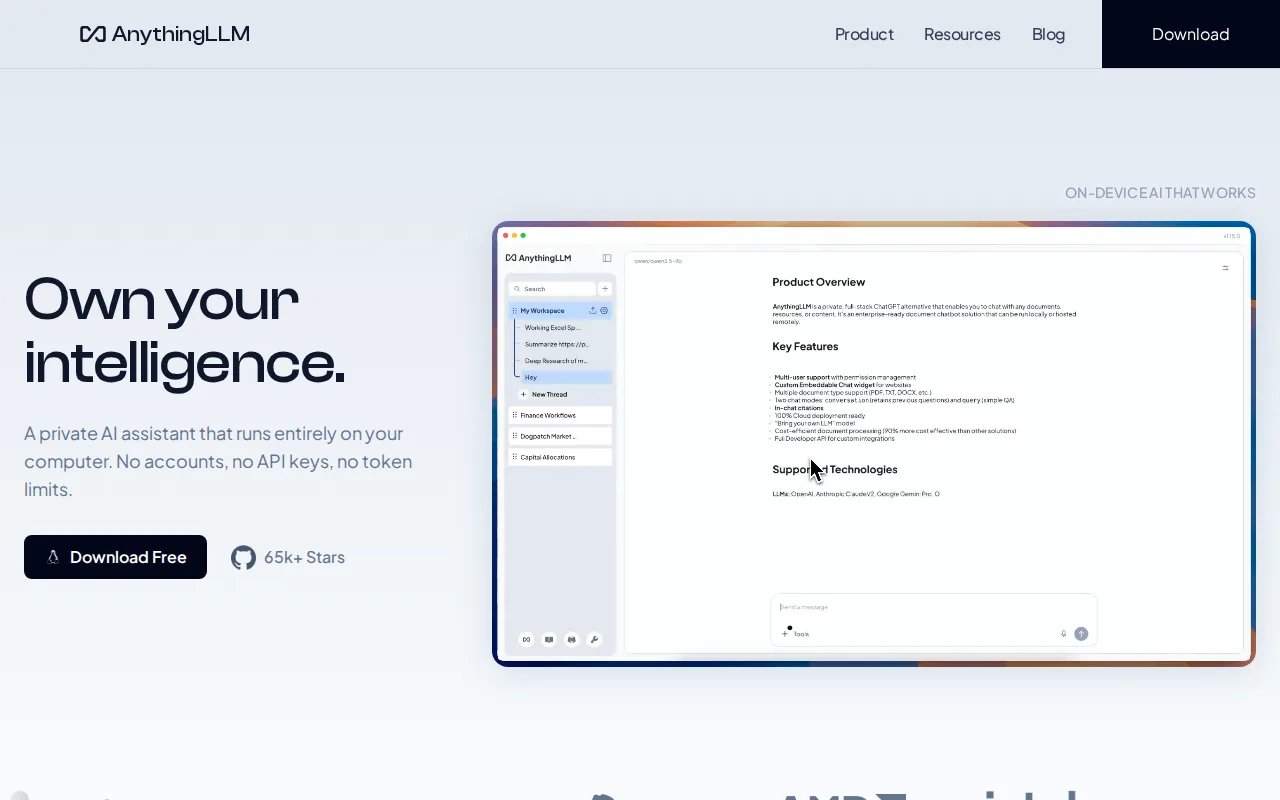
AnythingLLM is listed as an alternative to Open WebUI, but almost none of its product details have been published: no pricing, platform list, feature description, or external rating is on record, only its name and website, anythingllm.com. That gap makes a substantive, checkable comparison to Open WebUI impossible to write honestly here, so anyone who wants AnythingLLM's actual pricing, platform support, or feature set should check anythingllm.com directly rather than relying on this page. What is verifiable is Open WebUI itself: it is free to self-host via a one-command Docker or pip install, released under a source-available Open WebUI License, and it holds a 4.0/5 rating from 5 Product Hunt reviews, with a community of 478,000+ members sharing prompts and tools. Anyone deciding between the two based on confirmed information should default to Open WebUI, since its licensing, deployment model, and community size are all documented, while AnythingLLM's equivalent details weren't available. This entry can be filled in once AnythingLLM's pricing and feature details are published.
Compared to Open WebUI: no verified pricing, platform, or feature data published yet, listed only by name and website (anythingllm.com), no external rating on record versus Open WebUI's 4.0/5 from 5 Product Hunt reviews
Loses:No pricing, platform, or feature details are published for AnythingLLM, unlike Open WebUI's fully documented self-hosted Community and Enterprise tiers · No external rating is on record for AnythingLLM, versus Open WebUI's 4.0/5 from 5 Product Hunt reviews
Pros
- MIT-licensed on GitHub with more than 66,000 stars and over 5 million Docker pulls, and free to self-host for unlimited users.
- The desktop app runs with no account, no API key, and no token limits; documents, embeddings, and chat history stay on the machine.
- Works with local runtimes (Ollama, LM Studio, LocalAI, KoboldCPP) and cloud providers (OpenAI, Anthropic, Google Gemini, Groq, Mistral, OpenRouter) behind the same interface.
- The meeting assistant transcribes and summarizes calls entirely on-device, with no bot joining the meeting.
- Self-hosted deployments include multi-user tenant isolation, fine-grained admin controls, and white-labeling without a paid tier.
Cons
- No iOS app; the mobile client ships only on Google Play and as a manual APK download.
- The Magic features have daily free-usage caps, and the Desktop Pro subscription that lifts them has no price published on the site or in the docs.
- AnythingLLM Cloud starts at $50/month for the whole instance and still requires you to bring your own LLM API key, so the model bill is separate.
- Output quality depends on which local model your hardware can run, so results are less predictable than a hosted assistant on a fixed model.
Pricing: Free tier · paid from $50/mo (verified )
Which one is right for you?
- You want a scriptable CLI and REST API instead of a browser-based chat interfaceOllama
- You want a general-purpose AI assistant with no self-hosting or infrastructure to maintainChatGPT
- You want one desktop app that bundles both the model runtime and the chat interfaceLM Studio
- You want to compare Open WebUI against other self-hosted, source-available chat interfacesAnythingLLM
- You want built-in web browsing, image generation, and voice mode without configuring separate toolsChatGPT
Frequently asked questions
Is there a free alternative to Open WebUI?
- Yes — Ollama and LM Studio are both free for local use with no account required, and ChatGPT's Free tier costs nothing, though all three differ from Open WebUI's self-hosted, vendor-independent model in some way.
What is the closest alternative to Open WebUI?
- Ollama is the closest match in spirit: both are free, and many Open WebUI deployments run Ollama as the backend underneath Open WebUI's chat interface, though Ollama itself has no multi-user web UI.
Can ChatGPT replace Open WebUI?
- Yes for individuals who don't need self-hosting, since ChatGPT provides a full chat assistant with no infrastructure to maintain. Anyone who specifically wants full ownership of chat data or air-gapped deployment for a regulated industry should stay with Open WebUI, since ChatGPT is a fully closed, cloud-only product.
Which Open WebUI alternative bundles the model runtime and chat interface in one app?
- LM Studio, which runs its own llama.cpp and MLX inference engines directly inside the same desktop app as its chat interface, without needing a separate backend like Ollama.
Is there a self-hosted, open-source Open WebUI alternative?
- Ollama is free and open source (MIT-licensed) but is a CLI/API runtime, not a chat interface; AnythingLLM is also listed as a self-hosted alternative, though its pricing and feature details have not been published.
Which Open WebUI alternative has the most reviews?
- ChatGPT, with a 4.4/5 rating from 389 Capterra reviews, far more than Ollama's 40 Product Hunt reviews or LM Studio's 4.