5 Best Alternatives to GitLab in 2026
By Noahlast updated

From our data: All 5 of the alternatives listed here show a free tier in their pricing data, matching GitLab's own $0/user/month Free plan; among the ones with a lowest paid tier, Bitbucket's $3.65/user/month Standard plan is the cheapest, well under GitLab's $29/user/month Premium tier.
 GitHub
 Bitbucket
 Gitea
Gitea Azure DevOps
 Forgejo
How we picked
- Pricing on all five alternatives was verified in this same session (2026-08-21), while GitLab's own current pricing carries no verification timestamp on file.
- External ratings varied widely: GitHub's 4.8/5 from 6,198 Capterra reviews is the largest and highest-rated signal here, well above GitLab's own 4.6/5 from 1,224 Capterra reviews (plus a 5/5 from 13 Product Hunt reviews); Forgejo carries no external rating at all.
- Every alternative listed shows a free tier in its pricing data, matching GitLab's own $0/user/month Free plan; Azure DevOps's free allowance is capped at the first 5 users per organization rather than unlimited.
- Self-hosting posture was weighed alongside price: Gitea and Forgejo are self-hosted-first with no forced SaaS dependency, while Bitbucket and Azure DevOps are cloud-only services, and GitHub offers both a hosted product and a separate Enterprise Server for self-managed deployments.
Paid placement never alters editorial rank — read the full methodology.
GitLab alternatives at a glance
| Alternative | Best for | Learning curve | Price |
|---|---|---|---|
| GitLabreference | engineering teams that want source control, CI/CD, and security scanning in one application instead of assembling separate tools for each function | Steep | Free tier · paid from $29/mo |
| GitHub | development teams that want Git hosting combined with integrated CI/CD, project tracking, and code review in a single platform, from individual open-source maintainers up to large enterprises requiring SSO and compliance | Moderate | Free tier · paid from $4/mo |
| Bitbucket | teams already standardized on Jira and Confluence who want Git hosting and CI/CD that links natively to issue tracking without a separate integration | Low | Free tier · paid from $3.65/mo |
| Gitea | teams that want to self-host Git repository hosting, CI/CD, and package management with unlimited free users, upgrading to Enterprise only for SSO and compliance features | Moderate | Free tier · paid from $9.50/mo |
| Azure DevOps | organizations already standardized on Microsoft Azure infrastructure that want an integrated, single-vendor Boards + Repos + Pipelines + Test Plans suite rather than assembling best-of-breed tools | Steep | Free tier · paid from $6/mo |
| Forgejo | developers and organizations that want a GitHub-style forge on self-hosted infrastructure, governed by a community rather than a company | Moderate | Free |
 GitLab
1GitHub — best GitLab alternative for development teams that want Git hosting combined with integrated CI/CD, project tracking, and code review in a single platform, from individual open-source maintainers up to large enterprises requiring SSO and compliance

GitHub is the best GitLab alternative for teams that want the largest network of open-source projects, integrations, and third-party dev tools, plus a simpler interface than GitLab's dense, feature-heavy UI. GitHub's Free plan includes unlimited public and private repositories with 2,000 CI/CD minutes/month, matching GitLab's own $0/user/month Free tier, and GitHub holds a 4.8/5 rating from 6,198 Capterra reviews, well above GitLab's 4.6/5 from 1,224 Capterra reviews. GitHub Actions and Codespaces provide integrated CI/CD and cloud dev environments, and reviewers specifically note GitHub's simpler workflow is easier to learn than GitLab's interface density and sheer number of features. GitLab is still the better choice for teams that want the deepest built-in security scanning without an Enterprise-tier price jump: GitHub's Advanced Security features (secret scanning, code scanning at scale) are largely gated behind Enterprise pricing that starts at $21/user/month (a first-12-months promotional rate that rises afterward), while GitLab's Ultimate tier bundles SAST, DAST, dependency, and container scanning natively into the CI/CD pipeline as a single, if pricier, $99/user/month tier.
Compared to GitLab: 2,000 CI/CD minutes/month included free, higher Capterra rating and far more reviews (4.8/5 from 6,198 vs 4.6/5 from 1,224), simpler workflow reviewers say is easier to learn than GitLab's dense interface
Wins:4.8/5 rating from 6,198 Capterra reviews vs GitLab's 4.6/5 from 1,224 reviews · Free tier includes 2,000 CI/CD minutes/month at no cost · Simpler, more approachable workflow than GitLab's dense, feature-heavy interface, per reviewer feedback
Loses:Advanced Security features (secret scanning, code scanning at scale) are largely gated behind Enterprise pricing, unlike GitLab's Ultimate tier bundling · Team and Enterprise pricing ($4 and $21/user/month) are introductory rates for the first 12 months, increasing afterward · Third-party marketplace favors integrations over GitLab's native, all-in-one feature approach, which some teams prefer for fewer moving parts
Pros
- Free tier includes unlimited public and private repositories with no user-count restriction.
- The largest ecosystem of open-source projects, integrations, and third-party tooling of any Git host.
- GitHub Actions and Codespaces provide integrated CI/CD and cloud dev environments without separate tools.
- Frequent, well-communicated platform updates and a large community that resolves issues quickly.
Cons
- Team and Enterprise pricing ($4 and $21 per user/month) are introductory rates for the first 12 months, increasing afterward.
- GitHub Actions and repository security settings have a steeper learning curve for teams new to CI/CD configuration.
- Navigating and discovering content in very large repositories with many branches and workflows can be difficult.
- Advanced Security features (secret scanning, code scanning at scale) are largely gated behind Enterprise pricing.
Pricing: Free tier · paid from $4/mo — Free tier on both; GitHub Enterprise is $21/user/month (12-month promo) vs GitLab Ultimate's $99/user/month (verified )
2Bitbucket — best GitLab alternative for teams already standardized on Jira and Confluence who want Git hosting and CI/CD that links natively to issue tracking without a separate integration
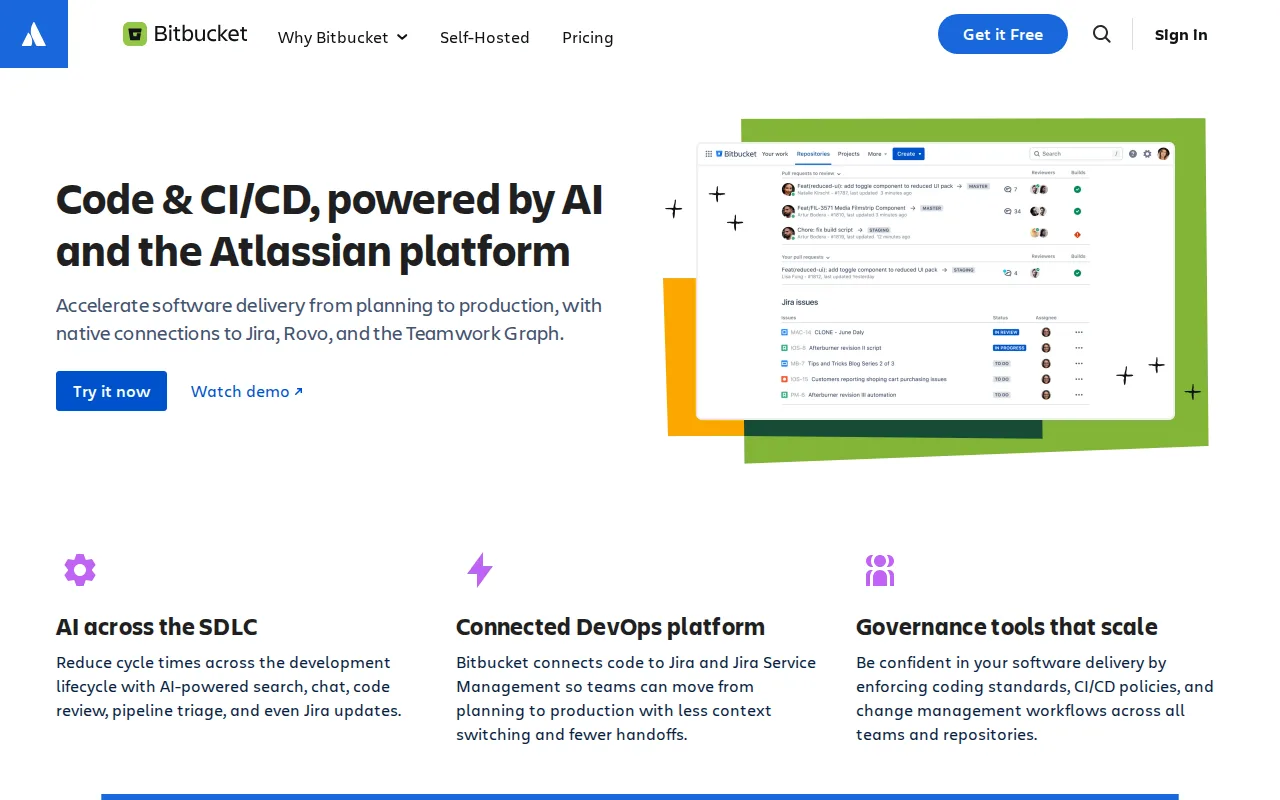
Bitbucket is the best GitLab alternative for teams already using Jira for issue tracking and Confluence for documentation who want Git hosting wired directly into that workflow rather than GitLab's own separate issue tracker. Bitbucket's Free plan covers up to 5 users with 1GB of LFS storage and 50 Pipelines build minutes, and Standard then costs $3.65/user/month, well under GitLab's Premium tier at $29/user/month, and Bitbucket's native, bidirectional linking between commits and Jira issues, including smart commits that transition issue status from a commit message, has no equivalent in GitLab. Bitbucket holds a 4.6/5 rating from 1,347 Capterra reviews, matching GitLab's own 4.6/5 from 1,224 reviews almost exactly but from a slightly larger base. GitLab is still the better choice for teams that want a self-hosted option or built-in security scanning: Bitbucket has no self-hosted edition since Atlassian retired Bitbucket Server/Data Center in 2024, so every plan runs on Atlassian's cloud infrastructure, unlike GitLab's genuinely open-source, self-hostable Community Edition, and Bitbucket has no equivalent to GitLab Ultimate's native SAST/DAST security scanning.
Compared to GitLab: native, bidirectional linking between commits and Jira issues with smart commits, cheaper entry paid tier ($3.65/user/month Standard vs $29/user/month Premium), built-in Pipelines CI/CD runs without a separate third-party tool
Wins:Native, bidirectional linking between commits/branches and Jira issues, including smart commits, which GitLab doesn't offer · Standard tier costs $3.65/user/month, far cheaper than GitLab's Premium tier at $29/user/month · Built-in Pipelines CI/CD runs without needing a separate tool, similar in spirit to GitLab's native CI/CD
Loses:No self-hosted edition since Atlassian retired Bitbucket Server/Data Center in 2024, unlike GitLab's open-source, self-hostable Community Edition · No equivalent to GitLab Ultimate's native SAST/DAST/dependency security scanning built into the pipeline · Third-party integration marketplace is much smaller than GitLab's more all-in-one, native feature approach
Pros
- Native Jira and Confluence integration links commits and branches directly to issues without extra configuration.
- Built-in Pipelines CI/CD runs without needing a separate tool like CircleCI or GitHub Actions.
- Free plan covers up to 5 users with unlimited private repositories, useful for small teams.
- Community and academic organizations get free plans with expanded storage and build minutes.
Cons
- No self-hosted edition since Bitbucket Server/Data Center was discontinued in 2024; every plan is cloud-only.
- Free tier caps out at 5 users, smaller than GitHub's free-tier user allowance.
- Third-party integration marketplace is much smaller than GitHub's, reducing value for teams outside the Atlassian suite.
- Extra Pipelines build minutes or LFS storage cost $10/month per add-on block rather than being bundled into higher tiers.
Pricing: Free tier · paid from $3.65/mo — $3.65/user/month Standard vs GitLab's $29/user/month Premium (verified )
3Gitea — best GitLab alternative for teams that want to self-host Git repository hosting, CI/CD, and package management with unlimited free users, upgrading to Enterprise only for SSO and compliance features
Gitea is the best GitLab alternative for teams that want to self-host Git hosting, code review, and CI/CD with unlimited free users, without GitLab's resource-intensive footprint. Gitea's open-source edition is genuinely free under the MIT license with unlimited users and repositories, no artificial seat caps the way GitLab's per-user Premium ($29/month) and Ultimate ($99/month) tiers require for advanced features, and Gitea runs as a single lightweight Go binary that's practical on a small VPS, unlike GitLab, whose self-managed instances can be resource-intensive to run and upgrade, especially at Ultimate-tier feature scope. Gitea holds a 5/5 rating from 9 Product Hunt reviews, though from far less review volume than GitLab's 1,224 Capterra reviews at 4.6/5. GitLab is still the better choice for teams that want the deepest built-in security scanning and a larger, more mature integration ecosystem: Gitea Enterprise costs $9.50-19/user/month for SSO, audit logs, and autoscaling runners but doesn't describe security scanning depth comparable to GitLab Ultimate's native SAST/DAST/dependency scanning, and Gitea's third-party integration and marketplace ecosystem is smaller than GitLab's.
Compared to GitLab: unlimited free users and repositories with no artificial seat caps, runs as a lightweight Go binary practical on a small VPS, cheaper Enterprise entry price ($9.50/user/month vs $29/user/month Premium)
Wins:Open-source edition is genuinely free with unlimited users and repositories, no seat caps GitLab's paid tiers impose for advanced features · Runs as a lightweight Go binary practical on a small VPS, unlike GitLab's more resource-intensive self-managed instances · Gitea Enterprise starts at $9.50/user/month, far cheaper than GitLab Premium's $29/user/month
Loses:5/5 rating from just 9 Product Hunt reviews, far thinner evidence than GitLab's 1,224 Capterra reviews at 4.6/5 · No equivalent to GitLab Ultimate's native SAST/DAST/dependency security scanning built into the pipeline · Smaller third-party integration and marketplace ecosystem than GitLab's more mature platform
Pros
- Open-source core is free with unlimited users and repositories, no artificial caps.
- Lightweight Go binary runs comfortably on small servers, unlike heavier self-hosted alternatives.
- Gitea Actions is compatible with existing GitHub Actions workflow syntax, easing migration.
- Supports 20+ package registry formats (npm, PyPI, Maven, Cargo, and more) built in.
Cons
- Gitea Enterprise requires a 1-year commitment with online payment rather than flexible monthly billing.
- Gitea Cloud pricing is not published on the site; the number is only revealed after starting the signup flow.
- Smaller third-party integration and marketplace ecosystem than GitHub or GitLab.
- Self-hosted deployments still require the team to manage updates, backups, and uptime themselves on the free tier.
Pricing: Free tier · paid from $9.50/mo — Free unlimited-user core plus $9.50/user/month Enterprise vs GitLab's $0 Free plus $29/user/month Premium (verified )
4Azure DevOps — best GitLab alternative for organizations already standardized on Microsoft Azure infrastructure that want an integrated, single-vendor Boards + Repos + Pipelines + Test Plans suite rather than assembling best-of-breed tools

Azure DevOps is the best GitLab alternative for organizations already standardized on Microsoft Azure infrastructure that want an integrated Boards, Repos, Pipelines, Test Plans, and Artifacts suite from a single vendor rather than GitLab's own all-in-one application. Azure DevOps gives the first 5 users per organization Basic access free, then $6/user/month beyond that, undercutting GitLab's $29/user/month Premium tier for teams that don't need GitLab's native security scanning, and Azure Pipelines can build for Linux, macOS, and Windows regardless of deployment target, similar breadth to GitLab's own cross-platform CI/CD. Azure DevOps holds a 4.4/5 rating from 148 Capterra reviews, thinner evidence than GitLab's 1,224 Capterra reviews at 4.6/5. GitLab is still the better choice for teams that want predictable, flat per-user pricing and native built-in security scanning: Azure DevOps's real cost is fragmented across add-ons, Test Plans alone triples the per-user price to $52/month, and GitHub Advanced Security and extra Artifacts storage cost extra on top, while GitLab's Ultimate tier bundles SAST/DAST scanning into one $99/user/month price with no further add-on fragmentation.
Compared to GitLab: first 5 users free per organization, cheaper Basic tier at $6/user/month vs GitLab's $29/user/month Premium, pipeline agents build for Linux, macOS, and Windows regardless of deployment target
Wins:First 5 users per organization are free, a starting allowance GitLab's own Free tier doesn't structure the same way · Basic tier costs $6/user/month, far cheaper than GitLab's Premium tier at $29/user/month · GitHub Copilot integration in Boards can generate code directly from work items
Loses:Real cost fragments across add-ons: Test Plans alone triples the per-user price to $52/month, unlike GitLab's single-price Ultimate tier · 4.4/5 rating from 148 Capterra reviews, thinner evidence than GitLab's 1,224 reviews at 4.6/5 · Steeper learning curve than lighter, more opinionated competitors, and less mainstream community support than GitLab's
Pros
- First 5 users are free per organization, useful for small teams or open-source projects.
- Unified suite covers Boards, Repos, Pipelines, Test Plans, and Artifacts under one login and billing relationship.
- Pipeline agents build across Linux, macOS, and Windows regardless of where the app deploys.
- GitHub Copilot integration in Boards can generate code directly from work items.
Cons
- Test Plans pricing jumps to $52/user/month, an order of magnitude above base Basic pricing.
- GitHub Advanced Security, extra Artifacts storage, and additional pipeline parallelism are all separate paid add-ons.
- Steeper learning curve than lighter, more opinionated competitors like Linear or GitHub Projects.
- Less mainstream community and third-party tooling support compared to GitHub, which now shares Microsoft ownership.
Pricing: Free tier · paid from $6/mo — $6/user/month Basic (first 5 users free) vs GitLab's $29/user/month Premium (verified )
5Forgejo — best GitLab alternative for developers and organizations that want a GitHub-style forge on self-hosted infrastructure, governed by a community rather than a company
Forgejo is the best GitLab alternative for developers and organizations that want a GitHub- or GitLab-style workflow, pull requests, issue boards, code review, on self-hosted infrastructure they fully control, without GitLab's resource-intensive footprint or corporate roadmap. Forgejo is entirely free and open source with no paid tier at all, a stronger no-cost guarantee than GitLab's Free tier, which still gates advanced CI/CD controls and security scanning behind $29-99/user/month Premium and Ultimate tiers. Forgejo runs with dramatically lower CPU and memory requirements than GitLab, making it practical to self-host on a small VPS or single-board computer where GitLab would require several gigabytes of RAM, and Forgejo Actions provides GitHub Actions-compatible CI/CD without a third-party runner. GitLab is still the better choice for teams that want a managed SaaS option and built-in security scanning: Forgejo has no official managed cloud offering at all, unlike GitLab.com's SaaS product, and Forgejo has no external rating on Capterra or Product Hunt to compare against GitLab's 4.6/5 from 1,224 reviews, nor any equivalent to GitLab Ultimate's native SAST/DAST scanning.
Compared to GitLab: no paid tier at all, versus GitLab's $29-99/user/month Premium and Ultimate tiers, dramatically lower CPU and memory requirements practical for a small VPS, Forgejo Actions provides GitHub Actions-compatible CI/CD without a third-party runner
Wins:No paid tier at all, a stronger no-cost guarantee than GitLab's $29-99/user/month Premium/Ultimate gates · Runs with dramatically lower CPU and memory requirements than GitLab, practical for a small VPS or single-board computer · Community governance structure prevents the project from ever being acquired or relicensed away from free software
Loses:No official managed cloud offering, unlike GitLab.com's SaaS product · No external rating on Capterra or Product Hunt to compare against GitLab's 4.6/5 from 1,224 reviews · No equivalent to GitLab Ultimate's native SAST/DAST/dependency security scanning built into the pipeline
Pros
- Fully free and open source with no paid tier, feature gating, or seat limits.
- Runs on far less CPU and memory than GitLab, practical for a small VPS or home server.
- Forgejo Actions provides GitHub Actions-compatible CI/CD without a third-party runner.
- Community governance structure prevents the project from being acquired or relicensed away from free software.
Cons
- No official managed hosting from the Forgejo project; teams must self-host and maintain their own instance.
- No official GitHub mirror by design, which can make discovery harder for developers who default to searching GitHub.
- Smaller plugin and integration ecosystem than GitHub or GitLab.
- Migrating an existing GitHub or GitLab organization's issues, wikis, and CI configuration requires manual work.
Pricing: Free — Free with no paid tier at all vs GitLab's $29/user/month Premium and $99/user/month Ultimate (verified )
Which one is right for you?
- You want the largest ecosystem of integrations and a simpler workflow than GitLab's dense interfaceGitHub
- Your team is already standardized on Jira and ConfluenceBitbucket
- You want to self-host Git hosting and CI/CD with unlimited free usersGitea
- You're standardized on Microsoft Azure and want Boards, Repos, and Pipelines from one vendorAzure DevOps
- You want a completely free, community-governed forge with no paid tier at allForgejo
Frequently asked questions
Is there a free alternative to GitLab?
- Yes — GitHub, Bitbucket, Gitea, Azure DevOps, and Forgejo all show a free tier in their pricing data, and Forgejo has no paid tier at all, a step further than GitLab's own $0/user/month Free plan.
What is the closest alternative to GitLab?
- GitHub is the closest match in scope and scale: both combine source control, CI/CD, and issue tracking in one platform, though GitHub holds a higher Capterra rating (4.8/5 from 6,198 reviews vs GitLab's 4.6/5 from 1,224) and a simpler interface.
Can GitHub replace GitLab?
- Yes for most teams, since GitHub covers source control, CI/CD, and issue tracking with a larger ecosystem and higher rating. Teams that specifically want GitLab Ultimate's native SAST/DAST security scanning bundled into the CI/CD pipeline should stay on GitLab.
Which GitLab alternative is best for teams using Jira?
- Bitbucket, whose native, bidirectional linking between commits and Jira issues, including smart commits that transition issue status from a commit message, has no equivalent in GitLab.
Which GitLab alternative is cheapest for self-hosting with unlimited users?
- Gitea, whose open-source edition is free under the MIT license with unlimited users and repositories and no artificial seat caps, versus GitLab's $29-99/user/month Premium and Ultimate tiers for advanced features.
Is there a completely free GitLab alternative with no paid tier at all?
- Yes — Forgejo is entirely free and open source with no paid tier or Enterprise upsell, unlike GitLab, which gates advanced CI/CD controls and security scanning behind $29-99/user/month Premium and Ultimate tiers.