5 Best Alternatives to Coolify in 2026
By Noahlast updated pricing verified

From our data: 4 of the 5 alternatives listed here (all except Heroku) offer a free tier, matching Coolify's own free-forever self-hosted edition; among their cheapest paid plans (Heroku $5, Railway $5, Render $7, Netlify $9, Vercel $20, all per month), the median starting price is $7, compared to Coolify Cloud's own $5/month starting price for 2 servers.
 Render
 Vercel
 Netlify
 Heroku
 Railway
How we picked
- Heroku's 4.6/5 rating from 305 Capterra reviews is the largest verified sample among the five alternatives, well above Coolify's own 5.0/5 from 40 Product Hunt reviews.
- Railway has no external rating on G2, Capterra, or Product Hunt at all, so its position reflects its published feature set (managed databases, MCP server for AI agents) and pricing rather than a review score.
- Render's Capterra sample is thin (4.3/5 from just 3 reviews), so its ranking leans more on its 5.0/5 from 76 Product Hunt reviews and its published migration-credit program.
- Free-tier availability was weighed alongside cost: 4 of the 5 alternatives (all except Heroku) offer a free tier, matching Coolify's own free-forever self-hosted edition, while Heroku's cheapest Eco dyno costs $5/month and still sleeps after inactivity.
- All five alternatives' pricing was verified within the same session as Coolify's own August 21, 2026 pricing check, so every dollar comparison in this list reflects the same point in time.
Paid placement never alters editorial rank — read the full methodology.
Coolify alternatives at a glance
| Alternative | Best for | Learning curve | Price |
|---|---|---|---|
| Coolifyreference | developers and small teams who want Heroku-style git-push deploys and one-click SSL on their own servers instead of paying per-seat fees to a hosted PaaS | Moderate | Free tier · paid from $5/mo |
| Vercel | frontend teams deploying Next.js or other JS-framework apps who want Git-based preview deployments and a global edge network without managing servers | Low | Free tier · paid from $20/mo |
| Netlify | developers and small teams deploying static sites, JAMstack apps, or AI-assisted web projects from Git who want a generous free tier with built-in CDN and serverless functions | Low | Free tier · paid from $9/mo |
| Heroku | small teams and startups who want git-push deployment and managed Postgres/Redis without hiring dedicated DevOps, and can accept dyno pricing above raw cloud VM cost | Low | From $5/mo |
| Railway | developers and small teams who want a Heroku-style deploy experience with usage-based pricing and unlimited team seats on the $20/month Pro workspace plan | Low | Free tier · paid from $5/mo |
| Render | developers and teams migrating off Heroku who want autoscaling web services, managed Postgres/Redis, and background workers with usage-based compute pricing | Low | Free tier · paid from $6/mo |
 Coolify
1Vercel — best Coolify alternative for frontend teams deploying Next.js or other JS-framework apps who want Git-based preview deployments and a global edge network without managing servers
Vercel is the best Coolify alternative for frontend teams deploying Next.js or other JavaScript-framework apps who want a fully managed platform instead of running their own server. Vercel's free Hobby plan covers 100GB of data transfer and 1 million edge requests per month for personal projects, and Pro costs $20/month per seat with a $20 usage credit included, comparable to Coolify Cloud's $5/month starting price for connecting 2 servers. Vercel was built by the team behind Next.js, giving it the deepest available integration with that framework, including automatic preview deployments for every pull request and a global edge network, capabilities Coolify's self-hosted model doesn't provide out of the box since it deploys to whatever server the user already owns rather than a managed edge network. Vercel holds a 4.4/5 rating from 48 Capterra reviews, a larger verified sample than Coolify's 5.0/5 from 40 Product Hunt reviews. Coolify is still the better choice for teams that want to avoid usage-based billing or keep full control of their infrastructure: Vercel's Pro plan bills edge requests, bandwidth, and function compute incrementally once the $20 credit is used, and Advanced Deployment Protection costs an extra $150/month, while Coolify's self-hosted edition is free forever with no feature gating and no per-request billing at all.
Compared to Coolify: deepest available Next.js integration with automatic PR preview deployments, global edge network built in, larger verified rating sample (4.4/5 from 48 Capterra reviews vs 5.0/5 from 40 Product Hunt reviews)
Wins:Deepest available Next.js integration, built by the same team that maintains the framework, with automatic preview deployments for every pull request · Global edge network reduces latency for static assets and edge functions without extra server configuration · 4.4/5 rating from 48 Capterra reviews, a larger verified sample than Coolify's 5.0/5 from 40 Product Hunt reviews
Loses:Usage-based billing on Pro bills edge requests, bandwidth, and function compute incrementally once the $20 monthly credit is used, unlike Coolify's free-forever self-hosted edition · Advanced Deployment Protection costs an extra $150/month, on top of Pro's $20/seat/month price · Closed-source SaaS with no self-hosting option, unlike Coolify's Apache-2.0 codebase that runs on servers the user owns
Pros
- Deploys from a Git push in seconds, with automatic preview URLs for every pull request.
- Deepest available integration with Next.js, including image optimization and edge middleware.
- Free Hobby tier is generous enough for real personal projects, not just a trial.
- Global edge network reduces latency for static assets and edge functions without extra configuration.
Cons
- Usage-based pricing on Pro can scale unpredictably; overage rates for edge requests, bandwidth, and compute apply once the $20 credit is used.
- Hobby tier is explicitly for non-commercial use, so any revenue-generating project requires a paid seat.
- Advanced Deployment Protection, a security feature some teams need, costs an extra $150/month on top of Pro.
- Backend and long-running server workloads are less natural fits than on traditional VPS or container platforms.
Pricing: Free tier · paid from $20/mo — $20/seat/month Pro plus usage overages vs Coolify's free self-hosted edition (or $5/month Cloud for 2 servers) (verified )
2Netlify — best Coolify alternative for developers and small teams deploying static sites, JAMstack apps, or AI-assisted web projects from Git who want a generous free tier with built-in CDN and serverless functions
Netlify is the best Coolify alternative for developers and small teams deploying static sites, JAMstack apps, or AI-assisted web projects from Git who want a generous free tier with a built-in CDN and serverless functions. Netlify's Free plan includes 300 monthly credits covering unlimited deploy previews, custom domains with SSL, serverless functions, a managed database, and blob storage, a broader bundle of managed services than Coolify's self-hosted edition, which requires the user to run and update their own server. Netlify holds a 4.6/5 rating from 90 Capterra reviews plus a 5.0/5 rating from 55 Product Hunt reviews, both larger verified samples than Coolify's 5.0/5 from 40 Product Hunt reviews. Personal costs $9/month for 1,000 credits and Pro costs $20/month for 3,000 credits with unlimited team members, a per-credit model that avoids the server-management overhead of Coolify's self-hosted approach. Coolify is still the better choice for teams that want to avoid usage-based billing entirely or run infrastructure they fully control: Netlify's per-credit billing across deploys, compute, bandwidth, and requests makes total cost harder to predict than a flat plan, and it's a closed-source commercial product, while Coolify's self-hosted edition is free forever under the Apache-2.0 license with no feature gating and no credits to track.
Compared to Coolify: 300 free monthly credits covering functions, database, and blob storage without running a server, larger verified rating sample (4.6/5 from 90 Capterra reviews and 5.0/5 from 55 Product Hunt reviews vs 5.0/5 from 40), per-credit billing avoids self-hosted server management
Wins:Free plan bundles 300 monthly credits covering functions, a managed database, and blob storage, without requiring the user to run their own server · 4.6/5 rating from 90 Capterra reviews plus a 5.0/5 rating from 55 Product Hunt reviews, both larger verified samples than Coolify's 5.0/5 from 40 reviews · Managed CDN, automatic HTTPS, and serverless functions included without server setup or maintenance
Loses:Per-credit billing across deploys, compute, bandwidth, and requests makes total cost harder to predict than Coolify's free-forever self-hosted edition · Closed-source commercial product with no self-hosting option, unlike Coolify's Apache-2.0 codebase · Enterprise-grade features (SSO, SCIM, high SLA) are gated behind custom Enterprise pricing rather than a fixed tier
Pros
- Free tier includes 300 monthly credits covering deploys, functions, database, and blob storage, not just static hosting.
- Deploy previews for every pull request are unlimited even on the free plan.
- Global CDN, automatic HTTPS, and serverless functions are included rather than sold as separate add-ons.
- Git-based deploys with fast, simple setup for static sites and JAMstack frameworks.
Cons
- Credit-based billing across deploys, compute, bandwidth, and requests makes total cost harder to predict than a flat plan.
- Auto-recharge credit packs are needed to avoid interruptions once a plan's monthly credits run out.
- Serverless function cold starts and execution limits can affect latency-sensitive backend logic compared to a dedicated server.
- Enterprise-grade features (SSO, SCIM, high SLA) are gated behind custom Enterprise pricing rather than a fixed higher tier.
Pricing: Free tier · paid from $9/mo — Free (300 credits) or $9/month Personal vs Coolify's free self-hosted edition (or $5/month Cloud for 2 servers) (verified )
3Heroku — best Coolify alternative for small teams and startups who want git-push deployment and managed Postgres/Redis without hiring dedicated DevOps, and can accept dyno pricing above raw cloud VM cost
Heroku is the best Coolify alternative for small teams and startups who want git-push deployment and managed Postgres/Redis without hiring dedicated DevOps or managing their own server, the same core workflow Coolify offers but fully hosted by Salesforce instead of self-run. Heroku's buildpacks natively support Node.js, Ruby, Python, Java, PHP, Go, Scala, and .NET, plus 380+ community buildpacks, broader out-of-the-box language coverage than Coolify documents. Heroku holds a 4.6/5 rating from 305 Capterra reviews, the largest verified review sample among Coolify's alternatives, well above Coolify's own 5.0/5 from 40 Product Hunt reviews. GitHub-integrated review apps spin up a disposable staging environment for every pull request, and one-click rollback covers both releases and database backups. Coolify is still the better choice for teams that want a genuinely free tier or lower cost at scale: Heroku has had no free tier since 2022, with its cheapest Eco dyno costing $5/month and still sleeping after 30 minutes of inactivity, versus Coolify's self-hosted edition, which is free forever with no feature gating, and Heroku's Standard and Performance dyno pricing ($25 to $500/month) runs well above equivalent raw compute on the servers Coolify deploys to.
Compared to Coolify: 380+ community buildpacks cover nearly any language out of the box, largest verified rating sample among the alternatives (4.6/5 from 305 Capterra reviews vs 5.0/5 from 40), GitHub-integrated review apps and one-click database rollback
Wins:380+ community buildpacks plus native support for 8 languages cover nearly any stack out of the box · 4.6/5 rating from 305 Capterra reviews, the largest verified sample among Coolify's alternatives · GitHub-integrated review apps spin up a disposable staging environment for every pull request, with one-click rollback for releases and database backups
Loses:No free tier since 2022; the cheapest Eco dyno costs $5/month and still sleeps after 30 minutes of inactivity, unlike Coolify's free-forever self-hosted edition · Standard and Performance dyno pricing ($25 to $500/month) runs well above equivalent raw compute on the servers Coolify deploys to · Add-on pricing (Postgres, Redis, Kafka) is billed separately from dyno cost, unlike Coolify's bundled backups and services at no extra charge
Pros
- Git-push deployment with zero server configuration; buildpacks auto-detect the language and framework.
- GitHub-integrated review apps spin up a disposable staging environment for every pull request.
- Managed Postgres and Redis with one-click provisioning, automated backups, and fork/rollback support.
- 380+ buildpacks cover nearly any language beyond the natively supported ones.
Cons
- No permanently free tier since 2022; the $5/month Eco dyno still sleeps after 30 minutes of inactivity.
- Standard and Performance dyno pricing runs well above equivalent raw compute on AWS, DigitalOcean, or Render.
- Add-on pricing (Postgres, Redis, Kafka) is billed separately from dyno cost, so total bills climb quickly for production apps.
- Private Spaces (network isolation, HIPAA/PCI compliance) require a much higher-priced tier, pricing out smaller regulated teams.
Pricing: From $5/mo — $5/month Eco (sleeps) or $7/month Basic (always on) vs Coolify's free self-hosted edition (or $5/month Cloud for 2 servers) (verified )
4Railway — best Coolify alternative for developers and small teams who want a Heroku-style deploy experience with usage-based pricing and unlimited team seats on the $20/month Pro workspace plan
Railway is the best Coolify alternative for developers and small teams who want a Heroku-style deploy experience with usage-based pricing and unlimited team seats, without configuring their own server the way Coolify requires. Railway's Pro plan costs a flat $20/month per workspace with unlimited team members included, plus a $20 monthly usage credit, compared to Coolify Cloud's $5/month starting price for connecting 2 servers, which the user must still supply and pay for separately. Railway auto-detects build systems via Nixpacks or a Dockerfile and supports managed Postgres, MySQL, Redis, MongoDB, and ClickHouse databases out of the box, plus an MCP server and a railway up -y command built specifically for AI-agent-driven deployments, agent-native tooling Coolify doesn't document. Railway has no external rating on G2, Capterra, or Product Hunt, unlike Coolify's 5.0/5 from 40 Product Hunt reviews. Coolify is still the better choice for teams that want to avoid usage-based compute billing entirely or run on hardware they fully own: Railway's Free tier is capped at just $1/month in usage credit and 0.5 GB RAM per service, and SLAs, SSO, and dedicated support require the custom-priced Enterprise tier, while Coolify's self-hosted edition is free forever with full feature access and no usage metering.
Compared to Coolify: flat $20/month Pro workspace with unlimited team seats vs Coolify Cloud's $5/month for 2 servers (servers billed separately), managed Postgres, MySQL, Redis, MongoDB, and ClickHouse out of the box, MCP server and railway up -y for AI-agent-driven deployments
Wins:Managed Postgres, MySQL, Redis, MongoDB, and ClickHouse databases available out of the box without server setup · MCP server integration and railway up -y support agent-driven, one-command deployments, tooling Coolify doesn't document · Pro plan is a flat $20/month per workspace with unlimited team seats, not per-user pricing
Loses:No external rating on G2, Capterra, or Product Hunt, unlike Coolify's 5.0/5 from 40 Product Hunt reviews · Free tier is capped at just $1/month in usage credit and 0.5 GB RAM per service, versus Coolify's free-forever self-hosted edition with full feature access · SLAs, SSO, and dedicated support require the custom-priced Enterprise tier
Pros
- Pro plan is a flat $20/month per workspace with unlimited team seats, not per-user pricing.
- Auto-detects build systems via Nixpacks, or use a Dockerfile for full control.
- Managed Postgres, MySQL, Redis, MongoDB, and ClickHouse databases available out of the box.
- MCP server integration and
railway up -ysupport agent-driven, one-command deployments.
Cons
- Usage-based compute billing on top of plan fees can be hard to predict for variable workloads.
- Free tier is very limited: $1/month in usage credit and 0.5 GB RAM per service.
- SLAs, SSO, and dedicated support require the custom-priced Enterprise tier.
Pricing: Free tier · paid from $5/mo — $20/month Pro workspace (unlimited seats) vs Coolify's free self-hosted edition (or $5/month Cloud for 2 servers) (verified )
5Render — best Coolify alternative for developers and teams migrating off Heroku who want autoscaling web services, managed Postgres/Redis, and background workers with usage-based compute pricing
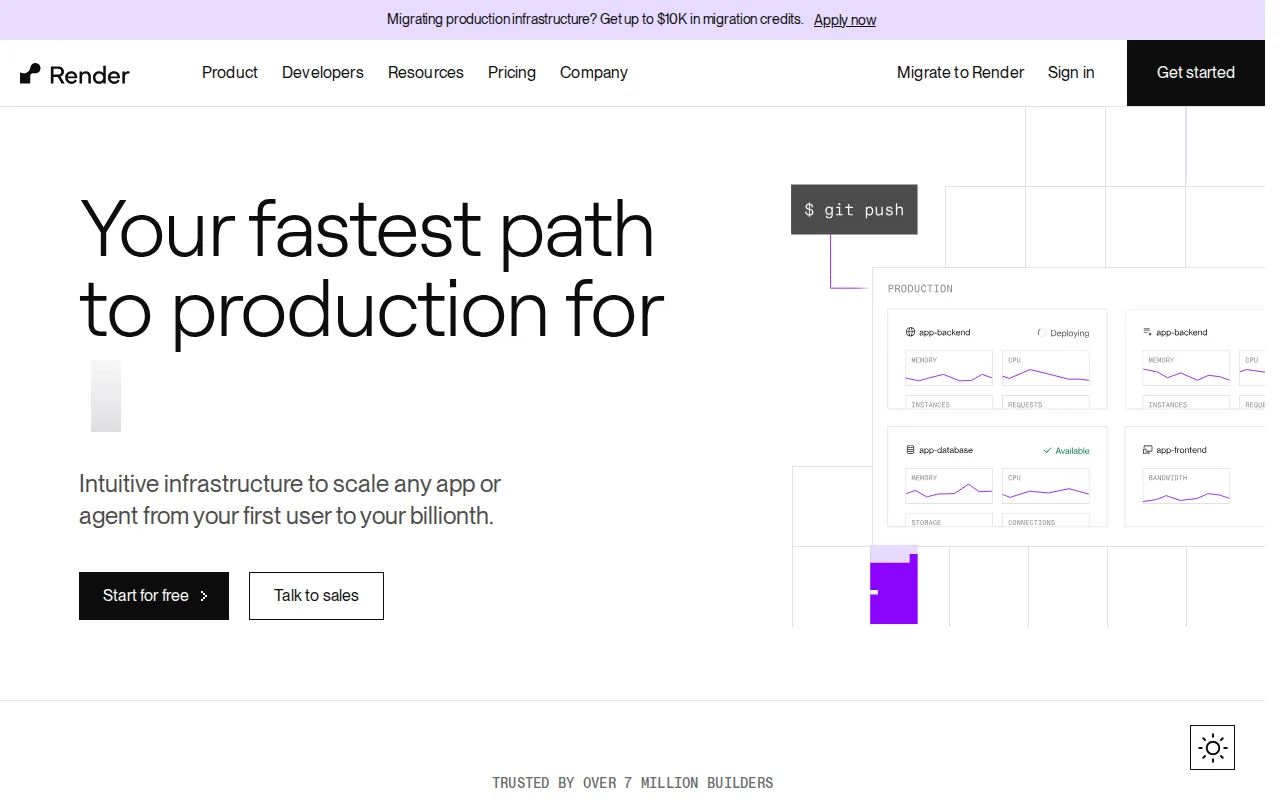
Render is the best Coolify alternative for developers and teams migrating off Heroku who want autoscaling web services and managed databases without configuring the underlying server the way Coolify requires. Render's free Hobby plan covers 1 project with 2 environments, 100 GB of monthly bandwidth, and 500 build-pipeline minutes, while paid compute instances scale from $7/month Starter up to a 64-CPU, 512GB Pro Ultra instance at $450/month, a wider managed-compute ladder than Coolify's flat $5/month-plus-$3-per-server Cloud pricing. Render also runs managed Postgres starting at $6/month and offers up to $10,000 in migration credits for teams moving production infrastructure over, an onboarding incentive Coolify doesn't offer. Render holds a 5.0/5 rating from 76 Product Hunt reviews, a larger verified sample than Coolify's 5.0/5 from 40 Product Hunt reviews, though its Capterra sample (4.3/5 from just 3 reviews) is smaller. Coolify is still the better choice for teams that want to avoid vendor lock-in or usage-based compute pricing altogether: Render's free-tier web services spin down after inactivity, causing cold-start delays, and its paid workspace-level pricing beyond individual compute instances isn't published on the pricing page, while Coolify's self-hosted edition is free forever and deploys to any server the user already owns.
Compared to Coolify: managed compute ladder from $7/month Starter to $450/month Pro Ultra, up to $10,000 in migration credits for teams moving off other platforms, larger Product Hunt rating sample (5.0/5 from 76 reviews vs 5.0/5 from 40)
Wins:Managed compute ladder scales from $7/month Starter up to a 64-CPU, 512GB Pro Ultra instance at $450/month without switching platforms · Up to $10,000 in migration credits for teams moving production infrastructure over, an incentive Coolify doesn't offer · 5.0/5 rating from 76 Product Hunt reviews, a larger verified sample than Coolify's 5.0/5 from 40 reviews
Loses:Free-tier web services spin down after inactivity, adding cold-start latency on the next request, unlike Coolify's self-hosted edition which stays running on the user's own server · Paid workspace-level plan pricing beyond individual compute instance costs isn't published on the pricing page · Managed database pricing scales steeply at larger sizes, reaching into the thousands of dollars per month, versus Coolify's included backups at no extra charge
Pros
- Automatic PR preview environments and one-click rollback simplify testing changes before merge.
- Compute instance sizing scales from $7/month up to 64 CPUs / 512 GB RAM without migrating platforms.
- Managed Postgres and Redis-compatible Key Value store included, with point-in-time recovery on paid tiers.
- CLI and MCP server support AI-agent-driven deployment workflows.
Cons
- Free-tier web services spin down after inactivity, adding cold-start latency on the next request.
- Paid workspace-level plan pricing (beyond individual compute instance costs) isn't published on the pricing page.
- Managed database pricing scales steeply at larger sizes, reaching into the thousands of dollars per month.
Pricing: Free tier · paid from $6/mo — Free or $7/month Starter compute vs Coolify's free self-hosted edition (or $5/month Cloud for 2 servers) (verified )
Which one is right for you?
- You're deploying a Next.js app and want the deepest framework integrationVercel
- You want a generous free tier with built-in CDN and serverless functions for static sitesNetlify
- You want a fully managed PaaS with buildpacks and don't want to run a serverHeroku
- You want AI coding agents to deploy and manage services directly via MCPRailway
- You're migrating off Heroku and want autoscaling web services with migration creditsRender
- You want unlimited team seats on a flat workspace price instead of per-seat billingRailway
- You want the largest verified rating sample among the alternativesHeroku
Frequently asked questions
Is there a free alternative to Coolify?
- Coolify's self-hosted edition is already free forever; among its hosted alternatives, Vercel, Netlify, Railway, and Render all offer free tiers, while Heroku has had no free tier since 2022.
What is the closest alternative to Coolify?
- Render is the closest match for teams migrating off Heroku: it offers a similar autoscaling compute ladder and managed databases, plus up to $10,000 in migration credits, though it's a closed-source hosted platform rather than something you run on your own server.
Can Render replace Coolify?
- Yes for teams that want fully managed hosting and don't mind giving up self-hosting: Render's autoscaling compute and managed Postgres cover similar ground, though Coolify's self-hosted edition stays free forever with no usage-based billing.
Which Coolify alternative is best for Next.js apps?
- Vercel, built by the team behind Next.js, with automatic preview deployments for every pull request and the deepest available framework integration.
Which Coolify alternative has the best external rating?
- Heroku, with a 4.6/5 rating from 305 Capterra reviews, the largest verified sample among Coolify's alternatives; Coolify itself holds 5.0/5 from 40 Product Hunt reviews.
Is there a Coolify alternative built for AI coding agents?
- Yes — Railway includes a built-in MCP server and a
railway up -ycommand so AI coding agents can deploy and manage services directly.