5 Best Alternatives to Adobe Illustrator in 2026
By Noahlast updated pricing verified

From our data: 4 of the 5 alternatives listed here (Inkscape, Figma, Canva, Affinity Designer) offer a free tier or are entirely free, and among paid plans, Figma's $16/month Professional tier is the cheapest, about 30% below Adobe Illustrator's $22.99/month starting price.
 CorelDRAW
 Inkscape
 Figma
Figma Canva
Canva Affinity Designer
How we picked
- CorelDRAW's own pricing is not published as fixed dollar figures on its site (hidden behind a trial/quote flow), so ranking led with its 4.5/5 rating from 1,525 Capterra reviews and its unique one-time perpetual-license option against Adobe Illustrator's subscription-only model.
- External Capterra ratings anchored ordering where present: Canva (4.7/5, 13,411 reviews), Figma (4.7/5, 874 reviews), and Affinity Designer (4.7/5, 455 reviews) all approach Adobe Illustrator's own 4.8/5 rating from 8,657 reviews.
- Free-tier availability was weighted heavily: four of the five alternatives (Inkscape, Figma, Canva, Affinity Designer) offer a genuine free tier or are entirely free, against Adobe Illustrator's zero free tiers.
- Inkscape was ranked on its fully open-source, GPL-licensed codebase and $0 price rather than a review-platform rating, since its 4.4/5 Capterra score comes from a comparatively small 518-review sample.
Paid placement never alters editorial rank — read the full methodology.
Adobe Illustrator alternatives at a glance
| Alternative | Best for | Learning curve | Price |
|---|---|---|---|
| Adobe Illustratorreference | professional designers producing logos, icons, and print-ready vector artwork who need Pantone-accurate color and Creative Cloud integration | Steep | From $22.99/mo |
| CorelDRAW | graphic designers, sign makers, and print production shops on Windows or Mac who want a vector-first alternative to Adobe Illustrator, with the option of a one-time perpetual license instead of a forced subscription | Moderate | Custom pricing |
| Inkscape | individuals and small studios who need a full-featured vector editor for logos, icons, and illustrations without paying for Adobe Illustrator or Affinity Designer | Moderate | Free |
| Figma | design and product teams that need real-time multiplayer editing and a shared design-to-development handoff, from solo freelancers on the free tier up to large enterprises managing design systems across many teams | Moderate | Free tier · paid from $16/mo |
| Canva | marketers, small business owners, and social media managers who need on-brand graphics fast without hiring a designer or learning Illustrator or Photoshop | Low | Free tier · paid from $18/mo |
| Affinity Designer | Mac and Windows users who want a full vector, raster, and page-layout design suite without any subscription cost | Moderate | Free |
 Adobe Illustrator
1CorelDRAW — best Adobe Illustrator alternative for graphic designers, sign makers, and print production shops on Windows or Mac who want a vector-first alternative to Adobe Illustrator, with the option of a one-time perpetual license instead of a forced subscription
CorelDRAW is the best Adobe Illustrator alternative for graphic designers, sign makers, and print production shops on Windows or Mac who want a vector-first tool without being locked into a forced subscription. CorelDRAW sells a genuine one-time perpetual license (CorelDRAW Graphics Suite 2026), a pricing option Adobe Illustrator's Creative Cloud model doesn't offer at any tier, since Illustrator starts at $22.99/month with access ending the moment billing lapses. CorelDRAW holds a 4.5/5 rating from 1,525 Capterra reviews, and its Technical Suite variant adds CAD-file import/export for technical and engineering illustration that Illustrator does not natively support, while CorelDRAW Go gives beginners a simplified web entry point before committing to the full suite. Adobe Illustrator is still the better choice for anyone who wants transparent, published pricing or the deepest Creative Cloud integration: CorelDRAW's exact subscription and perpetual-license prices are hidden behind a trial or quote flow rather than shown on the pricing page, and Capterra reviewers report performance slowdowns and stability issues with large or complex files.
Compared to Adobe Illustrator: offers a genuine one-time perpetual license instead of subscription-only pricing, adds CAD-file import/export via its Technical Suite, CorelDRAW Go gives beginners a simplified web entry point
Wins:Sells a genuine one-time perpetual license (CorelDRAW Graphics Suite 2026), unlike Illustrator's subscription-only Creative Cloud model · Technical Suite variant adds CAD-file import/export for technical and engineering illustration · CorelDRAW Go gives beginners a simplified web entry point before committing to the full suite
Loses:4.5/5 rating from 1,525 Capterra reviews, below Illustrator's 4.8/5 from 8,657 reviews · Exact subscription and perpetual-license prices are hidden behind a trial or quote flow rather than published · Capterra reviewers report performance slowdowns and stability issues with large or complex files
Pros
- Offers a one-time perpetual-license option, unlike Adobe's subscription-only Creative Cloud.
- Strong vector illustration and print-production toolset, reflected in a 4.5/5 Capterra rating from 1,525 reviews.
- CorelDRAW Go provides a simplified web entry point for beginners before committing to the full suite.
- A Technical Suite variant adds CAD-file import/export for technical and engineering illustration.
Cons
- No permanently free tier; only a 15-day trial before purchase or subscription is required.
- Exact pricing is hidden behind a quote/trial flow rather than published plainly on the pricing page.
- Capterra reviewers cite performance slowdowns and stability issues with large files.
- Perpetual-license purchases exclude some apps, features, and workflows available only to subscribers.
Pricing: Custom pricing (verified )
2Inkscape — best Adobe Illustrator alternative for individuals and small studios who need a full-featured vector editor for logos, icons, and illustrations without paying for Adobe Illustrator or Affinity Designer
Inkscape is the best Adobe Illustrator alternative for individuals and small studios who need a full-featured vector editor for logos, icons, and illustrations without paying anything at all. Inkscape is completely free with no paid tier, subscription, or feature paywall, open source under GPL 2.0-or-later, while Adobe Illustrator starts at $22.99/month with no free tier and no one-time-purchase option. Inkscape's native SVG format avoids proprietary file lock-in and works directly with web and browser workflows, and it runs natively on Windows, macOS, and Linux, with community-maintained AppImage, Flatpak, and Snap builds, platform coverage Illustrator doesn't match on Linux at all. Adobe Illustrator is still the clearly better choice for professional print work: Inkscape has no CMYK color mode or built-in Pantone support, a real limitation for print-production workflows Illustrator handles natively, and its volunteer-driven development means slower feature releases than Illustrator's AI-powered Generative Shape Fill and Concept to Vector tools; Inkscape also has no official mobile or tablet app, unlike Illustrator's iPad app with Apple Pencil support.
Compared to Adobe Illustrator: completely free with no paid tier at any level, open source under GPL 2.0-or-later, native Linux support Illustrator lacks
Wins:Completely free with no paid tier, subscription, or feature paywall, vs Illustrator's $22.99/month starting price with no free tier · Open source under GPL 2.0-or-later, so the code can be audited, modified, and redistributed · Runs natively on Windows, macOS, and Linux, platform coverage Illustrator doesn't match on Linux at all
Loses:No CMYK color mode or built-in Pantone support, a real limitation for print-production workflows Illustrator handles natively · Volunteer-driven development means slower feature releases than Illustrator's AI-powered Generative Shape Fill and Concept to Vector tools · No official mobile or tablet app, unlike Illustrator's iPad app with Apple Pencil support
Pros
- Completely free with no paid tier, subscription, or feature paywall.
- Open source under GPL 2.0-or-later, so the code can be audited, modified, and redistributed.
- Native SVG format avoids proprietary file lock-in and works directly with web and browser workflows.
- Runs natively on Windows, macOS, and Linux with community-maintained AppImage, Flatpak, and Snap builds.
Cons
- No CMYK color mode or built-in Pantone support, a real limitation for print-production workflows.
- Volunteer-driven development means slower feature releases and less predictable roadmap than commercial competitors.
- Interface and performance are less polished than Adobe Illustrator or Affinity Designer, especially on very large or complex files.
- No official mobile or tablet app, unlike some paid vector editors that support iPad workflows.
Pricing: Free — $0 (fully free) vs Adobe Illustrator's $22.99/month single-app plan (verified )
3Figma — best Adobe Illustrator alternative for design and product teams that need real-time multiplayer editing and a shared design-to-development handoff, from solo freelancers on the free tier up to large enterprises managing design systems across many teams
Figma is the best Adobe Illustrator alternative for design and product teams that need real-time multiplayer editing and a shared design-to-development handoff, something Illustrator's single-user file model doesn't provide. Figma's free Starter tier is genuinely usable for solo designers with unlimited drafts and basic AI credits, while Illustrator has no free tier at any level and starts at $22.99/month; Figma's paid Professional tier then runs $16/month per full seat, below Illustrator's starting price. Figma is used by roughly 95% of the Fortune 500, and its Dev Mode gives engineers direct, inspectable access to design specs, reducing handoff friction that vector files exported from Illustrator don't solve on their own; Figma holds a 4.7/5 rating from 874 Capterra reviews. Adobe Illustrator is still the better choice for print-ready vector artwork and Pantone-accurate color: Figma requires an active internet connection for full functionality, lacks native CMYK color profiles and 300dpi print export, and its per-seat, per-role pricing (full/dev/collab) can add up quickly for larger teams compared to Illustrator's flat per-app subscription.
Compared to Adobe Illustrator: real-time multiplayer editing and dev handoff Illustrator's file model doesn't offer, genuinely usable free Starter tier vs no free tier at all, cheaper Professional seat ($16/mo vs $22.99/mo)
Wins:Real-time multiplayer editing across design, prototyping, whiteboarding, and dev handoff, which Illustrator's single-user file model doesn't offer · Free Starter tier is genuinely usable for solo designers; Illustrator has no free tier at any level · Professional tier costs $16/month per full seat, below Illustrator's $22.99/month starting price
Loses:Requires an internet connection for full editing; Illustrator works fully offline · No native CMYK color profile or 300dpi export, so print design work needs a separate tool · Per-seat, per-role pricing (full/dev/collab) can add up quickly for larger teams compared to Illustrator's flat subscription
Pros
- Real-time multiplayer collaboration works reliably even with many simultaneous editors in one file.
- Free Starter tier is genuinely usable for solo designers with unlimited drafts and basic AI credits.
- Dev Mode gives engineers direct, inspectable access to design specs, reducing handoff friction.
- Broad plugin and integration ecosystem plus FigJam and Slides extend it beyond pure UI design.
Cons
- Requires an internet connection for full editing; offline work is limited.
- No native CMYK color profile or 300dpi export, so print design work needs a separate tool.
- Per-seat, per-role pricing (full/dev/collab) can be confusing and adds up quickly for larger teams.
- Organization and Enterprise tiers are annual-billing only, reducing flexibility for smaller teams.
Pricing: Free tier · paid from $16/mo — $16/month Professional (full seat) vs Adobe Illustrator's $22.99/month single-app plan (verified )
4Canva — best Adobe Illustrator alternative for marketers, small business owners, and social media managers who need on-brand graphics fast without hiring a designer or learning Illustrator or Photoshop
Canva is the best Adobe Illustrator alternative for marketers, small business owners, and social media managers who need on-brand graphics fast without hiring a designer or learning Illustrator's Pen-tool-based workflow. Canva's Free plan lets non-designers produce usable graphics in minutes with its template library and drag-and-drop editor, while Illustrator has no free tier and starts at $22.99/month; Canva's Pro plan then costs $18/month, still under Illustrator's starting price. Canva's Magic Resize adapts one design to dozens of platform-specific formats automatically, and it bundles docs, presentations, and a website builder alongside design, reducing the number of separate tools a small team needs — capabilities Illustrator, a single-purpose vector editor, doesn't attempt. Canva holds a 4.7/5 rating from 13,411 Capterra reviews, the largest review sample of any tool in this comparison. Adobe Illustrator is still the clearly better choice for professional vector production: Canva designs can't be exported as editable source files (no .psd or .ai export), so work is effectively locked into Canva's own editor, and most premium templates and the full content library sit behind the Pro paywall.
Compared to Adobe Illustrator: free plan for usable graphics in minutes vs no free tier, Magic Resize automates multi-format adaptation, bundles docs/presentations/website builder into one subscription
Wins:Free plan lets non-designers produce usable graphics in minutes; Illustrator has no free tier at all · Magic Resize adapts one design to dozens of platform-specific formats automatically · Bundles docs, presentations, and a website builder alongside design, reducing the number of separate tools needed
Loses:No export to editable source formats like .psd or .ai; designs are effectively locked to Canva's own editor, unlike Illustrator's native file formats · Most premium templates, stock assets, and AI features require the Pro or Business paid tier · Not a true vector-precision tool the way Illustrator's Pen-tool-based path system is for print and brand work
Pros
- Template library and drag-and-drop editor let non-designers produce usable graphics in minutes.
- Magic Resize adapts one design to many platform-specific formats automatically.
- Business plan's brand kits and approval workflows keep team output on-brand without a design lead reviewing everything.
- Bundles docs, presentations, and a website builder alongside design, reducing the number of separate tools a small team needs.
Cons
- No export to editable source formats like .psd or .ai; designs are effectively locked to Canva's own editor.
- Most premium templates, stock assets, and AI features require the Pro or Business paid tier.
- Mobile app is noticeably more limited than the desktop/web editor.
- Some users report confusing billing transitions between the free trial and paid subscription.
Pricing: Free tier · paid from $18/mo — $18/month Pro vs Adobe Illustrator's $22.99/month single-app plan (verified )
5Affinity Designer — best Adobe Illustrator alternative for mac and Windows users who want a full vector, raster, and page-layout design suite without any subscription cost
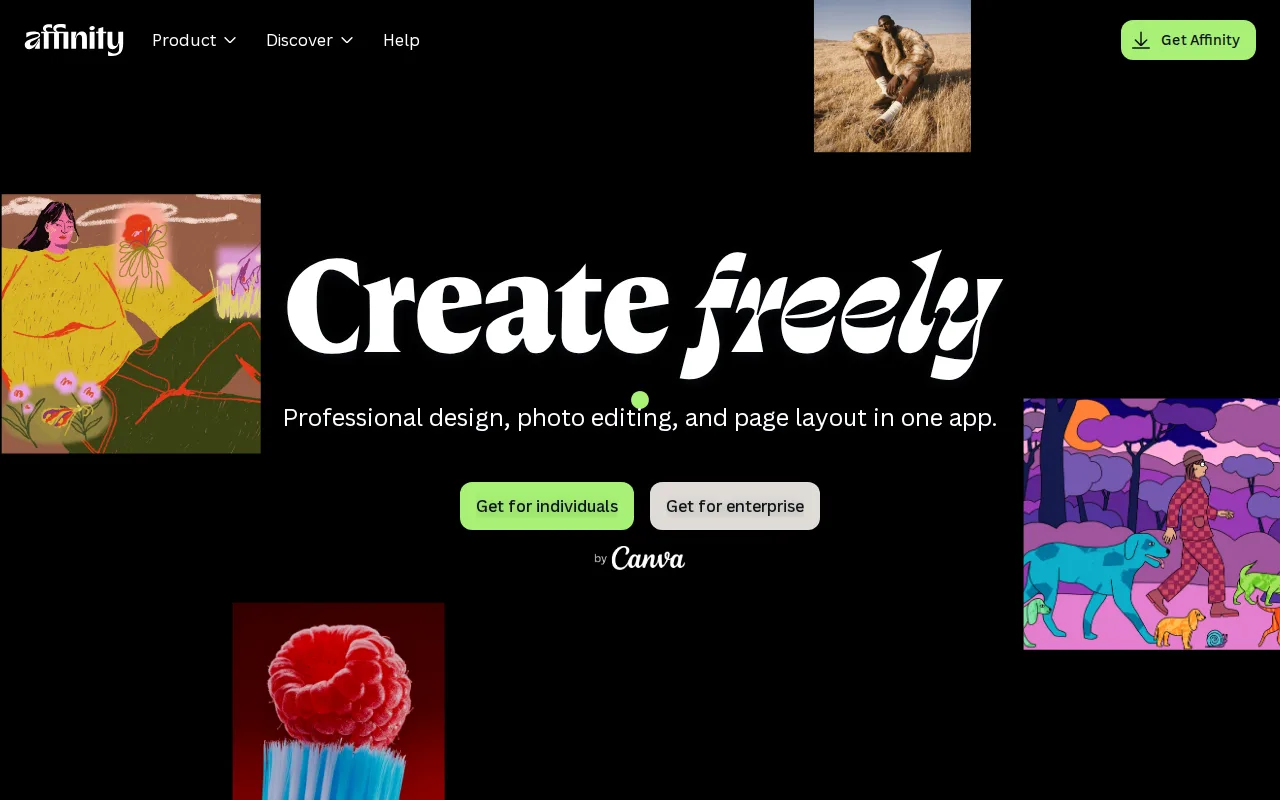
Affinity Designer is the best Adobe Illustrator alternative for Mac and Windows users who want a full vector, raster, and page-layout design suite without any subscription cost. The merged Affinity app is completely free for individuals, with no in-app purchases or subscription, while Adobe Illustrator starts at $22.99/month and has no free or one-time-purchase option; Affinity imports PSD, AI, IDML, and DWG files with layer structure preserved, so existing Illustrator work can move over without losing layers. Affinity holds a 4.7/5 rating from 455 Capterra reviews, and it runs natively on Apple Silicon and Intel Macs plus mid-range Windows PCs with no recurring cost, compared to Illustrator's ongoing Creative Cloud subscription. Adobe Illustrator is still the better choice for anyone who needs guaranteed continuity and a mature iPad workflow: the standalone Affinity Designer app was discontinued in October 2025 in favor of the merged Affinity app tied to a Canva account, a unified iPad app still had not shipped as of mid-2026, and generative AI features require a Canva account and may depend on Canva's own paid tiers.
Compared to Adobe Illustrator: completely free with no subscription vs $22.99/month starting price, imports PSD/AI/IDML/DWG files with layers preserved, runs natively on Apple Silicon and Intel Macs at no recurring cost
Wins:Completely free for individuals with no in-app purchases or subscription, vs Illustrator's $22.99/month starting price · Imports PSD, AI, IDML, and DWG files with layer structure preserved · Runs natively on Apple Silicon and Intel Macs plus mid-range Windows PCs with no recurring cost
Loses:Standalone Affinity Designer app was discontinued in October 2025 in favor of a merged app tied to a Canva account · Unified iPad app still had not shipped as of mid-2026, unlike Illustrator's established iPad app with Apple Pencil support · Generative AI features require a Canva account and may depend on Canva's own paid tiers
Pros
- Full vector, raster, and page-layout toolset is free for Mac and Windows with no subscription or feature gate.
- Imports PSD, AI, IDML, and DWG files with layer structure preserved.
- Runs natively on Apple Silicon and Intel Macs plus mid-range Windows PCs.
- No recurring cost compared to Adobe Illustrator's subscription model.
Cons
- Standalone Affinity Designer was discontinued in October 2025 in favor of the merged Affinity app, so the product name now refers to a feature set inside a different app.
- Unified iPad app still had not shipped as of mid-2026, well over a year after the relaunch was announced.
- Generative AI features require a Canva account and may depend on Canva's own paid tiers.
- No official Linux support.
Pricing: Free — $0 vs Adobe Illustrator's $22.99/month single-app plan (verified )
Which one is right for you?
- You want a one-time perpetual license instead of a forced subscriptionCorelDRAW
- You need a completely free, open-source vector editorInkscape
- Your team needs real-time multiplayer design and dev handoffFigma
- You need on-brand marketing graphics fast without a design backgroundCanva
- You want a free vector, raster, and layout suite for Mac or WindowsAffinity Designer
- You do CAD-adjacent technical illustration workCorelDRAW
- You need native Linux support for vector editingInkscape
Frequently asked questions
Is there a free alternative to Adobe Illustrator?
- Yes — Inkscape is completely free with no paid tier at all, and Figma, Canva, and Affinity Designer each offer a genuinely usable free plan, while Adobe Illustrator has no free tier at any level.
What is the closest alternative to Adobe Illustrator?
- CorelDRAW is the closest overall match: it's a professional, vector-first tool built for the same logo, icon, and print-production work as Illustrator, with the added option of a one-time perpetual license.
Can Inkscape replace Adobe Illustrator?
- Yes for individuals and small studios doing logos, icons, and illustration without needing CMYK or Pantone color. Print-production teams that rely on Illustrator's color management and industry-standard file compatibility should stay on Illustrator, since Inkscape lacks both.
Is Figma a good replacement for Adobe Illustrator?
- Figma replaces Illustrator well for teams doing UI, icon, and interface-adjacent vector work that benefits from real-time multiplayer editing, but it lacks native CMYK color profiles and 300dpi print export, so print-focused design work still needs Illustrator or a dedicated print tool.
Which Adobe Illustrator alternative is best for non-designers?
- Canva, since its template library and drag-and-drop editor let non-designers produce usable graphics in minutes, without learning Illustrator's Pen-tool-based vector workflow.
Is Affinity Designer still available as a standalone app?
- No — the standalone Affinity Designer, Photo, and Publisher apps were discontinued in October 2025 and folded into a single free Affinity app tied to a Canva account.