Sejda — A browser-based PDF editor with over 30 tools for editing, converting, merging, and securing PDFs, offering a free tier with page/hourly limits and paid plans from $5 for a 7-day web pass up to $63/year for combined web and desktop access.

By Noahlast updated pricing verified
Sejda screenshots & video
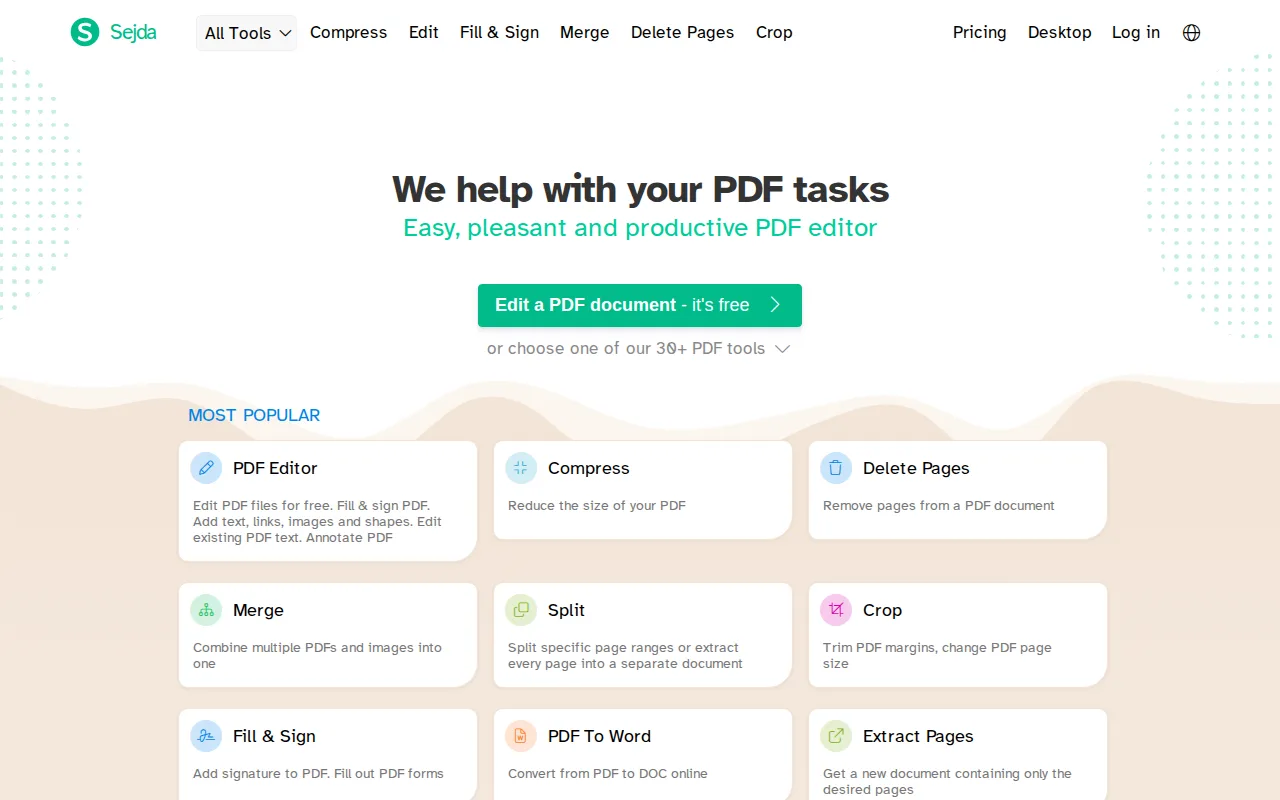
Sejda in 20 seconds
Best for: individuals, students, and small businesses who need occasional PDF editing and batch processing without an Adobe Acrobat subscription
Pricing: Free with page/hourly limits; paid from $5 one-time for a 7-day Web Week Pass, $7.50/month for Web Monthly, or $63/year for Desktop+Web Annual.
- Sejda offers more than 30 PDF tools spanning editing, conversion, organization, and security.
- Sejda's free tier requires no signup but limits page count, hourly tasks, and upload size.
- Sejda Web Week Pass costs $5 one-time for 7 days; Web Monthly is $7.50/month; Desktop+Web Annual is $63/year.
- Sejda has native desktop apps for Windows, macOS, and Linux, plus a browser-based web app.
- Sejda holds a 4.7/5 rating from 47 reviews on Capterra.
Limitations: Free tier's page and hourly caps make it unsuitable for heavy regular use.; Desktop app access requires the annual plan; no monthly desktop option exists.; Web Week Pass and Web Monthly plans exclude the desktop app.; No mobile app confirmed.
Top alternatives: Smallpdf, iLovePDF, PDF Expert, Adobe Acrobat, PDFgear — full list
What is Sejda?
Sejda is a browser-based PDF editor and converter offering more than 30 tools spanning editing (text, images, shapes, links, annotations), conversion (PDF to/from Word, Excel, PowerPoint, JPG, text), organization (merge, split, extract, reorder pages), and security (passwords, watermarks, encryption), plus document cleanup features like compression, OCR for scanned pages, deskewing, and metadata editing. It also includes a workflow-automation tool that lets users chain multiple PDF tasks together and run them across a batch of documents in one pass, useful for repetitive document-processing tasks like watermarking and compressing a folder of files at once. Sejda is closed-source and commercial, available as a web app with cloud-based processing plus native desktop apps for Windows, macOS, and Linux, and integrates with Google Workspace through the G Suite Marketplace. Sejda's free tier requires no signup but is capped by page count, hourly task limits, and upload size; a 7-day Web Week Pass, monthly Web subscription, or annual Desktop+Web plan remove those caps and add desktop access, longer task durations, and larger file uploads.
Sejda is a PDF editing and conversion platform offering more than 30 tools to add text and annotations, convert PDFs to and from Word, Excel, and PowerPoint, merge and split documents, compress files, run OCR on scans, and add passwords or watermarks, accessible through the browser or desktop apps for Windows, macOS, and Linux. It targets individuals, students, and small businesses that need occasional-to-regular PDF editing without a full Adobe Acrobat subscription. Free use is limited by page count and hourly task limits with no signup required; paid options include a $5 one-time Web Week Pass, $7.50/month Web Monthly access, and $63/year Desktop+Web Annual (about $5.25/month equivalent) which adds the desktop apps, all plans including OCR up to 100 pages, batch processing, and 500MB file uploads.
Standout feature: A batch-processing workflow tool that chains multiple PDF tasks (like watermark, compress, and password-protect) and applies them to a whole folder of documents at once.
Biggest weakness: The free tier's page and hourly limits push regular users toward a paid plan quickly, and the cheapest way to get the desktop app requires the $63/year annual plan; there is no month-to-month desktop option.
Pros
- Free tier requires no signup and covers light, occasional PDF editing.
- Batch-processing workflows can chain multiple PDF tasks and apply them across many files at once.
- Desktop apps for Windows, macOS, and Linux, not just a browser tool.
- Holds a 4.7/5 rating from 47 reviews on Capterra, with a 4.5/5 value-for-money score.
Cons
- Free tier is capped by page count, hourly task limits, and smaller upload sizes.
- Desktop app access requires the $63/year annual plan; there is no monthly desktop-only option.
- Web Week Pass and Web Monthly both exclude the desktop app entirely.
- No mobile app was confirmed; PDF editing is limited to browser and desktop.
Sejda pricing
Free tier · paid from $5 one-time · verified from the vendor's pricing page
| Plan | Price | Notes |
|---|---|---|
| Free (Desktop+Web) | Free | No signup required; limited by page count, hourly task limits, and smaller upload sizes than paid plans. |
| Web Week Pass | $5 once | Per user, one-time payment for 7 days of Sejda Web access (no Desktop app); 20% volume discount for 10+ users. |
| Web Monthly | $7.50/mo | Per user, recurring monthly; Sejda Web access only, no Desktop app; 20% volume discount for 10+ users. |
| Desktop+Web Annual | $63/yr | Per user, billed yearly (about 30% cheaper than paying Web Monthly for a year); includes Sejda Web plus one year of Desktop app access. |
What reviewers say
Scores belong to their platforms; we display them with attribution and never fold them into our own ratings.