Cal.com — An open-source scheduling platform positioned as a self-hostable Calendly alternative, free for individuals with paid team plans from $12/user/month.

By Noahlast updated pricing verified
Cal.com screenshots & video
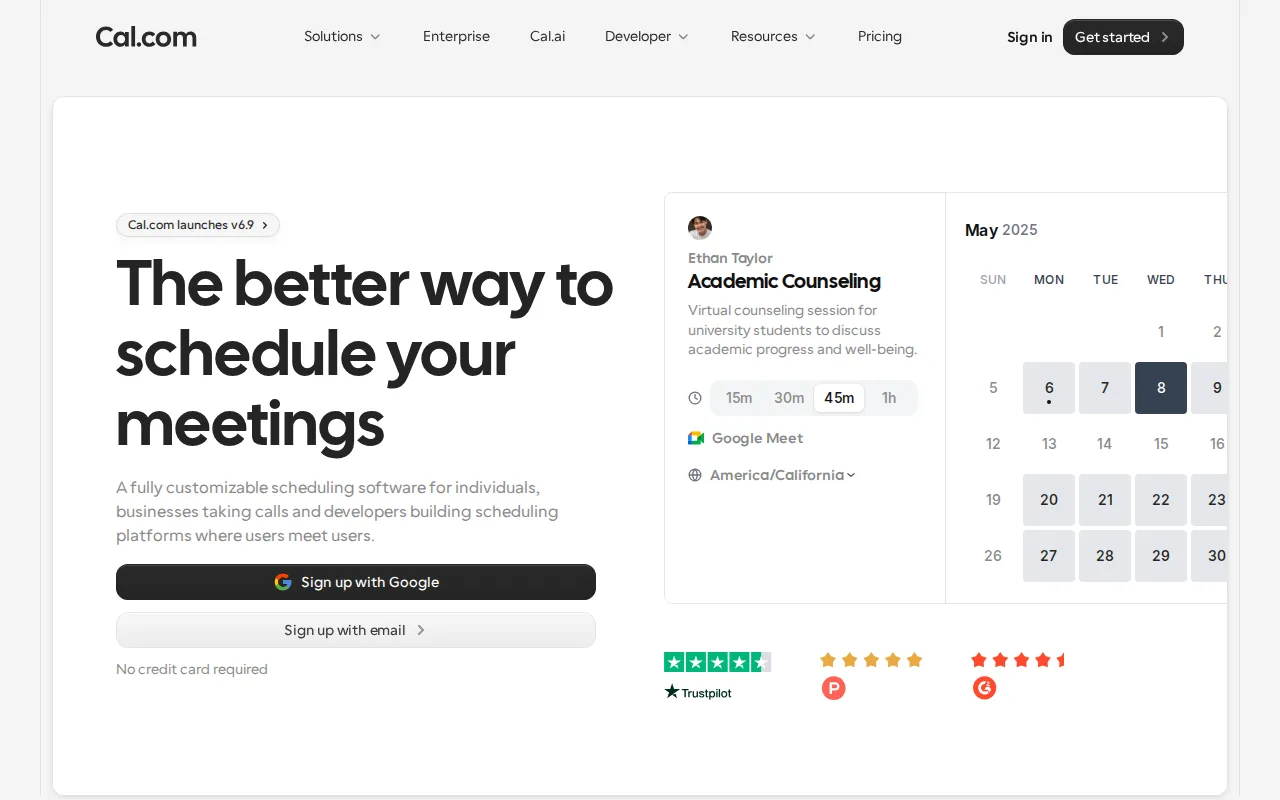
Cal.com in 20 seconds
Best for: individuals and technical teams who want an open-source, self-hostable Calendly alternative
Pricing: Free for 1 user; Teams $12/user/month billed annually; Organizations $28/user/month billed annually; Enterprise custom.
- Cal.com's Free plan covers 1 user with unlimited event types and calendars.
- Cal.com Teams costs $12/user/month billed annually; Organizations costs $28/user/month billed annually.
- Cal.com holds a 4.8/5 rating from 85 reviews on Product Hunt.
- Cal.com's fully open-source community codebase is distributed as a separate MIT-licensed project called cal.diy, with enterprise/commercial code removed.
- Cal.com is self-hostable via Docker as an alternative to using the hosted cloud product.
Limitations: Self-hosting requires ongoing infrastructure maintenance and forgoes managed support.; SSO and advanced access control require the pricier Organizations or Enterprise tiers.; Per-user team pricing adds up faster than Calendly's flat team pricing at small seat counts.
Top alternatives: Calendly, Acuity Scheduling, Doodle, HubSpot, Google — full list
What is Cal.com?
Cal.com is a scheduling and booking platform, positioned explicitly as an open-source alternative to Calendly. Users create event types (30-minute call, demo, consultation) and share a booking link; invitees pick an open slot that syncs automatically to the host's calendar. Unlike closed-source scheduling tools, Cal.com's underlying codebase is open source and self-hostable via Docker, letting technical teams run their own instance instead of depending on Cal.com's cloud. As of this review, the fully open community edition of that codebase is distributed under the separate project name cal.diy (MIT-licensed, with Cal.com's enterprise/commercial code removed), while Cal.com's own hosted cloud product at cal.com layers managed infrastructure, support, and additional paid features on top of that open core. It supports 100+ integrations, Stripe and PayPal payment collection at booking time, and two-way CRM sync with Salesforce and HubSpot even on the free plan.
Cal.com is a scheduling platform built as an open-source, self-hostable alternative to Calendly. The Free plan covers a single user with unlimited event types and calendars; Teams costs $12/user/month billed annually for small teams needing shared scheduling; Organizations runs $28/user/month billed annually for larger teams wanting more control, privacy, and security; Enterprise is custom-priced with dedicated support and SLAs. All tiers get 14-day free trials on paid plans. Cal.com's core differentiator is that its scheduling engine is genuinely self-hostable: the community codebase (now maintained as a fork under the name cal.diy, MIT-licensed with all enterprise/commercial code stripped out) lets organizations run their own booking infrastructure instead of depending on Cal.com's hosted cloud, while Cal.com's own commercial cloud product layers additional paid features and support on top. Even on the free tier, it includes 100+ integrations, Stripe/PayPal payment processing, and two-way sync with Salesforce and HubSpot.
Standout feature: The scheduling engine is genuinely self-hostable via Docker, with a fully open community fork (cal.diy, MIT-licensed) that strips out enterprise/commercial code entirely, giving teams a real self-hosted path rather than an open-source demo that funnels users to the paid cloud.
Biggest weakness: Self-hosting requires ongoing infrastructure maintenance and doesn't include Cal.com's managed support, while advanced features like SSO and fine-grained access control are gated behind the pricier Organizations and Enterprise tiers on the hosted product.
Pros
- Free tier includes unlimited event types and calendars for a single user, with no artificial feature caps.
- Genuinely self-hostable via Docker, with a fully open MIT-licensed community fork (cal.diy) available.
- 100+ integrations and two-way Salesforce/HubSpot sync are available even on the free plan.
- Built-in Stripe and PayPal payment collection at time of booking without a separate add-on.
Cons
- Self-hosting requires ongoing infrastructure maintenance and forgoes Cal.com's managed support and updates.
- SSO and advanced access control are gated to the pricier Organizations and Enterprise tiers.
- Team-oriented features require per-user billing ($12-28/user/month), which adds up faster than Calendly's flat team pricing at small seat counts.
- Self-hosted deployments can lag behind the hosted cloud product on the latest feature releases.
Cal.com pricing
Free tier · paid from $12/mo · verified from the vendor's pricing page
| Plan | Price | Notes |
|---|---|---|
| Free | Free | 1 user, unlimited event types and calendars; email/SMS notifications, 100+ integrations, Stripe/PayPal payments, Salesforce/HubSpot sync. |
| Teams | $12/mo | Per user, billed annually (25% savings vs. monthly); for small teams and startups with combined scheduling needs; 14-day free trial. |
| Organizations | $28/mo | Per user, billed annually; adds more control, privacy, and security for larger teams; 14-day free trial. |
| Enterprise | Custom | Custom pricing, billed annually; dedicated support and SLA guarantees. |
What reviewers say
Scores belong to their platforms; we display them with attribution and never fold them into our own ratings.