1 Best Open-Source Alternatives to Adobe Lightroom in 2026
By Noahlast updated pricing verified
All 6 Adobe Lightroom alternatives
Compared: open-source alternatives to Adobe Lightroom
| Alternative | Best for | Standout | Biggest weakness | Learning curve | Price |
|---|---|---|---|---|---|
| Adobe Lightroomreference | photographers who shoot in volume and want cloud-synced, non-destructive edits and AI-assisted culling across every device | Cloud-native catalog sync that carries the same edit history and organization across desktop, web, and mobile without manual export. | The base 1TB of cloud storage fills quickly for RAW shooters, and additional storage is a separate paid add-on on top of the subscription; Capterra reviewers also report lag and sync slowdowns once catalogs grow large. | Moderate | Free tier · paid from $11.99/mo |
| darktable | photographers who want a fully non-destructive, database-driven raw editing workflow on Linux, Windows, or macOS without paying an Adobe Lightroom subscription | A fully non-destructive, GPU-accelerated raw processing pipeline with a database-backed lighttable for organizing large photo libraries, built entirely by a volunteer photographer-developer community with no paid tier at all. | The dense, module-heavy interface has a steeper learning curve for photographers coming from more guided commercial tools, and darktable lacks the polish, tutorials, and plugin ecosystem of Adobe Lightroom. | Steep | Free |
 Adobe Lightroom
 darktable
1.darktable — best Adobe Lightroom alternative for photographers who want a fully non-destructive, database-driven raw editing workflow on Linux, Windows, or macOS without paying an Adobe Lightroom subscription
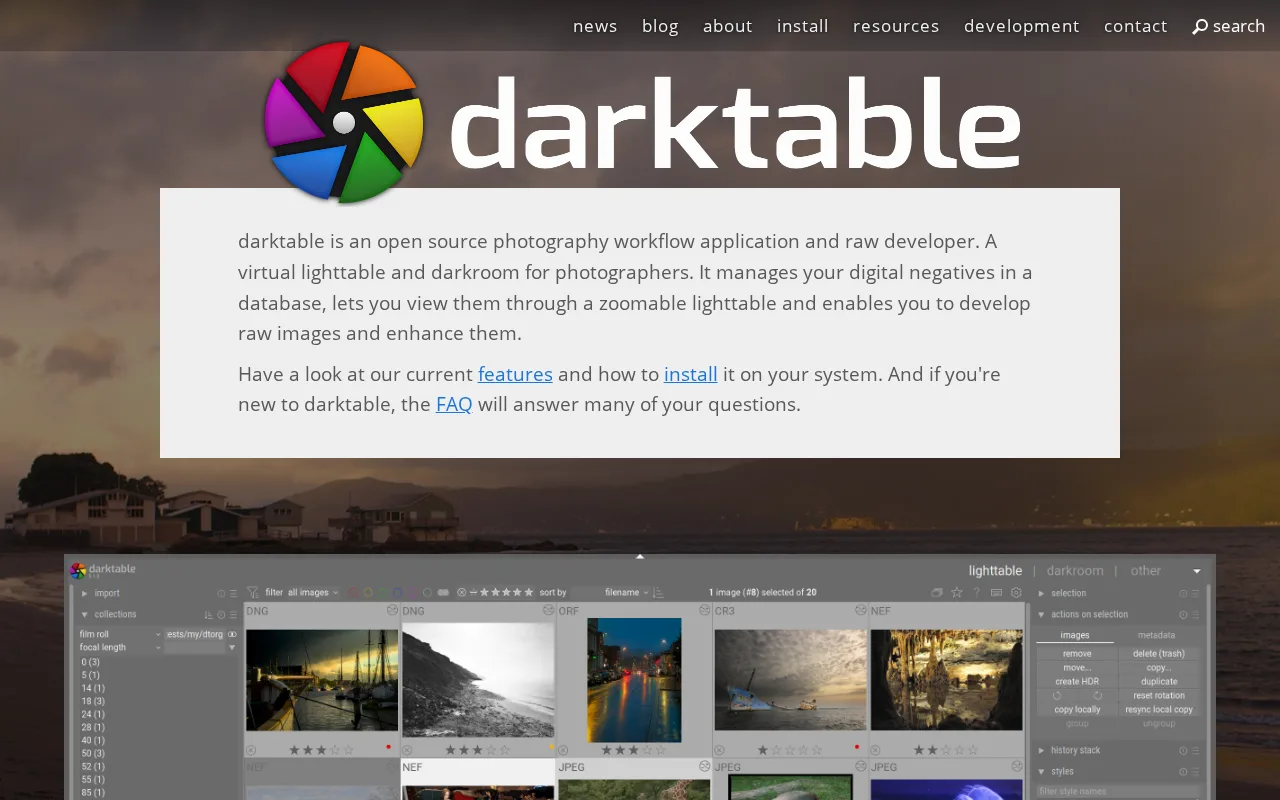
darktable is the best Adobe Lightroom alternative for photographers who want a fully non-destructive, database-driven raw editing workflow without paying anything, ever, unlike Lightroom's $11.99/month minimum subscription. darktable is released under the GPL-3.0 license with its full source on GitHub, where the project holds 13,000 stars, and there is no paid tier, subscription, or feature gate of any kind — the entire application is built and maintained by a volunteer photographer-developer community. Its GPU-accelerated processing pipeline and database-backed lighttable mirror Lightroom's non-destructive, catalog-based approach to raw development, and darktable runs natively on Linux, Windows, and macOS, covering a platform (Linux) Lightroom doesn't support at all. Lightroom is still the better choice for photographers who want cloud sync across mobile devices and a gentler learning curve: darktable has no official cloud sync or mobile companion app, unlike Lightroom's cross-device workflow, its dense, module-heavy interface has a steeper learning curve than Lightroom's more guided tools, and camera raw-format support can lag behind brand-new camera releases, a gap Lightroom's commercial development team closes faster.
Compared to Adobe Lightroom: completely free and open source (GPL-3.0, 13,000 GitHub stars) vs an $11.99/month subscription, GPU-accelerated non-destructive raw pipeline, no official mobile app or cloud sync
Wins:Completely free and open source under GPL-3.0 with 13,000 GitHub stars, vs Lightroom's $11.99/month minimum subscription · GPU-accelerated, fully non-destructive raw processing backed by a searchable image database, mirroring Lightroom's catalog model at no cost · Runs natively on Linux, Windows, and macOS, covering a platform (Linux) Lightroom doesn't support at all
Loses:No official cloud sync or mobile companion app, unlike Lightroom's cross-device workflow across desktop, web, and mobile · Dense, module-heavy interface has a steeper learning curve than Lightroom's more guided tools · Camera raw-format support can lag behind brand-new camera releases, and the plugin and tutorial ecosystem is smaller than Lightroom's
Pros
- Completely free and open source under GPL-3.0, with no subscription or paid tier at all.
- Fully non-destructive raw editing backed by a searchable image database (the lighttable).
- A GPU-accelerated processing pipeline handles large raw files and complex edit stacks responsively.
- Runs natively on Linux, Windows, and macOS, unlike some raw editors that are Mac- or Windows-only.
Cons
- The dense, module-heavy interface has a steeper learning curve than guided commercial tools like Lightroom.
- A smaller plugin and tutorial ecosystem than Adobe Lightroom, since development depends on volunteer contributors.
- No official cloud sync or mobile companion app, unlike Lightroom's cross-device workflow.
- Big-endian and 32-bit platforms are not officially supported, and camera raw-format support can lag behind brand-new camera releases.
Pricing: Free — $0 vs Lightroom's $11.99/month starting price (verified undefined NaN, NaN)