5 Best Alternatives to Slack for Web in 2026
By Noahlast updated pricing verified
Compared: Slack alternatives that run on Web
| Alternative | Best for | Learning curve | Price |
|---|---|---|---|
| Slackreference | teams that need organized, searchable chat with channels, quick huddles, and workflow automation, from small teams on the free tier up to large enterprises needing compliance controls | Low | Free tier · paid from $8.75/mo |
| Microsoft Teams | organizations already using Microsoft 365 that need chat, video meetings, and calling tightly integrated with Word, Excel, Outlook, and SharePoint, from small teams under 300 people up to large enterprises | Moderate | Free tier · paid from $4/mo |
| Discord | gaming and hobbyist communities that want an always-on voice hangout with unlimited free members, rather than a scheduled-meeting or formal workplace chat tool | Moderate | Free tier · paid from $2.99/mo |
| Zoom | hybrid teams that need reliable HD video meetings, phone, and chat under one login, from solo users on the free plan up to 1,000-participant company town halls | Low | Free tier · paid from $14.16/mo |
| Mattermost | regulated, government, or defense organizations that need self-hosted, air-gapped, or sovereign-cloud team chat with compliance controls a SaaS-only tool like Slack can't provide | Moderate | Free |
| Google Workspace | businesses, schools, and startups standardizing on browser-based email and real-time collaborative documents instead of desktop Office software | Low | From $7/mo |
 Slack
Slack Microsoft Teams
 Discord
 Zoom
Zoom Mattermost
 Google Workspace
1Microsoft Teams — best Slack alternative for organizations already using Microsoft 365 that need chat, video meetings, and calling tightly integrated with Word, Excel, Outlook, and SharePoint, from small teams under 300 people up to large enterprises
Microsoft Teams is the best Slack alternative for organizations already standardized on Microsoft 365, since Teams integrates natively with SharePoint, OneDrive, Word, Excel, and PowerPoint in ways Slack's third-party Microsoft integrations can't fully replicate. Teams Essentials starts at $4/user/month, undercutting Slack's $8.75/user/month Pro tier, and Microsoft 365 Business Basic at $7/user/month bundles Exchange email and 1TB of storage alongside chat, a combination Slack doesn't sell directly. Teams holds a 4.5/5 rating from 11,129 Capterra reviews, a smaller sample than Slack's own 24,182 reviews but still substantial. AI-generated meeting notes and Copilot integration are available on paid tiers, similar in spirit to Slack's Slackbot but tied to the Microsoft 365 ecosystem instead of Slack's Salesforce and Agentforce integrations. Slack is still the better choice for teams outside the Microsoft ecosystem that want a larger, proven third-party app marketplace: Teams users report recurring bugs including crashes, login errors, and sync failures that Slack's Capterra reviewers raise far less often, and getting the full desktop Office apps requires jumping to the $23.50/user/month Business Standard plan rather than a lower-cost Teams-only upgrade.
Compared to Slack: native SharePoint/OneDrive/Office integration, Essentials starts at $4/user/month vs Slack's $8.75, but users report recurring crashes and sync bugs
Wins:Native integration with SharePoint, OneDrive, Word, Excel, and PowerPoint, deeper than Slack's third-party Microsoft integrations · Essentials starts at $4/user/month, less than half Slack's $8.75/user/month Pro tier · Microsoft 365 Business Basic ($7/user/month) bundles Exchange email and 1TB storage alongside chat
Loses:Reviewers report recurring bugs — crashes, login errors, sync failures, unreliable status indicators — more often than Slack's own reviewers raise · Free tier caps group video calls at 60 minutes · Full desktop Office apps require the $23.50/user/month Business Standard plan, not a lower-cost Teams-only upgrade
Pros
- Free tier is usable for small teams with unlimited 1:1 messaging and calling.
- Tight native integration with Word, Excel, PowerPoint, Outlook, and SharePoint.
- AI-generated meeting notes, live captions, and real-time translation on paid tiers.
- Scales from a $4/user/month Essentials plan up to enterprise-grade Teams Phone and Teams Premium add-ons.
Cons
- Users report recurring bugs: crashes, login errors, sync failures, and unreliable status indicators.
- Free tier caps group video calls at 60 minutes.
- Full desktop Office apps require a $23.50/user/month Microsoft 365 Business Standard plan, not a lower-cost Teams-only upgrade.
- No official native Linux client.
Pricing: Free tier · paid from $4/mo — $4/user/month Essentials vs Slack's $8.75/user/month Pro tier; full Office apps require $23.50/user/month Business Standard (verified )
2Discord — best Slack alternative for gaming and hobbyist communities that want an always-on voice hangout with unlimited free members, rather than a scheduled-meeting or formal workplace chat tool
Discord is the best Slack alternative for informal, always-on communities and small teams that want unlimited free members and message history without Slack's 90-day free-tier limit. Discord's free tier has no cap on servers, members, or message history at all, a meaningfully more generous baseline than Slack's free plan, which restricts message history to 90 days. Persistent voice channels let anyone drop into a conversation without scheduling a call the way Slack's Huddles require starting one, and Discord holds a 4.6/5 rating from 540 Capterra reviews. Nitro, Discord's optional paid tier, starts at just $2.99/month for custom emoji and larger file uploads, far below Slack's $8.75/user/month Pro tier, though Nitro is a personal cosmetic upgrade, not a per-seat business plan. Slack is clearly the better choice for actual business use: Discord lacks the compliance, SSO, and formal admin auditing that Slack's Business+ and Enterprise+ tiers provide, its 540-review sample is a fraction of Slack's 24,182, and server moderation depends heavily on volunteer admins and third-party bots rather than Slack's built-in enterprise controls.
Compared to Slack: unlimited free members and message history vs Slack's 90-day free-tier cap, Nitro starts at $2.99/month, but lacks SSO and compliance controls
Wins:Free tier has no cap on servers, members, or message history, vs Slack's free plan's 90-day history limit · Persistent voice channels let anyone join a call without scheduling, unlike Slack's Huddles · Nitro starts at $2.99/month, far below Slack's $8.75/user/month Pro tier
Loses:Lacks SSO, data loss prevention, and formal admin auditing that Slack's Business+ and Enterprise+ tiers provide · 4.6/5 rating from just 540 Capterra reviews, a much smaller sample than Slack's 24,182 · Server moderation depends on volunteer admins and third-party bots rather than built-in enterprise controls
Pros
- Free tier has unlimited servers, members, and message history with no time-limited voice calls.
- Persistent voice channels let people join and leave communication casually, without scheduling.
- Deep gaming integrations (rich presence, direct game invites, low-latency streaming).
- Highly customizable via roles, permissions, and a large ecosystem of third-party bots.
Cons
- Not designed for professional/business communication; lacks the compliance, SSO, and formal admin auditing of workplace chat tools.
- Server moderation quality varies widely since it depends on volunteer admins and bots rather than built-in enterprise controls.
- Nitro pricing and perks (server boosts, file limits) can be confusing to new users trying to understand what's actually included.
- Anyone with a username can attempt to message or find users by default, raising privacy concerns some reviewers flag.
Pricing: Free tier · paid from $2.99/mo — Nitro Basic $2.99/month (cosmetic upgrade) vs Slack's $8.75/user/month Pro tier (per-seat business plan) (verified )
3Zoom — best Slack alternative for hybrid teams that need reliable HD video meetings, phone, and chat under one login, from solo users on the free plan up to 1,000-participant company town halls
Zoom is the best Slack alternative for teams that treat video meetings as the primary communication channel, bundling meetings, phone, chat, and whiteboarding into one Workplace suite rather than Slack's chat-first, Huddles-for-calls model. Zoom's free Basic tier allows unlimited one-on-one meetings and group calls up to 100 participants, and its AI Companion generates meeting summaries and follow-up suggestions on every paid plan at no extra cost, comparable in spirit to Slack's Slackbot but centered on meetings instead of channels. Zoom Workplace holds a 4.6/5 rating from 14,659 Capterra reviews, a smaller sample than Slack's 24,182 but still substantial evidence. Pro pricing runs around $14.16/user/month per third-party trackers, notably higher than Slack's $8.75/user/month Pro tier. Slack is still the better choice for teams whose primary need is organized, searchable text conversation rather than video: Zoom's free Basic plan caps group meetings at just 40 minutes, forcing an upgrade quickly for any team with regular calls, and Zoom's own pricing page no longer publishes exact Pro and Business dollar amounts, making cost comparison harder than with Slack's transparently published tiers.
Compared to Slack: bundles video meetings, phone, and AI Companion summaries in one suite, but Pro runs ~$14.16/user/month vs Slack's $8.75 and pricing isn't published
Wins:AI Companion generates meeting summaries and follow-up suggestions free on every paid plan · One platform covers meetings, phone, team chat, and whiteboard instead of Slack's chat-plus-Huddles model · 4.6/5 rating from 14,659 Capterra reviews, substantial third-party validation
Loses:Pro pricing runs around $14.16/user/month per third-party trackers, notably more than Slack's $8.75/user/month Pro tier · Free Basic plan caps group meetings at 40 minutes, pushing teams to upgrade quickly · Zoom's own pricing page no longer publishes exact Pro/Business dollar amounts, unlike Slack's transparently published tiers
Pros
- AI Companion (meeting summaries, smart chapters, follow-up suggestions) is included free on paid plans rather than a paid add-on.
- Consistently reliable HD video and audio even on weaker connections, thanks to adaptive bandwidth handling.
- One platform covers meetings, phone (Zoom Phone), team chat, whiteboard, and docs instead of stitching together separate tools.
- Native apps for Windows, macOS, Linux, iOS, and Android, including a full Linux client many competitors skip.
Cons
- Free Basic plan limits group meetings to 40 minutes, forcing an upgrade for most recurring team calls.
- Exact Pro and Business pricing is no longer published on Zoom's own site, requiring a sales conversation or third-party source to confirm.
- Zoom Phone, large-meeting capacity, and webinar capabilities are separate paid add-ons on top of the base per-user license.
- Business Plus was folded into a bundled add-on rather than sold as its own standalone tier, complicating plan comparisons.
Pricing: Free tier · paid from $14.16/mo — Pro runs ~$14.16/user/month (third-party trackers) vs Slack's published $8.75/user/month Pro tier
4Mattermost — best Slack alternative for regulated, government, or defense organizations that need self-hosted, air-gapped, or sovereign-cloud team chat with compliance controls a SaaS-only tool like Slack can't provide
Mattermost is the best Slack alternative for regulated, government, or defense organizations that need self-hosted, air-gapped, or sovereign-cloud team chat, deployment options Slack's SaaS-only model can't provide at all. Mattermost's core is MIT-licensed and free to self-host with no per-user cap, versus Slack's cheapest paid tier at $8.75/user/month, and its Enterprise tier adds FIPS 140-3 and STIG-hardened compliance options used by customers including the U.S. Air Force and NASA. Its GitHub repository has nearly 39,000 stars, evidence of an actively maintained open-core project, though Mattermost's own external rating rests on just a single 5/5 Product Hunt review, far thinner evidence than Slack's 24,182 Capterra reviews. Slack is clearly the better choice for teams that want transparent, published per-seat pricing and a large third-party app ecosystem: none of Mattermost's paid tiers (Professional, Enterprise, Enterprise Advanced) publish flat per-user dollar pricing, all requiring a sales conversation and a prepaid annual commitment, and Mattermost's integration marketplace is far smaller than Slack's 1.7 million weekly active third-party app connections.
Compared to Slack: MIT-licensed self-hosted core is free with no user cap, adds FIPS 140-3/STIG compliance, but no paid tier publishes flat pricing
Wins:Self-hosted core is free (MIT-licensed) with no user cap, avoiding Slack's $8.75/user/month floor entirely · FIPS 140-3 and STIG-hardened compliance options plus air-gapped deployment, used by the U.S. Air Force and NASA · Full source code auditable on GitHub (nearly 39,000 stars), unlike Slack's closed-source model
Loses:No paid tier (Professional, Enterprise, Enterprise Advanced) publishes flat per-user pricing; all require a sales conversation · External rating rests on a single 5/5 Product Hunt review, far thinner evidence than Slack's 24,182 Capterra reviews · Smaller third-party app ecosystem than Slack's 1.7 million weekly active app integrations
Pros
- Self-hosted core is free (MIT-licensed) with no user limit, avoiding SaaS vendor lock-in.
- Deployment options (on-premise, private cloud, air-gapped) support compliance needs that pure-SaaS chat tools can't meet.
- Native apps across web, Windows, macOS, Linux, iOS, and Android.
- Open-core model means the underlying chat engine's code is auditable even though advanced features are commercially licensed.
Cons
- No published flat pricing for any paid tier; all require contacting sales and a prepaid annual commitment.
- Self-hosting the free core requires ongoing server maintenance, scaling, and upgrades.
- Advanced features (sovereign AI, high availability, air-gapped support) sit behind the commercial Enterprise license, not the open-source core.
- Smaller third-party app/integration ecosystem than Slack, which has a much larger app marketplace.
Pricing: Free (verified )
5Google Workspace — best Slack alternative for businesses, schools, and startups standardizing on browser-based email and real-time collaborative documents instead of desktop Office software
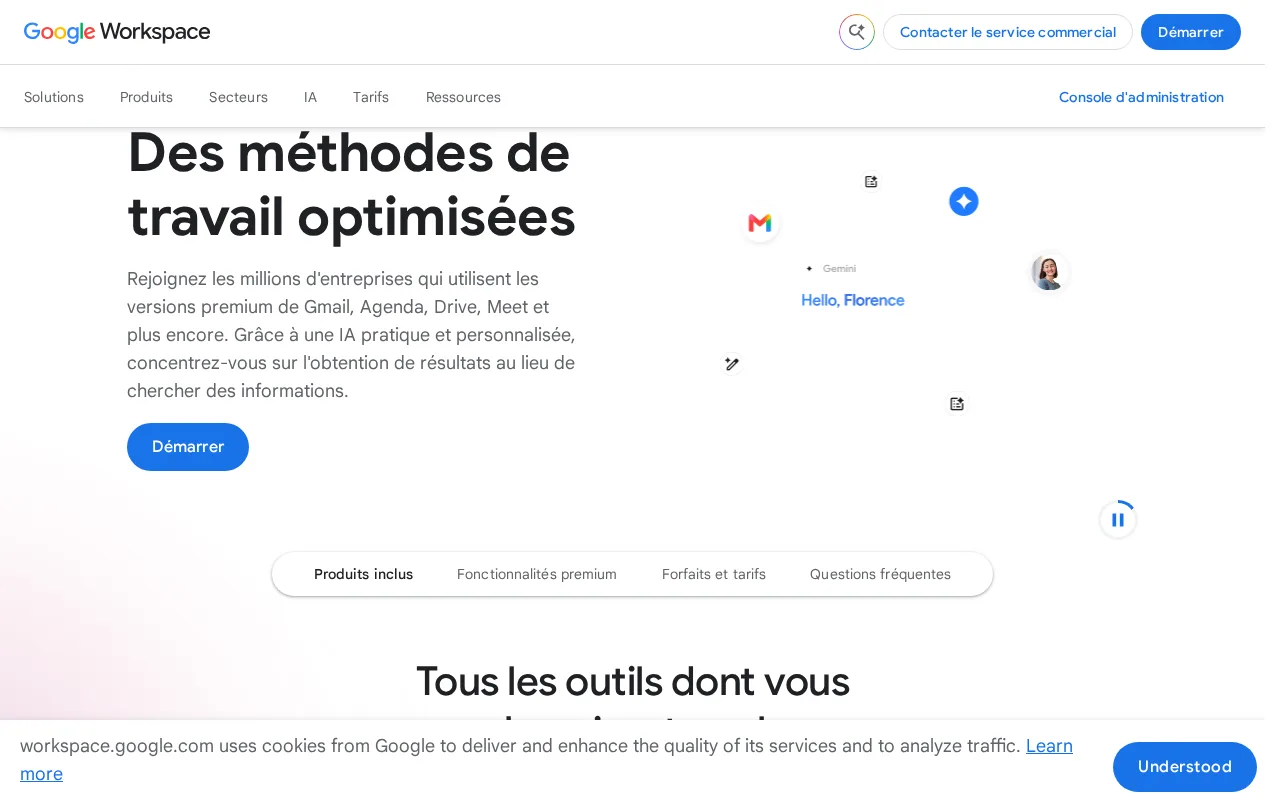
Google Workspace is the best Slack alternative for teams that want messaging bundled with real-time collaborative Docs, Sheets, and Slides rather than a stand-alone chat tool paired with a separate office suite. Business Starter costs $7/user/month billed annually, undercutting Slack's $8.75/user/month Pro tier, and every paid plan bundles Gemini AI writing and summarization at increasing depth, comparable to Slack's own Slackbot AI agent but spanning the entire productivity suite rather than just chat. Google Workspace holds a 4.7/5 rating from 17,667 Capterra reviews, a large sample though still smaller than Slack's own 24,182 reviews, and real-time collaborative editing across Docs, Sheets, and Slides has no direct equivalent inside Slack itself. Slack is still the better choice for teams that specifically want channel-based chat and don't need a full office suite bundled in: Google Workspace has no free tier at all, so every user costs at least $7/month, whereas Slack offers a genuinely free plan for smaller teams, and Workspace's Meet video caps and offline editing depth lag behind Microsoft 365's desktop apps.
Compared to Slack: bundles messaging with real-time Docs/Sheets/Slides collaboration, Business Starter at $7/user/month vs Slack's $8.75, but no free tier at all
Wins:Real-time collaborative editing across Docs, Sheets, and Slides, with no equivalent inside Slack itself · Business Starter costs $7/user/month, undercutting Slack's $8.75/user/month Pro tier · Gemini AI writing and summarization bundled into every paid tier at increasing depth
Loses:No free tier at all, so every user costs at least $7/month, unlike Slack's genuinely free plan · Meet video call participant caps and offline editing lag behind dedicated business chat and video tools · No official native Linux desktop client, unlike Slack which supports Linux
Pros
- Real-time collaborative editing across Docs, Sheets, and Slides with automatic saving.
- Gemini AI features are bundled into every paid tier rather than sold as a separate add-on.
- Tight integration across Gmail, Drive, Calendar, and Meet under one admin console.
- Transparent, published per-user pricing with no mandatory onboarding fee.
Cons
- Offline and power-user editing features lag behind Microsoft 365's desktop Excel and Word.
- No official native Linux desktop client for Drive sync.
- Google Meet participant caps and storage limits are hard-capped per tier, forcing plan upgrades.
- Lowest advertised per-user price requires annual billing; flexible monthly billing costs about 20% more.
Pricing: From $7/mo — $7/user/month Business Starter vs Slack's $8.75/user/month Pro tier; Workspace has no free tier at all