1 Best Open-Source Alternatives to SavvyCal in 2026
By Noahlast updated pricing verified
Compared: open-source alternatives to SavvyCal
| Alternative | Best for | Standout | Biggest weakness | Learning curve | Price |
|---|---|---|---|---|---|
| SavvyCalreference | sales, recruiting, and consulting teams who want invitees to see their own calendar overlaid on the host's availability, plus round-robin and collective team scheduling | A week-view booking page that lets the person scheduling overlay their own calendar on top of the host's availability, rather than picking blindly from a list of open slots. | No native mobile app; SavvyCal is web-only with a Chrome extension, so managing availability or links from a phone means using the mobile browser rather than a dedicated app. | Low | Free tier · paid from $10/mo |
| Cal.com | individuals and technical teams who want an open-source, self-hostable Calendly alternative with API-level control over booking flows | The scheduling engine is genuinely self-hostable via Docker, with a fully open community fork (cal.diy, MIT-licensed) that strips out enterprise/commercial code entirely, giving teams a real self-hosted path rather than an open-source demo that funnels users to the paid cloud. | Self-hosting requires ongoing infrastructure maintenance and doesn't include Cal.com's managed support, while advanced features like SSO and fine-grained access control are gated behind the pricier Organizations and Enterprise tiers on the hosted product. | Moderate | Free tier · paid from $12/mo |
 SavvyCal
 Cal.com
1.Cal.com — best SavvyCal alternative for individuals and technical teams who want an open-source, self-hostable Calendly alternative with API-level control over booking flows
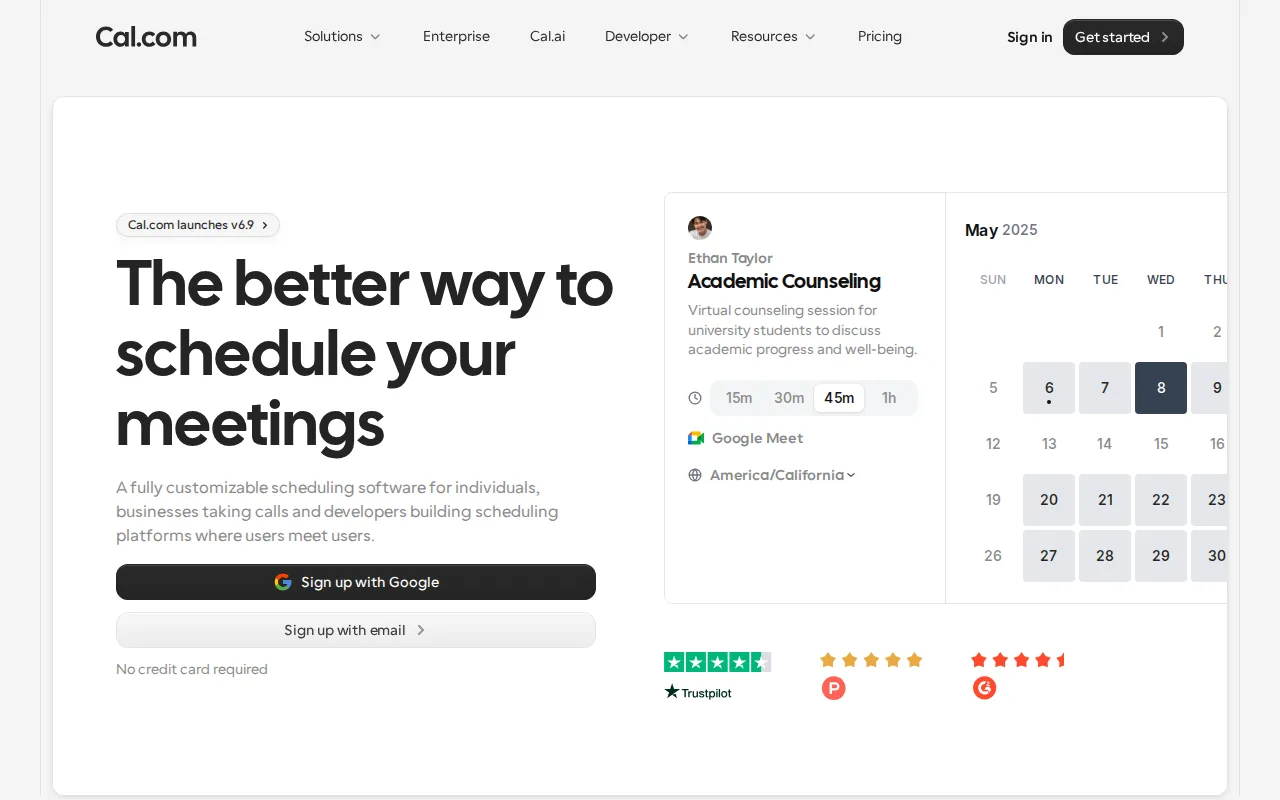
Cal.com is the best SavvyCal alternative for individuals and technical teams who want an open-source, self-hostable scheduling platform instead of SavvyCal's closed-source, web-only SaaS product. Cal.com's core codebase is genuinely self-hostable via Docker, with a fully open MIT-licensed community fork (cal.diy) that strips out enterprise code entirely, a self-hosting path SavvyCal doesn't offer at all. Cal.com holds a 4.8/5 rating from 85 Product Hunt reviews, a larger sample than SavvyCal's 5.0/5 score from just 4 Product Hunt reviews. Cal.com's free tier covers a single user with unlimited event types and calendars plus 100+ integrations and built-in Stripe/PayPal payment collection, while SavvyCal's free plan is limited to individual scheduling links with team features locked to paid tiers. Cal.com's Teams tier starts at $12/user/month, slightly above SavvyCal's $10/user/month Basic tier, but includes the same self-hosting option at every price point. SavvyCal remains the better choice for teams that want managed infrastructure without an ops burden: Cal.com's self-hosting path requires ongoing infrastructure maintenance and forgoes Cal.com's own managed support, while SavvyCal's calendar-overlay booking page, the product's standout feature, has no equivalent described in Cal.com's own listing.
Compared to SavvyCal: genuinely self-hostable via Docker with an MIT-licensed community fork vs SavvyCal's closed-source, web-only SaaS, 4.8/5 rating from 85 Product Hunt reviews vs SavvyCal's 5.0/5 from just 4 reviews, free tier includes 100+ integrations and Stripe/PayPal payments vs SavvyCal's individual-only free plan
Wins:Genuinely self-hostable via Docker with a fully open MIT-licensed community fork (cal.diy), a deployment option SavvyCal's closed-source SaaS doesn't offer · 4.8/5 rating from 85 Product Hunt reviews, a larger sample than SavvyCal's 4 reviews · Free tier includes unlimited event types, 100+ integrations, and built-in Stripe/PayPal payment collection, beyond SavvyCal's individual-only free plan
Loses:Self-hosting requires ongoing infrastructure maintenance and forgoes Cal.com's own managed support, an operational burden SavvyCal's fully hosted SaaS avoids · No calendar-overlay booking page described in its listing, the specific interaction SavvyCal is built around
Pros
- Free tier includes unlimited event types and calendars for a single user, with no artificial feature caps.
- Genuinely self-hostable via Docker, with a fully open MIT-licensed community fork (cal.diy) available.
- 100+ integrations and two-way Salesforce/HubSpot sync are available even on the free plan.
- Built-in Stripe and PayPal payment collection at time of booking without a separate add-on.
Cons
- Self-hosting requires ongoing infrastructure maintenance and forgoes Cal.com's managed support and updates.
- SSO and advanced access control are gated to the pricier Organizations and Enterprise tiers.
- Team-oriented features require per-user billing ($12-28/user/month), which adds up faster than Calendly's flat team pricing at small seat counts.
- Self-hosted deployments can lag behind the hosted cloud product on the latest feature releases.
Pricing: Free tier · paid from $12/mo — $12/user/month (Teams, annual) vs SavvyCal's $10/user/month (Basic, annual); Cal.com's Organizations tier runs $28/user/month vs SavvyCal's Premium at $17/user/month (verified undefined NaN, NaN)