4 Best Free Alternatives to Netlify in 2026
By Noahlast updated pricing verified
Compared: free alternatives to Netlify
| Alternative | Best for | Standout | Biggest weakness | Learning curve | Price |
|---|---|---|---|---|---|
| Netlifyreference | developers and small teams deploying static sites, JAMstack apps, or AI-assisted web projects from Git who want a generous free tier with built-in CDN and serverless functions | A unified per-credit billing model covering deploys, compute, bandwidth, and requests in one pool, instead of separate hard limits for each resource type. | The per-credit billing model makes it harder to predict exact monthly cost than a flat bandwidth cap, since production deploys, compute, bandwidth, and requests all draw from the same pool at different rates, and high-traffic or compute-heavy sites can burn through credits faster than expected. | Low | Free tier · paid from $9/mo |
| Vercel | frontend teams deploying Next.js or other JS-framework apps who want Git-based preview deployments and a global edge network without managing servers | First-class Next.js integration with automatic preview deployments for every pull request, built by the same team that maintains the Next.js framework. | Usage-based billing on Pro means costs can escalate quickly beyond the $20 monthly credit for traffic-heavy sites; edge requests, bandwidth, and function compute all bill incrementally, and Advanced Deployment Protection is a separate $150/month add-on. | Low | Free tier · paid from $20/mo |
| Cloudflare | developers deploying globally distributed apps and APIs who want to avoid cold starts and egress fees, without managing servers or containers | V8 isolates instead of containers mean Workers functions start with no cold-start delay, and R2 object storage charges zero egress fees, a direct contrast with AWS S3's bandwidth costs. | Building on Workers means adopting Cloudflare's own APIs for storage and data (R2, D1, KV, Hyperdrive) rather than standard interfaces like S3 or Postgres, which creates real migration friction if a team later needs to move off Cloudflare. | Moderate | Free tier · paid from $5/mo |
| Render | developers and teams migrating off Heroku who want autoscaling web services, managed Postgres/Redis, and background workers with usage-based compute pricing | Preview environments spin up automatically for every pull request, and the instance ladder scales from a $7/month Starter web service up to a 64 CPU / 512 GB Pro Ultra instance ($450/month) without switching platforms. | Free-tier web services spin down after periods of inactivity, causing a cold-start delay on the next request, and the paid workspace/seat plan tiers above Free aren't published with specific dollar amounts on the pricing page — teams have to build out compute usage to see the real monthly total. | Low | Free tier · paid from $6/mo |
| AWS Amplify | teams already building on AWS who want Git-based hosting plus managed auth, data, and storage without assembling separate services | Provisions a full backend (Cognito authentication, data APIs, storage, functions) from a single TypeScript codebase alongside CI/CD hosting on CloudFront | Pricing spans multiple separately-billed AWS services (hosting, Cognito, AppSync, DynamoDB, Lambda), so total cost isn't visible on the Amplify pricing page alone, and the platform assumes comfort with AWS's console and IAM model rather than offering a simplified single-dashboard experience like Vercel or Netlify. | Moderate | Free tier · paid from $0.01/mo |
 Netlify
 Vercel
 Cloudflare
 Render
 AWS Amplify
1.Vercel — best Netlify alternative for frontend teams deploying Next.js or other JS-framework apps who want Git-based preview deployments and a global edge network without managing servers
Vercel is the best Netlify alternative for frontend teams deploying Next.js or other JavaScript-framework apps who want the deepest possible framework integration, since Vercel is built by the same team that maintains Next.js. Vercel's Hobby plan is free for personal projects with 100GB of data transfer and 1 million edge requests per month, comparable to Netlify's 300 monthly credits covering deploys, compute, bandwidth, and requests from one pool; Pro costs $20/month per seat plus a $20 usage credit, after which edge requests and bandwidth bill incrementally. Vercel holds a 4.4/5 rating from 48 Capterra reviews, close to Netlify's own 4.6/5 from 90 reviews. Netlify is still the better choice for teams that want a single credit pool covering deploys, functions, database, and blob storage rather than juggling several separately-billed usage categories: Vercel's Hobby tier is also explicitly restricted to non-commercial use, so any revenue-generating project requires a paid seat, while Netlify's Free plan places no such restriction on commercial use.
Compared to Netlify: deepest available integration with Next.js, built by the same team that maintains the framework, Hobby tier is free but restricted to non-commercial projects, Pro costs $20/month per seat plus a $20 usage credit before overages apply
Wins:Deepest available integration with Next.js, including image optimization and edge middleware, built by the framework's own maintainers, unlike Netlify's framework-agnostic approach · Automatic preview URLs for every pull request are a core, well-established workflow, matching Netlify's own unlimited deploy previews
Loses:Hobby tier is explicitly restricted to non-commercial use, so any revenue-generating project requires a paid seat, unlike Netlify's Free plan which places no such restriction · Pricing splits across a per-seat fee plus separate usage-based overages for edge requests, bandwidth, and compute, rather than Netlify's single unified credit pool · Advanced Deployment Protection costs an extra $150/month on top of Pro, a cost Netlify's plans don't carry
Pros
- Deploys from a Git push in seconds, with automatic preview URLs for every pull request.
- Deepest available integration with Next.js, including image optimization and edge middleware.
- Free Hobby tier is generous enough for real personal projects, not just a trial.
- Global edge network reduces latency for static assets and edge functions without extra configuration.
Cons
- Usage-based pricing on Pro can scale unpredictably; overage rates for edge requests, bandwidth, and compute apply once the $20 credit is used.
- Hobby tier is explicitly for non-commercial use, so any revenue-generating project requires a paid seat.
- Advanced Deployment Protection, a security feature some teams need, costs an extra $150/month on top of Pro.
- Backend and long-running server workloads are less natural fits than on traditional VPS or container platforms.
Pricing: Free tier · paid from $20/mo — Netlify's Free plan includes 300 monthly credits covering deploys, compute, bandwidth, and requests from one pool; Vercel's Hobby tier is free but non-commercial only, with Pro at $20/month per seat plus a $20 usage credit (verified undefined NaN, NaN)
2.Cloudflare — best Netlify alternative for developers deploying globally distributed apps and APIs who want to avoid cold starts and egress fees, without managing servers or containers
Cloudflare is the best Netlify alternative for developers deploying globally distributed apps who want to avoid cold starts and bandwidth charges entirely, since Cloudflare Workers runs code across 330+ global data centers using V8 isolates instead of containers, eliminating cold-start delays. Cloudflare holds a 4.7/5 rating from 524 Capterra reviews, the largest review base of any Netlify alternative here and higher than Netlify's own 4.6/5 from 90 reviews. The Free plan includes 100,000 Worker requests/day with no cost, and the Paid plan starts at a $5/month minimum for 10 million requests and 30 million CPU milliseconds, with no egress or bandwidth fees on Workers or R2 object storage at all, a direct contrast to Netlify's credit-based billing where bandwidth draws from the same pool as deploys and compute. Cloudflare Pages, its companion static-site hosting product, is free with up to 500 builds/month. Netlify is still the better choice for anyone who wants to avoid Cloudflare's proprietary storage APIs (R2, D1, KV): building on Workers means adopting Cloudflare-specific interfaces rather than the more portable, git-based deploy model Netlify uses for static and JAMstack sites.
Compared to Netlify: no cold starts, since V8 isolates start faster than container-based serverless platforms, no egress or bandwidth fees on Workers or R2 storage, largest review base at 4.7/5 from 524 Capterra reviews
Wins:No cold starts: V8 isolates start faster than the container- or function-based serverless model behind most competing platforms · No egress or bandwidth fees on Workers or R2 object storage, unlike Netlify's credit-based billing that draws bandwidth from the same pool as deploys and compute · Holds a 4.7/5 rating from 524 Capterra reviews, both a higher score and a far larger sample than Netlify's 4.6/5 from 90 reviews
Loses:Adopting R2, D1, and KV creates lock-in to Cloudflare's proprietary APIs rather than the more standard git-based static deploy model Netlify centers on · Standard Worker invocations are capped at 5 minutes, unsuitable for genuinely long-running background jobs · Pages' exact paid-tier dollar pricing isn't shown as static text on Cloudflare's limits documentation, only build-count and concurrency limits
Pros
- No cold starts: V8 isolates start faster than container- or VM-based serverless competitors.
- No egress or bandwidth fees on Workers or R2 storage, unlike AWS Lambda plus S3.
- Generous free tier (100,000 requests/day) is enough for many small production apps.
- Tightly integrated storage and data products (R2, D1, KV, Hyperdrive) reduce the need for separate vendors.
Cons
- Adopting R2, D1, and KV creates lock-in to Cloudflare's proprietary APIs rather than portable standards like S3 or SQL over a generic driver.
- CPU-time-based billing on Workers is a less familiar pricing model than flat compute hours, making cost estimation harder for teams new to it.
- Pages' exact paid-tier ($) pricing isn't shown as static text on Cloudflare's limits documentation, only build-count and concurrency limits.
- Standard Worker invocations are capped at 5 minutes, unsuitable for genuinely long-running background jobs.
Pricing: Free tier · paid from $5/mo — Netlify's Free plan includes 300 monthly credits across all usage; Cloudflare's Free plan covers 100,000 requests/day at no cost, with the Paid plan starting at a $5/month minimum and no separate egress charges (verified undefined NaN, NaN)
3.Render — best Netlify alternative for developers and teams migrating off Heroku who want autoscaling web services, managed Postgres/Redis, and background workers with usage-based compute pricing
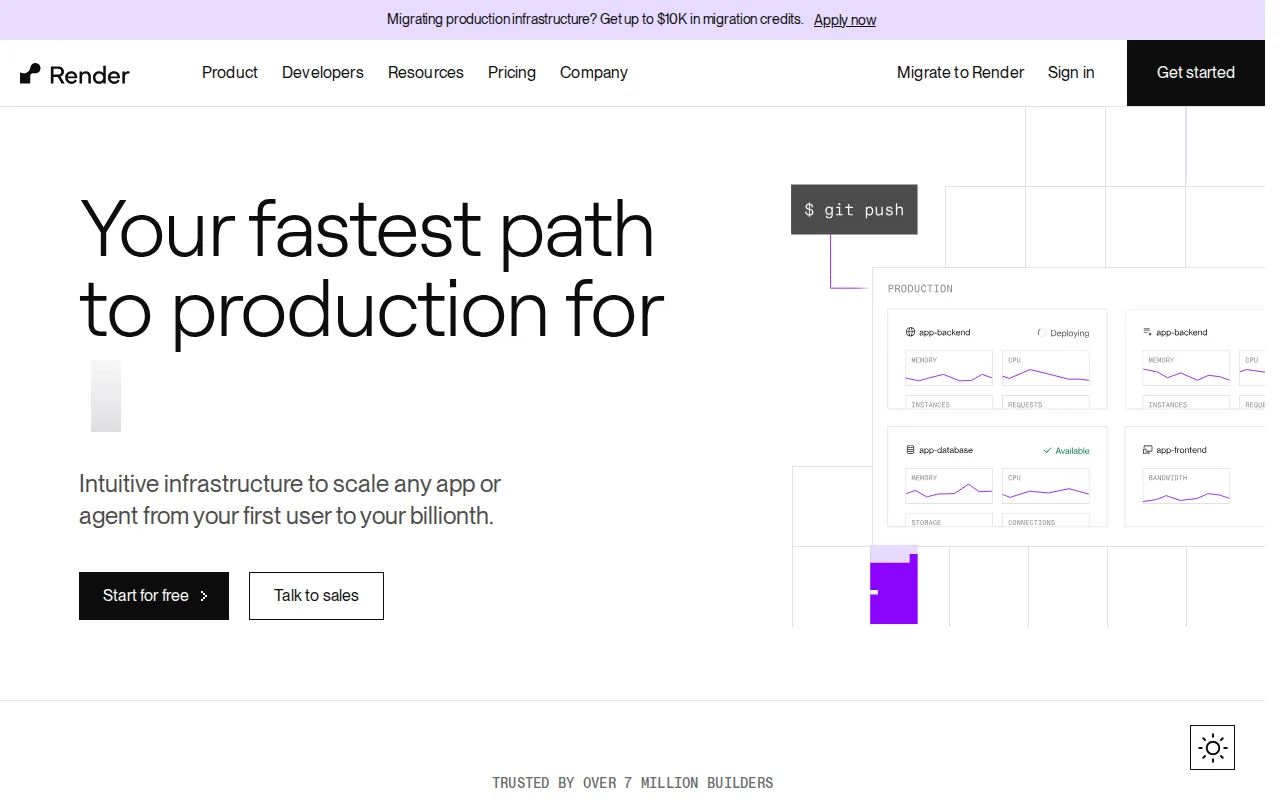
Render is the best Netlify alternative for developers and teams migrating off Heroku who want autoscaling web services plus managed Postgres and Redis-compatible databases, not just static hosting. Render's free Hobby plan covers 1 project with 2 environments and 100GB of monthly bandwidth, comparable to Netlify's 300 monthly credits, and paid compute instances scale from a $7/month Starter instance up through Standard, Pro, and Pro Plus tiers to a $450/month Pro Ultra instance with up to 64 CPUs and 512GB RAM. Render holds a 4.3/5 rating from 3 Capterra reviews plus a 5.0/5 from 76 Product Hunt reviews, a mixed but real sample compared to Netlify's 4.6/5 from 90 reviews. Managed Postgres starts at $6/month for a 256MB instance, a database product Netlify's own platform (a lighter-weight Netlify Database bundled into its credit system) doesn't match in scale. Netlify is still the better choice for teams whose workload is primarily static or JAMstack rather than long-running backend services: Render's free-tier web services spin down after inactivity, adding cold-start latency on the next request, while Netlify's CDN-served static content has no equivalent spin-down delay.
Compared to Netlify: managed Postgres starts at $6/month for a 256MB instance, compute instances scale from $7/month up to a 64 CPU / 512GB Pro Ultra instance at $450/month, automatic PR preview environments and one-click rollback for backend services, not just static builds
Wins:Managed Postgres and a Redis-compatible Key Value store are built in, starting at $6/month, a database scale Netlify's bundled Netlify Database doesn't match · Compute instance sizing scales from $7/month up to 64 CPUs and 512GB RAM without switching platforms, suited to long-running backend services beyond Netlify's serverless-functions model · Automatic PR preview environments and one-click rollback apply to full backend services, not just static builds
Loses:Free-tier web services spin down after inactivity, adding cold-start latency on the next request, unlike Netlify's always-on CDN-served static content · Paid workspace-level plan pricing beyond individual compute instance costs isn't published on the pricing page, less transparent than Netlify's published credit-based tiers · Lower Capterra review count (3 reviews) than Netlify's 90, though Render's separate 76 Product Hunt reviews score a perfect 5.0/5
Pros
- Automatic PR preview environments and one-click rollback simplify testing changes before merge.
- Compute instance sizing scales from $7/month up to 64 CPUs / 512 GB RAM without migrating platforms.
- Managed Postgres and Redis-compatible Key Value store included, with point-in-time recovery on paid tiers.
- CLI and MCP server support AI-agent-driven deployment workflows.
Cons
- Free-tier web services spin down after inactivity, adding cold-start latency on the next request.
- Paid workspace-level plan pricing (beyond individual compute instance costs) isn't published on the pricing page.
- Managed database pricing scales steeply at larger sizes, reaching into the thousands of dollars per month.
Pricing: Free tier · paid from $6/mo — Netlify's Free plan includes 300 monthly credits; Render's Free Hobby plan covers 100GB bandwidth/month, with paid compute starting at $7/month and managed Postgres from $6/month (verified undefined NaN, NaN)
4.AWS Amplify — best Netlify alternative for teams already building on AWS who want Git-based hosting plus managed auth, data, and storage without assembling separate services
AWS Amplify is the best Netlify alternative for teams already building on AWS who want Git-based CI/CD hosting plus a managed backend toolkit (authentication, data APIs, storage, functions) provisioned from a single TypeScript codebase, beyond what Netlify's serverless-functions-plus-CDN model covers. AWS Amplify holds a 4.8/5 rating from 8 Capterra reviews and a 5.0/5 from 11 Product Hunt reviews, both higher than Netlify's 4.6/5 from 90 Capterra reviews, though on a much smaller review base. The AWS Free Tier gives new accounts 1,000 build minutes, 5GB of CDN storage, and 15GB of data transfer per month at no cost for 12 months, after which build compute bills at $0.01-$0.10 per minute by instance size; Netlify's Free plan, by contrast, has no expiration on its 300 monthly credits. Netlify is still the better choice for teams that don't want AWS's console and IAM complexity: Amplify's backend services (Cognito, AppSync, DynamoDB, Lambda) are billed separately under their own AWS pricing, so total cost isn't visible on the Amplify pricing page alone, while Netlify's unified credit system keeps deploys, compute, bandwidth, and requests in one predictable pool.
Compared to Netlify: provisions a full backend (Cognito authentication, data APIs, storage, functions) from a single TypeScript codebase, AWS Free Tier covers 1,000 build minutes and 15GB transfer for 12 months only, backend services are billed separately under their own AWS pricing rather than one unified credit pool
Wins:Provisions a full backend (Cognito authentication, data APIs, storage, functions) from a single TypeScript codebase, a scope beyond Netlify's CDN-plus-serverless-functions model · Extends into any other AWS service (DynamoDB, AppSync, Lambda, S3) as an application's needs grow · Holds a 4.8/5 rating from 8 Capterra reviews and 5.0/5 from 11 Product Hunt reviews, both above Netlify's 4.6/5 from 90 reviews
Loses:Free Tier build minutes and transfer allowances expire after 12 months, unlike Netlify's ongoing 300 monthly credits with no expiration · Backend services (Cognito, AppSync, DynamoDB, Lambda) are billed separately under their own AWS pricing, so total cost isn't visible on the Amplify pricing page the way Netlify's unified credit pool is · Steeper learning curve for teams unfamiliar with AWS's console, IAM permissions, and service naming, versus Netlify's simpler git-connect setup
Pros
- Combines Git-based CI/CD hosting with a full backend toolkit (auth, data, storage, functions) provisioned from code.
- 12-month AWS Free Tier covers 1,000 build minutes, 5 GB storage, and 15 GB data transfer per month at no cost.
- No pay-per-seat pricing for team collaboration.
- Extends into any other AWS service as an application's needs grow.
Cons
- Backend services (Cognito, AppSync, DynamoDB, Lambda) are billed separately under their own AWS pricing, making total cost harder to estimate than flat-rate competitors.
- Learning curve is steeper for teams unfamiliar with AWS's console, IAM permissions, and service naming.
- Free tier build minutes and transfer allowances expire after 12 months.
- Fewer opinionated defaults than Vercel or Netlify, requiring more configuration for common frontend framework deployments.
Pricing: Free tier · paid from $0.01/mo — Netlify's Free plan includes 300 monthly credits with no expiration; AWS Amplify's Free Tier covers 1,000 build minutes, 5GB storage, and 15GB transfer per month for 12 months only, then $0.01-$0.10/build minute (verified undefined NaN, NaN)