1 Best Open-Source Alternatives to Kdenlive in 2026
By Noahlast updated pricing verified
Compared: open-source alternatives to Kdenlive
| Alternative | Best for | Standout | Biggest weakness | Learning curve | Price |
|---|---|---|---|---|---|
| Kdenlivereference | independent video creators and hobbyists who want a full-featured, free video editor on Linux, Windows, or macOS without a subscription | Every editing feature — multi-track timeline, keyframeable effects, color grading, proxy editing — is free and unlocked from install, with no watermarks, export limits, or paid tiers. | Interface and workflow are less polished than Adobe Premiere Pro or DaVinci Resolve, occasional stability issues with very large or complex projects are a recurring community complaint, and support runs through community forums and chat rather than paid, guaranteed-response support. | Steep | Free |
| Shotcut | hobbyist and independent video editors on Windows, macOS, or Linux who want a capable, no-cost editor that handles native footage formats without a conversion step | Native FFmpeg-based format support that lets hundreds of audio and video formats be edited directly on the timeline without converting them first, at zero cost. | As a volunteer-maintained open-source project, Shotcut lacks the polish, official support channel, and advanced collaboration or color-grading tools found in paid editors like DaVinci Resolve or Premiere Pro, and its single Product Hunt review notes occasional bugs typical of open-source software. | Moderate | Free |
 Kdenlive
 Shotcut
1.Shotcut — best Kdenlive alternative for hobbyist and independent video editors on Windows, macOS, or Linux who want a capable, no-cost editor that handles native footage formats without a conversion step
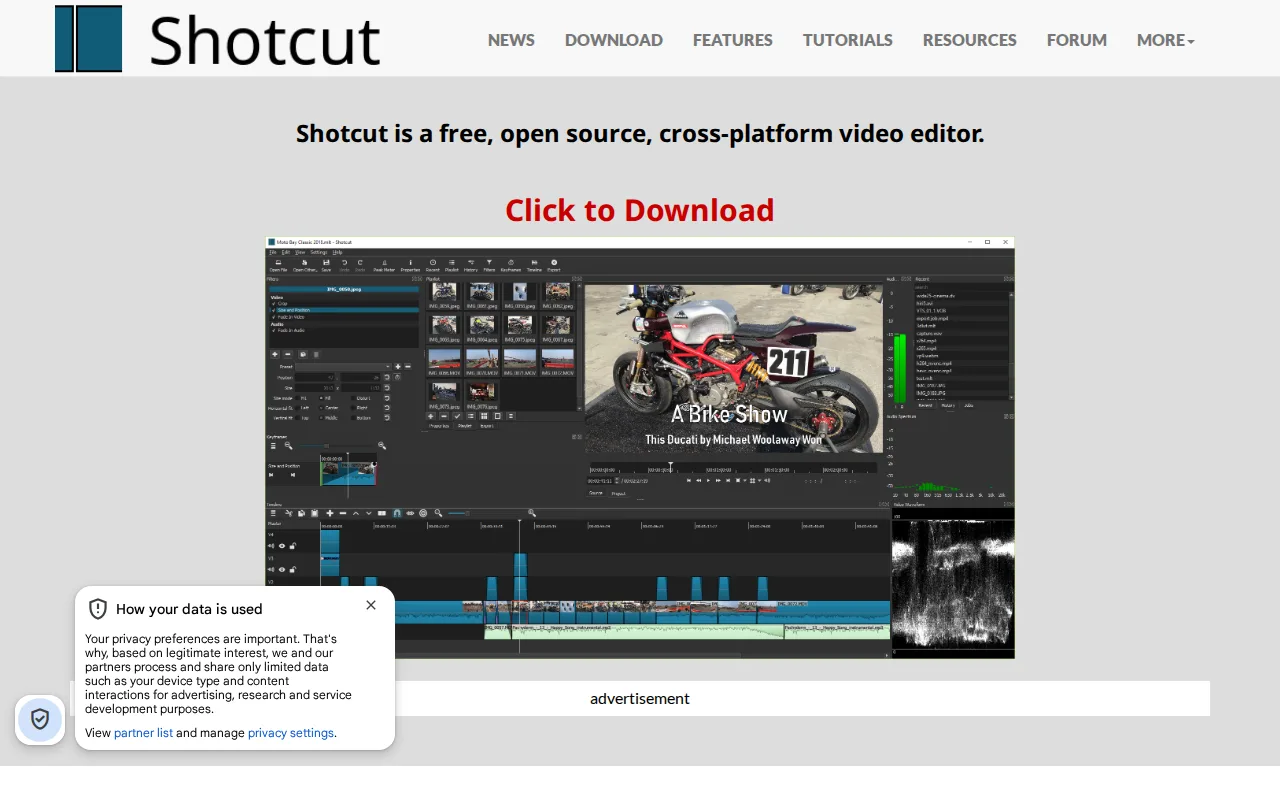
Shotcut is the best free Kdenlive alternative for editors who want native FFmpeg-based format support, letting hundreds of audio and video formats be edited directly on the timeline without a separate conversion step, matching Kdenlive's own $0 price under a comparable open-source license. Shotcut is licensed under GPLv3 (Kdenlive uses GPL-3.0), with no paid tier, in-app purchases, or subscription of any kind, and its GitHub repository has accumulated roughly 15,000 stars with new releases roughly every two months. Beyond basic cutting, Shotcut includes screen, webcam, and audio capture, 4K editing, and Blackmagic Design SDI/HDMI output for professional external monitoring, features that extend past Kdenlive's own toolset in a few specific areas. Kdenlive is still the better choice for editors who want proxy editing for large 4K+ footage and title/text generation built in as a mainstream workflow: Shotcut's interface and stability are described as less polished than commercial editors, and unlike Kdenlive it has no color-grading tools as advanced as DaVinci Resolve's node-based system, so serious color work still favors switching tools entirely.
Compared to Kdenlive: native FFmpeg support for hundreds of formats without a conversion step, screen/webcam capture and Blackmagic SDI/HDMI output, both free and GPL-licensed like Kdenlive itself
Wins:Native FFmpeg-based format support lets hundreds of audio and video formats be edited directly on the timeline without converting them first · Includes screen, webcam, and audio capture alongside standard editing tools, beyond Kdenlive's core toolset · Blackmagic Design SDI and HDMI output support professional external monitoring
Loses:No color-grading tools as advanced as DaVinci Resolve's node-based system, and less depth than Kdenlive's own color correction in some workflows · Interface and stability are described as less polished than commercial editors, a complaint similar to Kdenlive's own noted stability issues on large projects · No official paid support channel; help comes from community forums and documentation, the same limitation Kdenlive shares
Pros
- Completely free with no paid tier, ads, or watermark, under the GPLv3 license.
- Native FFmpeg support edits hundreds of formats directly without a conversion step.
- Actively maintained with new releases roughly every two months and about 15,000 GitHub stars.
- Includes screen, webcam, and audio capture alongside standard editing tools.
Cons
- No official paid support channel; help comes from community forums and documentation.
- Interface and stability are less polished than commercial editors like Premiere Pro or DaVinci Resolve.
- No color-grading tools as advanced as DaVinci Resolve's node-based system.
- No web or mobile version; desktop-only on Windows, macOS, and Linux.
Pricing: Free — Free, matching Kdenlive's $0 price under a comparable GPL license (verified undefined NaN, NaN)