1 Best Open-Source Alternatives to Framer in 2026
By Noahlast updated pricing verified
Compared: open-source alternatives to Framer
| Alternative | Best for | Standout | Biggest weakness | Learning curve | Price |
|---|---|---|---|---|---|
| Framerreference | designers, marketers, and founders who want to design and launch a production website on a visual canvas without a developer handoff for every change | An AI Design Agent that works directly on the live canvas to generate and refine site layouts in place, alongside a CMS Agent and Code Agent for content and custom interactivity. | Paid plans meter both CMS collections and bandwidth, and adding a second editor costs an extra $20/month even on the Pro plan, which pushes real team costs well above the advertised $30/month for anything beyond a single-editor site. | Moderate | Free tier · paid from $10/mo |
| WordPress | site owners and developers who want full control over hosting, plugins, and code, and are comfortable managing their own server, security updates, and backups in exchange for no software licensing cost | A plugin ecosystem with tens of thousands of free and premium plugins (WooCommerce for e-commerce, Yoast for SEO, and more) that lets a self-hosted install take on nearly any site type without custom development. | Because it is self-hosted, the site owner is fully responsible for hosting performance, security patching, and backups; a poorly chosen host or an unmaintained plugin is a common source of slow sites, hacked installs, and update conflicts that hosted builders like Squarespace and Wix eliminate entirely. | Moderate | Free |
 Framer
 WordPress
1.WordPress — best Framer alternative for site owners and developers who want full control over hosting, plugins, and code, and are comfortable managing their own server, security updates, and backups in exchange for no software licensing cost
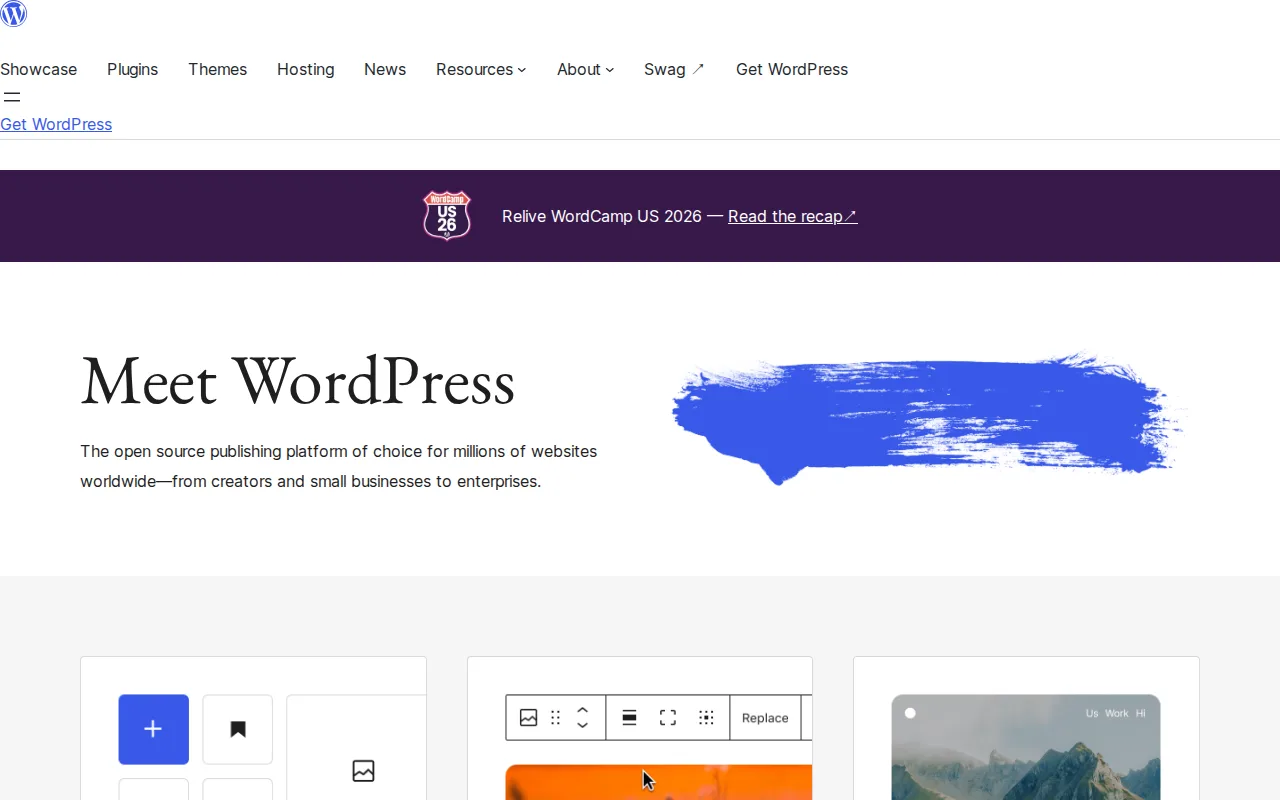
WordPress is the best Framer alternative for site owners and developers who want full control over hosting and code, plus zero licensing cost, rather than Framer's hosted subscription model. WordPress holds a 4.7/5 rating from 42 Product Hunt reviews, close to Framer's own 4.8/5 from 261 reviews but with a much smaller review sample. Unlike Framer, WordPress software itself is entirely free under the GPLv2 license with no vendor-set pricing tiers at all, so there's no equivalent to Framer's $10/month Basic or $30/month Pro plans; total cost instead depends on whatever hosting, domain, and premium plugins the owner chooses. WordPress's plugin ecosystem, including WooCommerce for e-commerce and Yoast for SEO, lets a base install take on nearly any site type without custom development, a breadth of extension Framer's closed, canvas-only platform doesn't offer. A self-hosted WordPress site can also move to any host without vendor lock-in, unlike a Framer site tied to Framer's own hosting. Framer remains the better choice for anyone who wants a fully hosted, zero-maintenance experience with an AI Design Agent editing live on canvas: WordPress requires the site owner to handle their own security updates, backups, and server performance, with no built-in vendor safety net, and Framer's hosting comes with SEO, analytics, and A/B testing bundled in without needing a third-party plugin the way WordPress does.
Compared to Framer: 4.7/5 rating from 42 Product Hunt reviews vs Framer's 4.8/5 from 261 reviews, entirely free GPLv2 software with no vendor pricing tiers vs Framer's $10-$30/month subscription plans, full plugin ecosystem and portability vs Framer's closed, hosting-locked platform
Wins:Entirely free under the GPLv2 license with no vendor-imposed pricing tiers at all, unlike Framer's $10/month Basic and $30/month Pro plans · Plugin ecosystem (WooCommerce, Yoast, and thousands more) covers e-commerce, SEO, and page-building without custom development · A self-hosted WordPress site can move to any host without vendor lock-in, unlike a Framer site tied to Framer's own hosting infrastructure
Loses:4.7/5 rating comes from just 42 Product Hunt reviews, a far smaller sample than Framer's own 261 reviews · Self-hosting means the site owner handles security updates, backups, and performance, with no built-in vendor safety net the way Framer's managed hosting provides · No AI Design Agent editing a live canvas in place; WordPress's editing model is block-based rather than Framer's freeform visual canvas
Pros
- Free software under GPLv2, no licensing fee regardless of site size or traffic.
- Plugin ecosystem covers e-commerce, SEO, forms, and page-building without custom code for most common needs.
- Full ownership and portability: a self-hosted WordPress site can move to any host without vendor lock-in.
- Massive community documentation, forums, and third-party tutorials for nearly any configuration question.
Cons
- Self-hosting means the site owner is responsible for security updates, backups, and server performance, with no built-in vendor safety net.
- Plugin quality varies widely; poorly maintained plugins are a common source of security vulnerabilities and site breakage after core updates.
- Total cost is unpredictable compared to fixed-tier builders, since hosting, premium themes, and premium plugins are all separate purchases.
- The learning curve for a properly configured, secure, fast site is steeper than fully hosted builders like Squarespace or Wix.
Pricing: Free — WordPress software is $0 with no vendor pricing tiers at all (hosting and plugins are separate costs), versus Framer's $10/month Basic and $30/month Pro plans with bundled hosting (verified undefined NaN, NaN)