3 Best Alternatives to DxO PhotoLab in 2026
By Noahlast updated pricing verified
From our data: Two of the three alternatives to DxO PhotoLab carry external Capterra ratings: Adobe Lightroom at 4.8/5 from 327 reviews and Capture One at 4.7/5 from 66 reviews, a combined 393 reviews against DxO PhotoLab's own 14-review, 4.4/5 listing; sorted low to high, the three scores (DxO PhotoLab, Capture One, Adobe Lightroom) are 4.4, 4.7, and 4.8, putting the median at 4.7.
 Adobe Lightroom
 Capture One
 Luminar Neo
How we picked
- Two of the three alternatives compared here carry external ratings fetched on 2026-08-21: Adobe Lightroom holds 4.8/5 from 327 Capterra reviews and Capture One holds 4.7/5 from 66 Capterra reviews, while Luminar Neo carries no external rating in our listing data and DxO PhotoLab itself holds 4.4/5 from 14 Capterra reviews.
- Pricing for all three alternatives and DxO PhotoLab itself carries a recorded pricing-verification date (DxO PhotoLab 2026-08-21, Adobe Lightroom 2026-08-21, Luminar Neo 2026-08-21), except Capture One, whose subscription tiers show no dollar figures because its pricing page renders through an interactive calculator rather than static page text.
- Ranking reflects each alternative's fit against DxO PhotoLab's own one-time-purchase, DeepPRIME-denoising model: Adobe Lightroom is ranked first for cross-device cloud sync and the largest review base, Capture One second for tethered-capture depth exceeding DxO PhotoLab's own desktop-only workflow, and Luminar Neo third for staying closest to DxO PhotoLab's one-time-payment pricing philosophy.
- None of the three alternatives, nor DxO PhotoLab itself, report a like count or usage count above zero in our listing data, so on-platform engagement signals could not factor into the ranking.
Paid placement never alters editorial rank — read the full methodology.
DxO PhotoLab alternatives at a glance
| Alternative | Best for | Learning curve | Price |
|---|---|---|---|
| DxO PhotoLabreference | photographers who want DeepPRIME's high-ISO noise reduction and automated lens corrections without paying a monthly subscription | Moderate | From $149.99 one-time |
| Adobe Lightroom | photographers who shoot in volume and want cloud-synced, non-destructive edits and AI-assisted culling across every device | Moderate | Free tier · paid from $11.99/mo |
| Capture One | portrait, fashion, product, and commercial photographers who need tethered shooting and fine-grained color grading beyond what Lightroom offers | Steep | Custom pricing |
| Luminar Neo | photography hobbyists who want AI-assisted, single-slider editing tools like sky replacement and background removal without paying an ongoing Adobe-style subscription | Low | From $129 one-time |
1Adobe Lightroom — best DxO PhotoLab alternative for photographers who shoot in volume and want cloud-synced, non-destructive edits and AI-assisted culling across every device
Adobe Lightroom is the best DxO PhotoLab alternative for photographers who want the same edits to follow them across desktop, web, and mobile automatically, rather than DxO PhotoLab's Windows-and-macOS-only, one-time-license model. Lightroom's cloud catalog syncs edit history and 1TB of storage across every device the moment a photo imports, starting at $11.99/month billed annually, well below DxO PhotoLab Essential's $149.99 one-time price if measured over a single year of use. Lightroom holds a 4.8/5 rating from 327 Capterra reviews, more than 23 times DxO PhotoLab's own 14-review base at 4.4/5. Generative Remove and Assisted Culling automate object removal and photo triage, features DxO PhotoLab's DeepPRIME-focused workflow doesn't attempt to replicate. DxO PhotoLab remains the better choice for anyone who wants to pay once and never again: Lightroom has no perpetual-license option, and its $11.99-$19.99/month subscription runs indefinitely, while DxO PhotoLab Essential is a single $149.99 payment with no recurring fee. DxO PhotoLab's DeepPRIME denoising is also widely regarded as best-in-class for high-ISO RAW files, a specialization Lightroom's broader, AI-culling-first toolset doesn't match on noise reduction specifically. Lightroom's base 1TB of cloud storage also fills quickly for RAW shooters shooting in volume. For cross-device sync and AI-assisted culling at scale, though, Lightroom is the more capable, better-reviewed alternative.
Compared to DxO PhotoLab: $11.99/month cloud-synced editing vs DxO PhotoLab's $149.99 one-time Essential license, 4.8/5 rating from 327 Capterra reviews vs DxO PhotoLab's 4.4/5 from 14 reviews, AI-assisted culling across every device vs DxO PhotoLab's Windows/macOS-only DeepPRIME denoising focus
Wins:Cloud catalog syncs edits and library automatically across Windows, macOS, iOS, and Android, beyond DxO PhotoLab's desktop-only support · 4.8/5 rating from 327 Capterra reviews, more than 23 times DxO PhotoLab's own 14-review base · Generative Remove and Assisted Culling automate object removal and photo triage, a broader AI toolset than DxO PhotoLab's denoising-and-lens-correction focus
Loses:$11.99-$19.99/month subscription with no perpetual-license option, unlike DxO PhotoLab's one-time $149.99-$239.99 purchase · Base 1TB of cloud storage fills quickly for RAW shooters, a storage cap DxO PhotoLab's local-file model doesn't impose · DeepPRIME's high-ISO noise reduction is widely regarded as best-in-class, a specialization Lightroom's broader AI toolset doesn't specifically target
Pros
- Non-destructive, catalog-based editing that syncs across desktop, web, and mobile automatically.
- AI tools like Generative Remove and Assisted Culling cut down time spent on repetitive photo triage.
- Free mobile app covers basic editing without a subscription.
- Lightroom Classic (included) gives desktop-only photographers local file control instead of cloud storage.
Cons
- 1TB of included cloud storage fills up fast for photographers shooting RAW in volume; extra storage costs more.
- Performance and sync can lag with large catalogs, per user reviews.
- Cancelling an annual-billed-monthly plan within the first year can trigger an early termination fee.
- Full editing power requires understanding Lightroom's catalog model, which trips up first-time users.
Pricing: Free tier · paid from $11.99/mo — $11.99/month (Lightroom, annual, recurring) vs DxO PhotoLab's $149.99 one-time Essential license (or $239.99 for Elite) (verified )
2Capture One — best DxO PhotoLab alternative for portrait, fashion, product, and commercial photographers who need tethered shooting and fine-grained color grading beyond what Lightroom offers
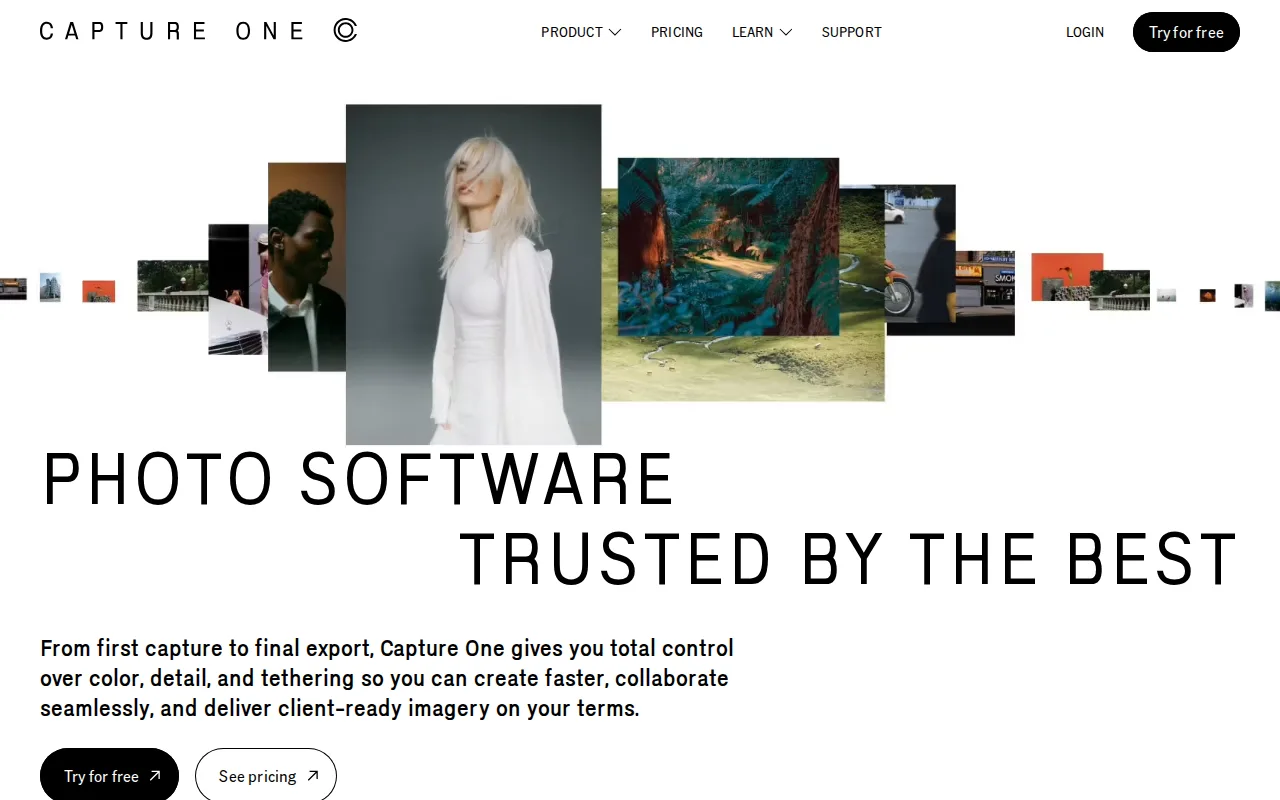
Capture One is the best DxO PhotoLab alternative for portrait, fashion, and commercial photographers who need tethered capture and color grading more granular than DxO PhotoLab's DeepPRIME-and-lens-correction focus provides. Capture One supports tethered shooting from 550+ camera models, letting a photographer watch each frame appear on a laptop mid-shoot, a studio workflow entirely absent from DxO PhotoLab's own listing. It holds a 4.7/5 rating from 66 Capterra reviews, more than four times DxO PhotoLab's own 14-review base at 4.4/5. After five consecutive years of subscription, Phase One converts a Capture One subscriber to a perpetual license at no extra cost, a middle ground between DxO PhotoLab's always-one-time-purchase model and a pure ongoing subscription. DxO PhotoLab remains the better choice for anyone who wants to know the exact price before committing: Capture One's own pricing page renders dollar amounts through an interactive calculator rather than static page text, so getting a real number takes extra steps, while DxO PhotoLab's $149.99 Essential and $239.99 Elite prices are published plainly. Reviewers also cite Capture One's steeper learning curve and higher pricing than Lightroom as trade-offs for its color and tethering strengths, and DxO PhotoLab's DeepPRIME denoising remains widely regarded as best-in-class for high-ISO files, a specialization Capture One's broader toolset doesn't focus on the same way. For studio and tethered work, though, Capture One's camera support and color depth outclass DxO PhotoLab's current feature set.
Compared to DxO PhotoLab: tethered capture for 550+ camera models vs DxO PhotoLab's no tethering support documented, 4.7/5 rating from 66 Capterra reviews vs DxO PhotoLab's 4.4/5 from 14 reviews, subscription with perpetual-after-5-years pricing vs DxO PhotoLab's one-time $149.99-$239.99 purchase
Wins:Tethered shooting support for 550+ camera models with live-viewer collaboration, a studio workflow DxO PhotoLab's listing doesn't document · 4.7/5 rating from 66 Capterra reviews, more than four times DxO PhotoLab's own 14-review base · More granular color grading and correction tools than DxO PhotoLab's DeepPRIME-and-lens-correction-focused workflow
Loses:Exact subscription and perpetual-license prices aren't shown as static text, requiring an interactive calculator, unlike DxO PhotoLab's plainly published $149.99-$239.99 prices · Steeper learning curve, per reviewers, matching the same steep-learning-curve trade-off, though DxO PhotoLab's own learning curve is rated only moderate, not steep · DeepPRIME's best-in-class high-ISO denoising is a specialization Capture One's broader color-and-tethering-focused toolset doesn't target the same way
Pros
- Tethered shooting support for 550+ camera models, deeper than most competitors.
- More granular color grading and correction tools than Adobe Lightroom.
- Offers both subscription and perpetual license options, unlike most modern creative software.
- Five years of continuous subscription converts to a free perpetual license.
Cons
- Steeper learning curve than Lightroom, reviewers say, especially for color and layer-based editing tools.
- Pricing runs higher than Lightroom once Studio or All in One tiers are needed for collaboration or mobile.
- Exact subscription and perpetual license prices are not shown as static text on Capture One's own pricing page, requiring an interactive calculator to compare.
- No Android app; mobile support is iPad/iPhone only.
Pricing: Custom pricing — Exact dollar pricing not published as static text (interactive calculator only) vs DxO PhotoLab's one-time $149.99 Essential or $239.99 Elite (verified )
3Luminar Neo — best DxO PhotoLab alternative for photography hobbyists who want AI-assisted, single-slider editing tools like sky replacement and background removal without paying an ongoing Adobe-style subscription

Luminar Neo is the best DxO PhotoLab alternative for hobbyist photographers who want single-slider AI editing tools and a one-time payment closest in spirit to DxO PhotoLab's own perpetual-license model. Luminar Neo's Desktop Only tier starts at $129, undercutting DxO PhotoLab Essential's $149.99 new-license price by $20.99, and both are one-time purchases with no forced subscription for the core desktop app. Luminar Neo's Sky Replacement, automatic background removal, and AI-driven UpscaleAI and NoiselessAI tools automate edits with a single slider, a more guided approach than DxO PhotoLab's DeepPRIME denoising and Optics Modules, which apply automatically but within a more traditional RAW-editing interface. Luminar Neo also runs on iOS, Android, and ChromeOS on its higher-priced All Platforms and Max bundles ($159 and $199), platform reach DxO PhotoLab's Windows-and-macOS-only desktop app doesn't match. DxO PhotoLab remains the better choice for photographers who specifically want DeepPRIME's high-ISO noise reduction, widely regarded as best-in-class and a specialization Luminar Neo's broader, more consumer-oriented AI toolset doesn't focus on to the same degree. Luminar Neo's AI tools also require a 365-day Luminar Prime license renewal ($33-$59/year) to stay current after the first year, softening its own "pay once" pitch in a way DxO PhotoLab's flatly one-time $149.99-$239.99 pricing doesn't. For hobbyists wanting guided, one-click AI edits at a lower entry price, though, Luminar Neo is the more approachable choice.
Compared to DxO PhotoLab: $129 one-time Desktop Only tier vs DxO PhotoLab's $149.99 one-time Essential license, single-slider AI tools (Sky Replacement, background removal) vs DxO PhotoLab's DeepPRIME denoising and automated lens corrections, iOS/Android/ChromeOS support vs DxO PhotoLab's Windows/macOS-only desktop app
Wins:$129 one-time Desktop Only price undercuts DxO PhotoLab Essential's $149.99 by $20.99 for a comparable one-time-purchase model · Single-slider AI tools (Sky Replacement, background removal, AI upscaling) offer a more guided editing experience than DxO PhotoLab's traditional RAW-editing interface · All Platforms and Max bundles extend to iOS, Android, ChromeOS, and Apple Vision Pro, beyond DxO PhotoLab's Windows/macOS-only reach
Loses:AI tools require a 365-day Luminar Prime license renewal ($33-$59/year) to stay current, softening the "pay once" pitch DxO PhotoLab's flat one-time pricing doesn't require · DeepPRIME's best-in-class high-ISO noise reduction is a specialization Luminar Neo's more consumer-oriented AI toolset doesn't match · No external rating on file in our listing data, unlike DxO PhotoLab's own 4.4/5 from 14 Capterra reviews
Pros
- One-time perpetual license option avoids Adobe's mandatory ongoing subscription for the core desktop app.
- Single-slider AI tools (Accent AI, Sky Replacement, background removal) make complex edits accessible without a manual layers-based workflow.
- Cross-platform coverage including iOS, Android, ChromeOS, and Apple Vision Pro on higher-tier bundles.
- Includes a large library of presets, LUTs, overlays, and skies, plus bundled photography courses.
Cons
- AI tools require a 365-day license renewal through Luminar Prime ($33-$59/year) to stay current after the first year, softening the 'pay once' pitch.
- Pricing display leans on frequent 'up to 50% off' discounting from list prices, making it harder to judge the real baseline cost.
- Lacks the depth of professional-grade manual retouching and color-grading tools found in Photoshop or Capture One.
- AI-driven edits can look overprocessed on some images without careful slider tuning, a common complaint among more experienced photo editors.
Pricing: From $129 one-time — $129 one-time (Desktop Only) vs DxO PhotoLab's $149.99 one-time (Essential); Luminar Neo adds an optional $33-$59/year Prime renewal DxO PhotoLab has no equivalent for (verified )
Which one is right for you?
- You shoot in high volume and want the same non-destructive edits to sync automatically across desktop, phone, and web.Adobe Lightroom
- You're a studio photographer who needs tethered capture from 550+ camera models and deeper color grading than DxO PhotoLab offers.Capture One
- You want single-slider AI editing tools like sky replacement without learning a traditional RAW-editing interface.Luminar Neo
- You want the lowest one-time purchase price among the alternatives compared here.Luminar Neo
- You specifically need cloud storage bundled with your photo editing subscription.Adobe Lightroom
Frequently asked questions
What is the best alternative to DxO PhotoLab?
- Adobe Lightroom is the best-reviewed alternative to DxO PhotoLab, holding a 4.8/5 rating from 327 Capterra reviews and cloud sync across every device, though it costs $11.99/month versus DxO PhotoLab's one-time $149.99 Essential license. Capture One and Luminar Neo are strong picks for tethered studio work and one-time-payment AI editing respectively.
Is there a free alternative to DxO PhotoLab?
- No — none of the three alternatives compared here (Adobe Lightroom, Capture One, Luminar Neo) publish a permanently free tier in our listing data, matching DxO PhotoLab's own lack of a free tier beyond a time-limited trial.
Can Adobe Lightroom replace DxO PhotoLab?
- Adobe Lightroom can replace DxO PhotoLab for general non-destructive raw editing and adds cloud sync across devices, but it doesn't specifically match DeepPRIME's best-in-class high-ISO noise reduction. Lightroom costs $11.99/month on an ongoing basis, versus DxO PhotoLab's one-time $149.99 Essential license.
What is the closest alternative to DxO PhotoLab for a one-time purchase?
- Luminar Neo is the closest alternative to DxO PhotoLab for one-time pricing, with its Desktop Only tier starting at $129, undercutting DxO PhotoLab Essential's $149.99. Both avoid a mandatory subscription for the core desktop app, though Luminar Neo's AI features need an optional yearly Prime renewal.
Is Capture One better than DxO PhotoLab for studio photographers?
- Capture One is better than DxO PhotoLab for studio photographers who need tethered shooting, supporting 550+ camera models and holding a 4.7/5 rating from 66 Capterra reviews versus DxO PhotoLab's 4.4/5 from 14 reviews. DxO PhotoLab's DeepPRIME denoising remains stronger specifically for high-ISO noise reduction.