2 Best Free Alternatives to Capture One in 2026
By Noahlast updated
All 4 Capture One alternatives
Compared: free alternatives to Capture One
| Alternative | Best for | Standout | Biggest weakness | Learning curve | Price |
|---|---|---|---|---|---|
| Capture Onereference | portrait, fashion, product, and commercial photographers who need tethered shooting and fine-grained color grading beyond what Lightroom offers | Tethered capture support for 550+ camera models with live-viewer collaboration (Capture One Live, Studio tier), letting a remote art director or client watch a shoot in real time. | Reviewers consistently cite a steeper learning curve than Lightroom and pricing that runs higher, especially once you need the Studio or All in One tiers for team or mobile workflows rather than the base Pro plan. | Steep | Custom pricing |
| Adobe Lightroom | photographers who shoot in volume and want cloud-synced, non-destructive edits and AI-assisted culling across every device | Cloud-native catalog sync that carries the same edit history and organization across desktop, web, and mobile without manual export. | The base 1TB of cloud storage fills quickly for RAW shooters, and additional storage is a separate paid add-on on top of the subscription; Capterra reviewers also report lag and sync slowdowns once catalogs grow large. | Moderate | Free tier · paid from $11.99/mo |
| darktable | photographers who want a fully non-destructive, database-driven raw editing workflow on Linux, Windows, or macOS without paying an Adobe Lightroom subscription | A fully non-destructive, GPU-accelerated raw processing pipeline with a database-backed lighttable for organizing large photo libraries, built entirely by a volunteer photographer-developer community with no paid tier at all. | The dense, module-heavy interface has a steeper learning curve for photographers coming from more guided commercial tools, and darktable lacks the polish, tutorials, and plugin ecosystem of Adobe Lightroom. | Steep | Free |
 Capture One
 Adobe Lightroom
 darktable
1.Adobe Lightroom — best Capture One alternative for photographers who shoot in volume and want cloud-synced, non-destructive edits and AI-assisted culling across every device
Adobe Lightroom is the best Capture One alternative for photographers who shoot in volume and want the same edit history synced automatically across desktop, web, and mobile, rather than Capture One's desktop-and-iPad-only workflow. Lightroom's base plan costs $11.99/month billed annually with 1TB of cloud storage and 250 monthly generative credits, a published number Capture One's own pricing page doesn't show as static text, rendering exact dollar figures only through an interactive calculator instead. Lightroom holds a 4.8/5 rating from 327 Capterra reviews, more review volume than Capture One's own 4.7/5 from 66 reviews. AI tools like Generative Remove and Assisted Culling, which scores photos by sharpness and focus, cut down repetitive photo triage in ways Capture One's listing doesn't describe having an equivalent for. Capture One is still the better choice for studio and commercial photographers who need tethered shooting: Lightroom's listing doesn't detail tethered capture support the way Capture One's 550+ camera models does, and Lightroom's 1TB of included cloud storage fills up quickly for photographers shooting RAW in volume, requiring a separate paid storage add-on, a cost structure Capture One's per-tier plans handle differently.
Compared to Capture One: 4.8/5 rating from 327 Capterra reviews vs Capture One's 4.7/5 from 66, published $11.99/month starting price, but no detailed tethered-capture support
Wins:4.8/5 rating from 327 Capterra reviews, more volume than Capture One's own 4.7/5 from 66 reviews · Publishes a static $11.99/month starting price, unlike Capture One's pricing page, which renders dollar figures only through an interactive calculator · AI tools like Generative Remove and Assisted Culling cut down repetitive photo triage, a capability Capture One's listing doesn't describe having
Loses:Listing doesn't detail tethered-capture support the way Capture One's 550+ camera models does · 1TB of included cloud storage fills up quickly for RAW shooters, requiring a separate paid storage add-on · Cancelling an annual-billed-monthly plan within the first year can trigger an early termination fee
Pros
- Non-destructive, catalog-based editing that syncs across desktop, web, and mobile automatically.
- AI tools like Generative Remove and Assisted Culling cut down time spent on repetitive photo triage.
- Free mobile app covers basic editing without a subscription.
- Lightroom Classic (included) gives desktop-only photographers local file control instead of cloud storage.
Cons
- 1TB of included cloud storage fills up fast for photographers shooting RAW in volume; extra storage costs more.
- Performance and sync can lag with large catalogs, per user reviews.
- Cancelling an annual-billed-monthly plan within the first year can trigger an early termination fee.
- Full editing power requires understanding Lightroom's catalog model, which trips up first-time users.
Pricing: Free tier · paid from $11.99/mo — $11.99/month base plan (1TB storage) vs Capture One's pricing, shown only through an interactive calculator, not as a static number (verified undefined NaN, NaN)
2.darktable — best Capture One alternative for photographers who want a fully non-destructive, database-driven raw editing workflow on Linux, Windows, or macOS without paying an Adobe Lightroom subscription
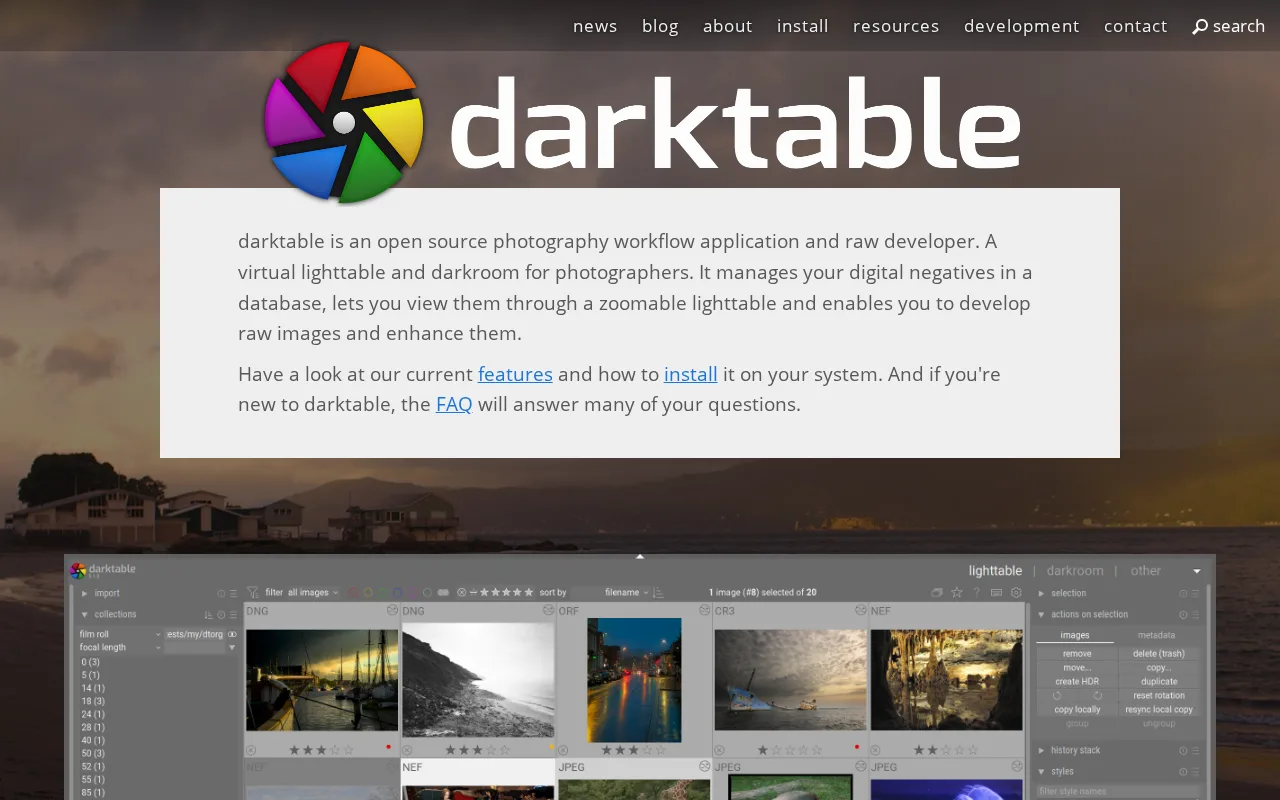
darktable is the best Capture One alternative for photographers who want a fully non-destructive, database-driven raw editing workflow without paying anything at all, unlike Capture One's four subscription tiers plus a separate perpetual license option. darktable is released under the GPL-3.0 license with its full source hosted on GitHub (darktable-org/darktable, 13,000 stars), and there is no paid tier, subscription, or feature gate of any kind, a stark contrast to Capture One, whose exact subscription and perpetual license prices aren't even shown as static text on its own pricing page. darktable runs natively on Linux, Windows 10+, and macOS, adding Linux support that Capture One's Windows/macOS/iOS platform list doesn't include. Capture One is still the better choice for professional studio photographers who need tethered shooting and guided commercial polish: darktable's dense, module-heavy interface has a steeper learning curve than Capture One's more guided workflow, it has no official cloud sync or mobile companion app, and it carries no external rating data at all in our listing data, unlike Capture One's 4.7/5 from 66 Capterra reviews, so there's no independent review volume to weigh darktable's real-world reliability against.
Compared to Capture One: completely free and open source (GPL-3.0) with no paid tier at all, native Linux support, but a steeper interface learning curve and no cloud sync
Wins:Completely free and open source under GPL-3.0, with no subscription or paid tier at all, unlike Capture One's four subscription tiers plus a separate perpetual license · Full source code published on GitHub (13,000 stars), unlike Capture One's closed-source model · Native Linux support, a platform Capture One's Windows/macOS/iOS list doesn't include
Loses:Dense, module-heavy interface has a steeper learning curve than Capture One's more guided workflow · No official cloud sync or mobile companion app, unlike Capture One's iPad/iPhone app on higher tiers · Carries no external rating data at all in our listing data, unlike Capture One's 4.7/5 from 66 Capterra reviews
Pros
- Completely free and open source under GPL-3.0, with no subscription or paid tier at all.
- Fully non-destructive raw editing backed by a searchable image database (the lighttable).
- A GPU-accelerated processing pipeline handles large raw files and complex edit stacks responsively.
- Runs natively on Linux, Windows, and macOS, unlike some raw editors that are Mac- or Windows-only.
Cons
- The dense, module-heavy interface has a steeper learning curve than guided commercial tools like Lightroom.
- A smaller plugin and tutorial ecosystem than Adobe Lightroom, since development depends on volunteer contributors.
- No official cloud sync or mobile companion app, unlike Lightroom's cross-device workflow.
- Big-endian and 32-bit platforms are not officially supported, and camera raw-format support can lag behind brand-new camera releases.
Pricing: Free — Free, with no paid tier of any kind, vs Capture One's subscription tiers or perpetual license, priced only through an interactive calculator (verified undefined NaN, NaN)