1 Best Open-Source Alternatives to LibreOffice in 2026
By Noahlast updated pricing verified
All 6 LibreOffice alternatives
Compared: open-source alternatives to LibreOffice
| Alternative | Best for | Standout | Biggest weakness | Learning curve | Price |
|---|---|---|---|---|---|
| LibreOfficereference | individuals, schools, and organizations that want a full office suite without a subscription and can work without native real-time cloud co-authoring | A complete six-application office suite (including a desktop database tool in Base, which neither Microsoft nor Google offer at the consumer level) that is entirely free and open source with no feature paywall. | No native real-time multi-user co-authoring in the way Microsoft 365 or Google Workspace offer it, and complex documents with heavy Microsoft-specific formatting (advanced macros, certain chart types, some fonts) can render or convert imperfectly when round-tripped through .docx/.xlsx/.pptx. | Low | Free |
| OnlyOffice | organizations that need Microsoft Office-compatible editing but want the option to self-host on their own servers under an open-source license | AGPL 3.0-licensed source code that organizations can audit and self-host, combined with a DocSpace pricing model that charges only for admin seats while unlimited regular users join free. | Business Cloud pricing is per-admin rather than per-user, which can be confusing to compare against competitors, and users switching from Microsoft Office report formatting fidelity issues on complex documents with heavy macros or advanced layout. | Moderate | Free tier · paid from $20/mo |
 LibreOffice
 OnlyOffice
1.OnlyOffice — best LibreOffice alternative for organizations that need Microsoft Office-compatible editing but want the option to self-host on their own servers under an open-source license
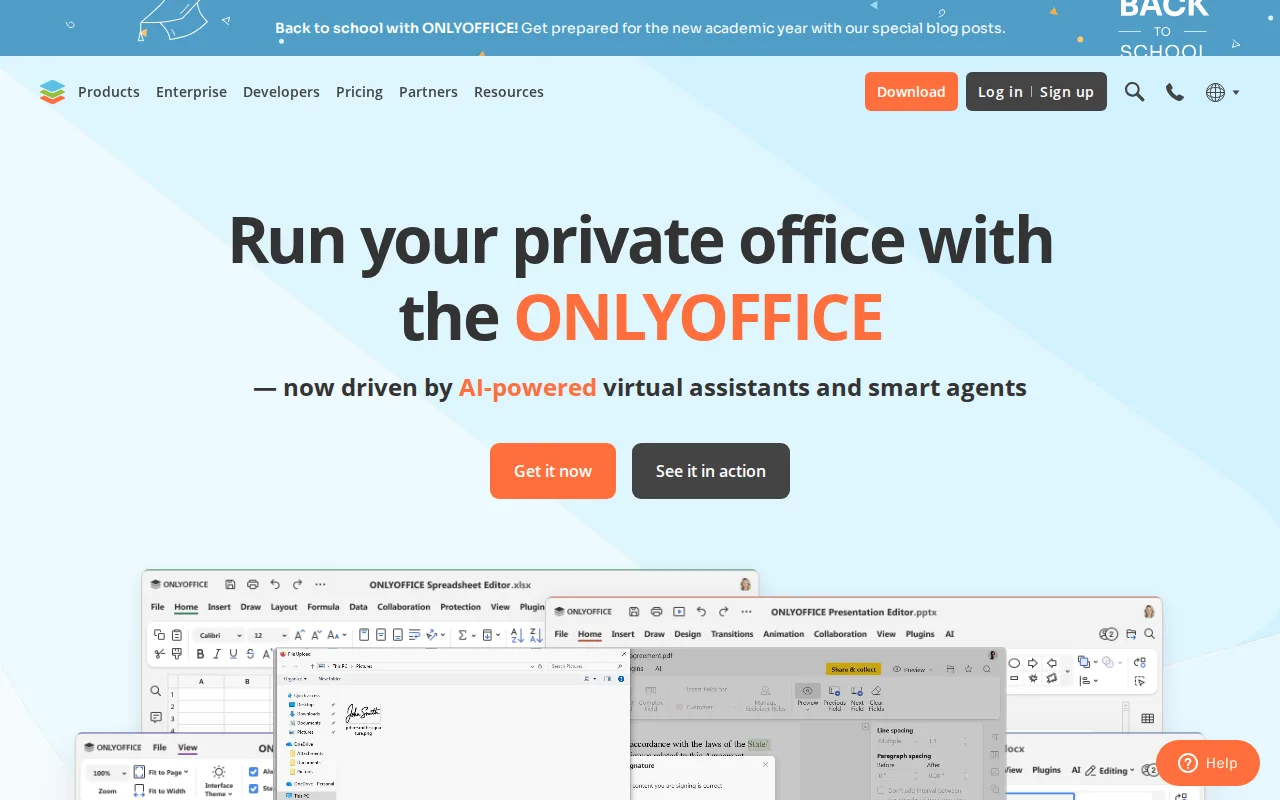
ONLYOFFICE is the best LibreOffice alternative for organizations that want to stay open source but need real-time collaboration. Like LibreOffice, ONLYOFFICE publishes its source (AGPL 3.0 on GitHub) and can be self-hosted, so documents never have to leave an organization's own servers. Unlike LibreOffice, it adds real-time co-editing with character-level change tracking and built-in AI content tools, closing the exact gap LibreOffice's listing calls its biggest weakness. ONLYOFFICE also ships native apps on Windows, macOS, Linux, iOS, and Android, covering the mobile platforms LibreOffice does not, plus 40+ integrations including Nextcloud and Moodle. Its pricing model is unusual and favors large user counts: DocSpace charges per admin, not per user, with unlimited regular users and guests invited free. The Startup plan is free for up to 3 admins with 2GB per space and up to 12 rooms, and Business Cloud is $20/admin/month, discounted from a regular $30. ONLYOFFICE holds 4.5/5 from 324 Capterra reviews. LibreOffice is still the better choice for pure desktop work: it is free at any scale with no admin seats to buy, and it ships Base and Math, which ONLYOFFICE does not. Both also share the same known flaw, since complex Word and Excel documents with heavy macros or advanced layout can lose fidelity in either.
Compared to LibreOffice: real-time co-editing with character-level change tracking that LibreOffice lacks, AGPL 3.0 source you can self-host as LibreOffice's is, and $20/admin/month with unlimited free users where LibreOffice costs nothing at any scale
Wins:Real-time co-editing with character-level change tracking and built-in AI content tools, the collaboration gap LibreOffice's own listing names as its biggest weakness · Native apps on Windows, macOS, Linux, iOS, and Android plus 40+ integrations including Nextcloud and Moodle, covering the mobile platforms LibreOffice has no official apps for · DocSpace charges only for admin seats with unlimited regular users and guests free, and it holds 4.5/5 from 324 Capterra reviews where LibreOffice has no rating on record
Loses:Business Cloud costs $20/admin/month (discounted from $30) and the free Startup tier caps you at 3 admins, 2GB per space, and 12 rooms, while LibreOffice is unlimited and free · Shares LibreOffice's fidelity problem: complex Word and Excel documents with advanced formatting or macros can lose formatting in ONLYOFFICE too, so switching does not fix it · No equivalent to LibreOffice's Base desktop database or Math formula editor, and Enterprise on-premises pricing is unpublished, requiring a sales conversation
Pros
- AGPL 3.0 source code available on GitHub; fully self-hostable for organizations that need to keep data on-premises.
- DocSpace charges only for admin seats, with unlimited regular users invited free.
- Native apps across Windows, macOS, Linux, iOS, and Android, plus 40+ third-party integrations including Nextcloud and Moodle.
- Real-time co-editing with character-level change tracking and built-in AI content tools.
Cons
- Complex documents with advanced Word/Excel formatting or macros can lose fidelity when opened in ONLYOFFICE.
- Enterprise on-premises pricing is not published; requires a sales conversation.
- Per-admin pricing model on Business Cloud takes more effort to compare against per-user competitors.
- DocSpace's interface is less polished than Google Workspace or Notion for non-technical teams.
Pricing: Free tier · paid from $20/mo — $20/admin/month for Business Cloud with unlimited users free (Startup tier free for up to 3 admins) vs LibreOffice at $0 for unlimited users (verified undefined NaN, NaN)