1 Best Open-Source Alternatives to Dropbox in 2026
By Noahlast updated pricing verified
Compared: open-source alternatives to Dropbox
| Alternative | Best for | Standout | Biggest weakness | Learning curve | Price |
|---|---|---|---|---|---|
| Dropboxreference | individuals and teams who need dependable cross-device file sync and simple sharing links, especially teams already invoking Dropbox's large-file-transfer and version-history features | Selective sync and file-transfer links that handle files up to 250GB, combined with 175+ file-type previews and long version-history windows on paid plans. | Storage costs scale per user on team plans ($15-$24/user/month) rather than pooling cheaply, so growing teams or storage-heavy workflows (video, design assets) can see costs climb well past the advertised starting price, and reviewers note large-folder syncing can lag compared to lighter competitors. | Low | Free tier · paid from $9.99/mo |
| Nextcloud | organizations that want a self-hosted, data-sovereign alternative to Google Workspace or Microsoft 365 for file sync, groupware, and video conferencing | A full collaboration suite (files, Talk conferencing, groupware, LibreOffice-based document editing, workflow automation) that self-hosts as one open-source codebase instead of stitching together separate tools. | Enterprise pricing requires a 100-user minimum to get a published rate, so smaller organizations wanting official support and SLA guarantees have to contact sales rather than see a self-serve price, and self-hosting the Community edition means the organization is responsible for its own updates, backups, and server maintenance. | Moderate | Free |
 Dropbox
 Nextcloud
1.Nextcloud — best Dropbox alternative for organizations that want a self-hosted, data-sovereign alternative to Google Workspace or Microsoft 365 for file sync, groupware, and video conferencing
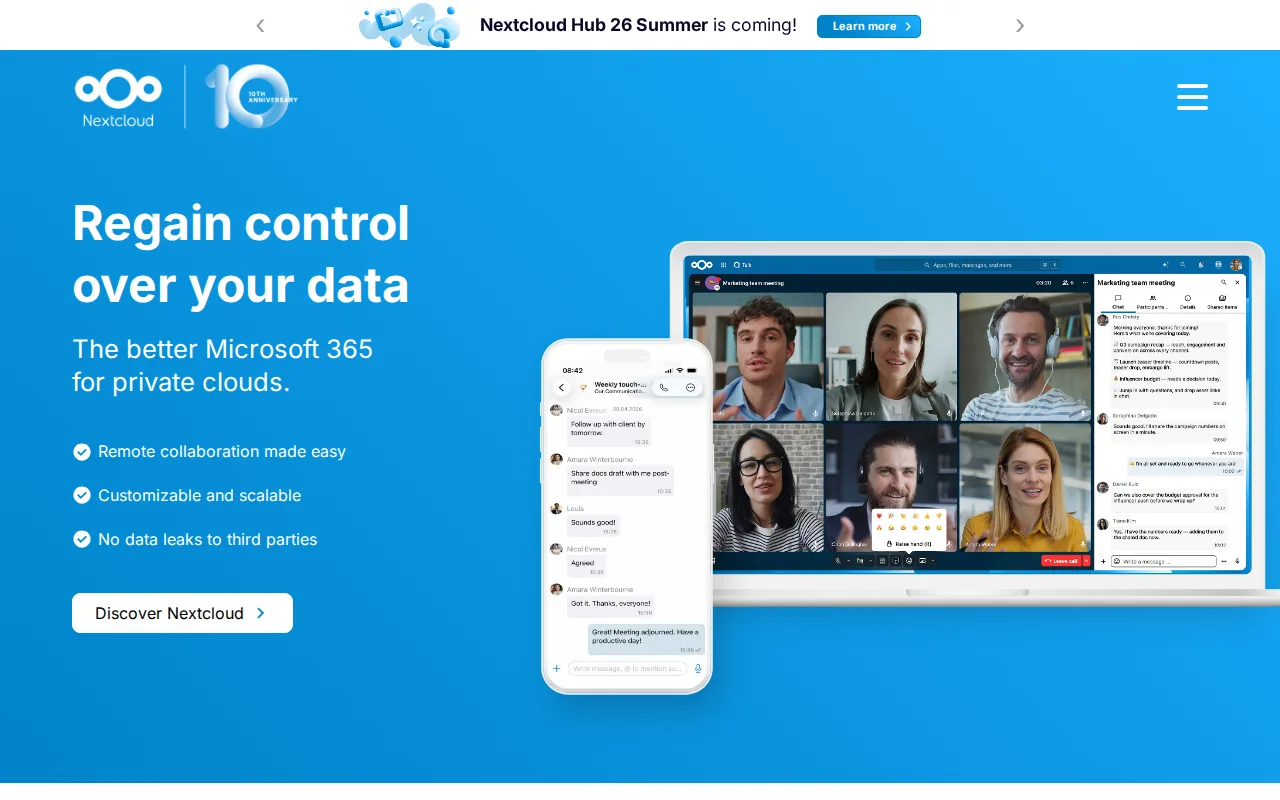
Nextcloud and Dropbox both sync and share files, but Nextcloud's Community edition is fully open source under AGPL-3.0 and free to self-host with no user limit, versus Dropbox's proprietary, per-user-priced Standard and Advanced tiers at $15-$24/user/month. Nextcloud bundles Talk video conferencing, groupware (calendar and contacts), and LibreOffice-based document editing into the same self-hosted codebase, which Dropbox doesn't offer as native features at all. Nextcloud holds a 4.6/5 rating from 443 Capterra reviews, a smaller sample than Dropbox's 21,704 but a comparable score. Where Dropbox still wins: Nextcloud's enterprise support pricing requires a 100-user minimum to get a published rate, so smaller organizations wanting official SLA-backed support have to contact sales rather than see self-serve pricing the way Dropbox lists its tiers directly, and self-hosting the free Community edition puts the burden of updates, backups, and uptime on the organization's own IT staff rather than a managed vendor like Dropbox.
Compared to Dropbox: Community edition is free and open source (AGPL-3.0) with no user limit vs Dropbox's $15-$24/user/month paid tiers, bundles video conferencing and groupware natively, and enterprise support pricing requires a 100-user minimum to get a published rate.
Wins:Community edition is free, open source (AGPL-3.0), and self-hostable with no user limit · Bundles Talk video conferencing, groupware, and LibreOffice-based document editing natively · Full data sovereignty for organizations that self-host instead of relying on a third-party cloud
Loses:Self-hosting shifts updates, backups, and uptime onto the organization's own IT staff, unlike Dropbox's managed service · Enterprise support pricing needs a 100-user minimum to see a published rate, unlike Dropbox's listed tiers · Smaller review base (443 Capterra reviews) than Dropbox's 21,704
Pros
- Fully open source (AGPL-3.0) and free to self-host with no user limit on the Community edition.
- Bundles file sync, video conferencing, groupware, and document editing into one connected suite.
- Scales from a single Raspberry Pi to distributed installations serving tens of millions of users.
- Native apps across web, Windows, macOS, Linux, iOS, and Android.
Cons
- Enterprise support pricing starts at a 100-user minimum, with no published self-serve rate for smaller teams.
- Self-hosting the Community edition puts the burden of updates, backups, and uptime on the organization's own IT staff.
- Performance and app ecosystem depend heavily on the hosting hardware and configuration, unlike a fully managed SaaS suite.
- The large number of optional apps can make initial setup and configuration more complex than a single-purpose file-sync tool.
Pricing: Free — Nextcloud Community edition is free to self-host vs Dropbox Standard at $15/user/month (verified undefined NaN, NaN)